TRY_CAST in DuckDB: Converting Messy Text Without Breaking Your Query
Use DuckDB's TRY_CAST to convert messy text to numbers and dates without query errors, then count, explain and quarantine the values that failed to convert.
By Tnas · Published · 12 min read
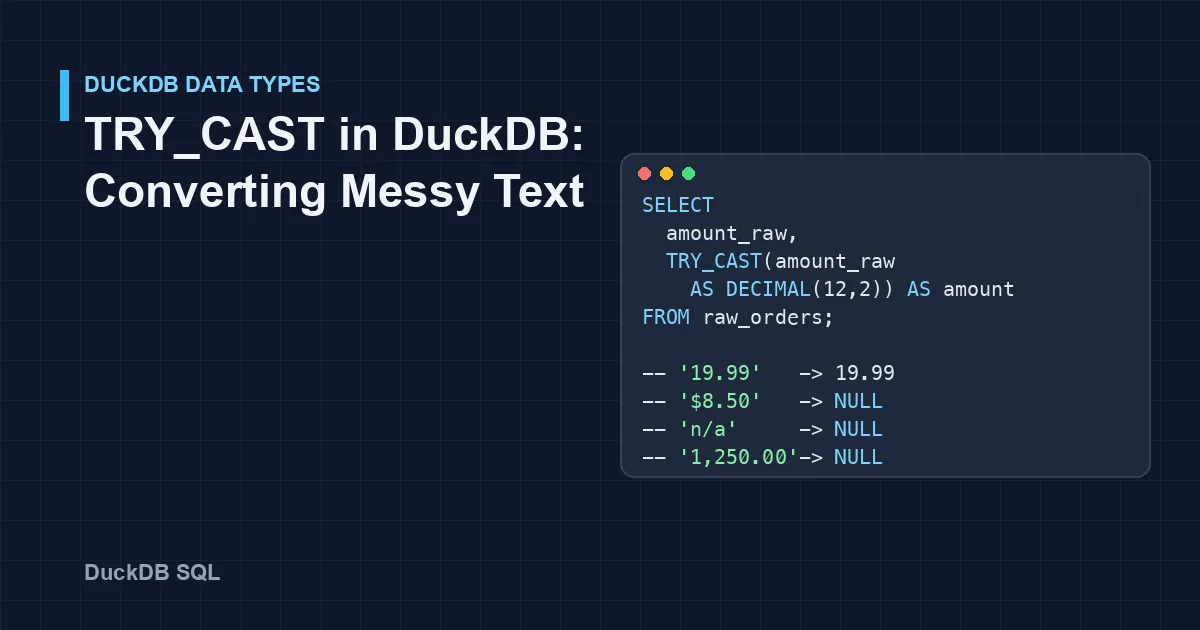
TRY_CAST(value AS type) in DuckDB converts a value to a new type and returns NULL when the conversion fails, where a plain CAST stops the whole query with a conversion error. That makes it the safe way to type a text column full of $8.50, n/a and 2026-02-30. It also creates a new problem: a NULL from a failed conversion looks exactly like a value that was missing to begin with. This tutorial shows how to use TRY_CAST on messy text, how to count and explain what failed, and where TRY_CAST accepts values you probably wanted to reject.
Key Takeaways
CASTraises an error on the first bad value;TRY_CASTreturnsNULLfor that value and keeps going.- After a
TRY_CAST,NULLmeans either "was missing" or "failed to convert". Keep the raw column and add a status column so the two stay apart.- Count failures per column: present values minus converted values. A silent drop from 1,000 amounts to 970 is a data problem, not a rounding error.
TRY_CASTis permissive. It rounds'12.345'intoDECIMAL(10,2), reads'12.5e1'as 125 and turns'yes'intotrue. Validate the text pattern first when that matters.- For dates in a known non-ISO format, use
TRY_STRPTIMEwith an explicit format, and treat ambiguous day/month orders as a decision, not a parsing detail.
CAST versus TRY_CAST
A normal cast succeeds on clean text:
SELECT CAST('12.50' AS DECIMAL(10,2)) AS ok;
-- 12.50
One currency symbol is enough to stop it:
SELECT CAST('$12.50' AS DECIMAL(10,2)) AS boom;
-- Conversion Error: Could not convert string "$12.50" to DECIMAL(10,2)
TRY_CAST has the same syntax and returns NULL instead of raising the error (DuckDB casting documentation):
SELECT TRY_CAST('$12.50' AS DECIMAL(10,2)) AS quiet;
-- NULL
Both behaviours are useful. CAST is the right choice when a bad value should stop a pipeline. TRY_CAST is the right choice when you expect some bad values and want to find them, which is most of data cleaning.
The example data
The examples use a small table of order rows loaded as text, the way many CSV exports arrive. Every column is VARCHAR. The outputs below come from DuckDB 1.5.1, with the column-type row omitted.
CREATE TABLE raw_orders AS SELECT * FROM (VALUES
  ('A-1', '19.99',    '2026-03-01', '2'),
  ('A-2', '1,250.00', '2026-03-02', '1'),
  ('A-3', '$8.50',    '03/04/2026', 'two'),
  ('A-4', 'n/a',      '2026-02-30', '3'),
  ('A-5', '',         NULL,         ' 4 '),
  ('A-6', NULL,       '2026-03-06', '2.0'),
  ('A-7', '12.5e1',   '2026-03-07', '1')
) t(order_id, amount_raw, order_date_raw, qty_raw);
Step 1: Try the conversion on every column
Apply TRY_CAST to each column and keep the raw value next to the result, so you can see what happened row by row:
SELECT order_id,
       amount_raw,     TRY_CAST(amount_raw AS DECIMAL(12,2)) AS amount,
       order_date_raw, TRY_CAST(order_date_raw AS DATE)      AS order_date,
       qty_raw,        TRY_CAST(qty_raw AS INTEGER)          AS qty
FROM raw_orders;
┌──────────┬────────────┬─────────┬────────────────┬────────────┬─────────┬──────┐
│ order_id │ amount_raw │ amount  │ order_date_raw │ order_date │ qty_raw │ qty  │
├──────────┼────────────┼─────────┼────────────────┼────────────┼─────────┼──────┤
│ A-1      │ 19.99      │   19.99 │ 2026-03-01     │ 2026-03-01 │ 2       │    2 │
│ A-2      │ 1,250.00   │    NULL │ 2026-03-02     │ 2026-03-02 │ 1       │    1 │
│ A-3      │ $8.50      │    NULL │ 03/04/2026     │ NULL       │ two     │ NULL │
│ A-4      │ n/a        │    NULL │ 2026-02-30     │ NULL       │ 3       │    3 │
│ A-5      │            │    NULL │ NULL           │ NULL       │  4      │    4 │
│ A-6      │ NULL       │    NULL │ 2026-03-06     │ 2026-03-06 │ 2.0     │    2 │
│ A-7      │ 12.5e1     │  125.00 │ 2026-03-07     │ 2026-03-07 │ 1       │    1 │
└──────────┴────────────┴─────────┴────────────────┴────────────┴─────────┴──────┘
The query ran to the end, which a plain CAST would not have done. But look at the amount column: five NULLs, for five different reasons. A thousands separator, a currency symbol, a placeholder (n/a), an empty string and a real NULL all collapsed into the same value. February 30th, an impossible date, also became NULL, which is correct but easy to miss.
Step 2: Keep "missing" and "failed" apart
The fix is to record why a value is NULL. Compare the raw text with the converted value:
SELECT order_id, amount_raw,
       TRY_CAST(amount_raw AS DECIMAL(12,2)) AS amount,
       CASE
         WHEN amount_raw IS NULL OR trim(amount_raw) = '' THEN 'missing'
         WHEN TRY_CAST(amount_raw AS DECIMAL(12,2)) IS NULL THEN 'unparseable'
         ELSE 'ok'
       END AS amount_status
FROM raw_orders;
┌──────────┬────────────┬─────────┬───────────────┐
│ order_id │ amount_raw │ amount  │ amount_status │
├──────────┼────────────┼─────────┼───────────────┤
│ A-1      │ 19.99      │   19.99 │ ok            │
│ A-2      │ 1,250.00   │    NULL │ unparseable   │
│ A-3      │ $8.50      │    NULL │ unparseable   │
│ A-4      │ n/a        │    NULL │ unparseable   │
│ A-5      │            │    NULL │ missing       │
│ A-6      │ NULL       │    NULL │ missing       │
│ A-7      │ 12.5e1     │  125.00 │ ok            │
└──────────┴────────────┴─────────┴───────────────┘
Whether n/a counts as "missing" or "unparseable" is a policy choice. If your source uses known placeholder codes, map them to missing explicitly before the cast, and let everything else fall into "unparseable". The exercise Turn sentinel codes into missing values practises exactly that split, and the lesson Keep the reason a value is missing explains why the reason is worth a column.
Step 3: Count what failed
A conversion step should report its own losses. COUNT(expr) skips NULLs, so the difference between "values present" and "values converted" is the failure count:
SELECT
  COUNT(*) AS total_rows,
  COUNT(amount_raw) FILTER (WHERE trim(amount_raw) <> '')  AS amount_present,
  COUNT(TRY_CAST(amount_raw AS DECIMAL(12,2)))             AS amount_parsed,
  amount_present - amount_parsed                           AS amount_failed
FROM raw_orders;
┌────────────┬────────────────┬───────────────┬───────────────┐
│ total_rows │ amount_present │ amount_parsed │ amount_failed │
├────────────┼────────────────┼───────────────┼───────────────┤
│          7 │              5 │             2 │             3 │
└────────────┴────────────────┴───────────────┴───────────────┘
DuckDB lets later expressions in the same SELECT reuse earlier aliases, which keeps the subtraction readable. Then list the failures themselves, because the distinct bad values tell you which cleaning rule to write next:
SELECT order_id, amount_raw
FROM raw_orders
WHERE trim(amount_raw) <> ''
  AND TRY_CAST(amount_raw AS DECIMAL(12,2)) IS NULL;
┌──────────┬────────────┐
│ order_id │ amount_raw │
├──────────┼────────────┤
│ A-2      │ 1,250.00   │
│ A-3      │ $8.50      │
│ A-4      │ n/a        │
└──────────┴────────────┘
On a real file you would GROUP BY amount_raw and sort by count, so the most common failure pattern comes first. The same count, split by source system, shows which upstream feed is sending the bad values.
Step 4: Clean the text, then cast
Two of the three failures are formatting, not bad data. Remove the characters you understand and cast again:
SELECT order_id, amount_raw,
       TRY_CAST(regexp_replace(amount_raw, '[$,\s]', '', 'g') AS DECIMAL(12,2)) AS amount
FROM raw_orders;
┌──────────┬────────────┬─────────┐
│ order_id │ amount_raw │ amount  │
├──────────┼────────────┼─────────┤
│ A-1      │ 19.99      │   19.99 │
│ A-2      │ 1,250.00   │ 1250.00 │
│ A-3      │ $8.50      │    8.50 │
│ A-4      │ n/a        │    NULL │
│ A-5      │            │    NULL │
│ A-6      │ NULL       │    NULL │
│ A-7      │ 12.5e1     │  125.00 │
└──────────┴────────────┴─────────┘
The pattern [$,\s] removes dollar signs, commas and whitespace, and the 'g' option replaces every match rather than the first (DuckDB regular expression functions). Only strip what you have looked at. Removing commas is correct for 1,250.00, but in a file that uses a decimal comma, 1,5 means one and a half, and the same rule would turn it into fifteen. If a column mixes currencies, removing the symbol throws away information you need. The guide on money, decimals and rounding covers both cases.
Use DECIMAL rather than DOUBLE for money. DECIMAL(12,2) stores exact cents; DOUBLE stores a binary approximation.
Step 5: Know what TRY_CAST accepts that you might not
A successful TRY_CAST means DuckDB could produce a value. It does not mean the text matched your expectations. These conversions all succeed in DuckDB 1.5.1:
| Input text | Target type | Result | Why it matters |
|---|---|---|---|
'12.345' |
DECIMAL(10,2) |
12.35 |
Rounded to the column's scale without warning |
'12.5e1' |
DECIMAL(10,2) |
125.00 |
Scientific notation is accepted |
'2.5' |
INTEGER |
3 |
Rounded to the nearest integer |
'2.0' |
INTEGER |
2 |
A decimal string becomes a whole number |
' 4 ' |
INTEGER |
4 |
Surrounding spaces are ignored |
'1e3' |
INTEGER |
1000 |
Scientific notation again |
'yes', 'Y', '1', 't' |
BOOLEAN |
true |
Several spellings are read as true |
'2026-03-01 10:00' |
DATE |
2026-03-01 |
The time part is dropped |
Values that are out of range do fail, as you would hope: TRY_CAST('300' AS TINYINT) and TRY_CAST('99999999999' AS INTEGER) both return NULL, and so does TRY_CAST('20260301' AS DATE). The full set of conversion rules is in DuckDB's typecasting documentation.
When a quantity of 2.5 should be an error rather than a 3, check the text before converting. regexp_full_match returns true only when the whole string matches the pattern:
SELECT v AS raw_text,
       TRY_CAST(v AS DECIMAL(10,2)) AS loose_cast,
       CASE WHEN regexp_full_match(v, '-?[0-9]{1,8}(\.[0-9]{1,2})?')
            THEN CAST(v AS DECIMAL(10,2)) END AS strict_cast
FROM (VALUES ('19.99'), ('12.345'), ('12.5e1'), ('7'), ('-3.5'), ('123456789')) t(v);
┌───────────┬───────────────┬───────────────┐
│ raw_text  │  loose_cast   │  strict_cast  │
├───────────┼───────────────┼───────────────┤
│ 19.99     │         19.99 │         19.99 │
│ 12.345    │         12.35 │          NULL │
│ 12.5e1    │        125.00 │          NULL │
│ 7         │          7.00 │          7.00 │
│ -3.5      │         -3.50 │         -3.50 │
│ 123456789 │          NULL │          NULL │
└───────────┴───────────────┴───────────────┘
The pattern allows at most eight digits before the decimal point and two after it, which is exactly what fits in DECIMAL(10,2). Because the text is guaranteed to have that shape, the strict version can use a plain CAST inside the CASE; with an unbounded [0-9]+, a nine-digit value would pass the check and then stop the query with an overflow error. The lesson Validate before you cast in SQL builds this into a reusable habit. For yes/no columns, an explicit list of accepted spellings is safer than relying on the boolean cast; the free exercise Keep identifiers as text and parse yes/no flags shows why.
Step 6: Dates that are not ISO formatted
TRY_CAST(x AS DATE) reads ISO dates such as 2026-03-01. For any other layout, use TRY_STRPTIME with a format string. It returns a timestamp, so cast the result to DATE (DuckDB date format functions):
SELECT order_date_raw,
       TRY_STRPTIME(order_date_raw, ['%Y-%m-%d', '%m/%d/%Y'])::DATE AS order_date
FROM raw_orders;
┌────────────────┬────────────┐
│ order_date_raw │ order_date │
├────────────────┼────────────┤
│ 2026-03-01     │ 2026-03-01 │
│ 2026-03-02     │ 2026-03-02 │
│ 03/04/2026     │ 2026-03-04 │
│ 2026-02-30     │ NULL       │
│ NULL           │ NULL       │
│ 2026-03-06     │ 2026-03-06 │
│ 2026-03-07     │ 2026-03-07 │
└────────────────┴────────────┘
Passing a list of formats tries each one in turn. That is convenient and also dangerous, because 03/04/2026 is a valid date under two different formats:
SELECT TRY_STRPTIME('03/04/2026', '%m/%d/%Y')::DATE AS us_reading,
       TRY_STRPTIME('03/04/2026', '%d/%m/%Y')::DATE AS uk_reading;
-- us_reading: 2026-03-04    uk_reading: 2026-04-03
Neither answer is an error, so TRY_STRPTIME cannot warn you. Decide the format from what you know about the source (its country, its system, a documented spec) and apply one format per source. The guide on parsing dates when formats are ambiguous and the free exercise Parse dates by declared locale work through this.
Step 7: Quarantine the rows that failed
Converting is half the job. The other half is making the failures visible to whoever owns the data. A common pattern is a typed table plus an exceptions query with a readable reason per row:
CREATE TABLE orders_typed AS
SELECT order_id,
       amount_raw,
       TRY_CAST(regexp_replace(amount_raw, '[$,\s]', '', 'g') AS DECIMAL(12,2)) AS amount,
       order_date_raw,
       TRY_STRPTIME(order_date_raw, '%Y-%m-%d')::DATE AS order_date
FROM raw_orders;

SELECT order_id, amount_raw, order_date_raw,
       concat_ws('; ',
         CASE WHEN nullif(trim(amount_raw), '') IS NOT NULL AND amount IS NULL
              THEN 'amount unparseable' END,
         CASE WHEN order_date_raw IS NOT NULL AND order_date IS NULL
              THEN 'date unparseable' END
       ) AS reasons
FROM orders_typed
WHERE (nullif(trim(amount_raw), '') IS NOT NULL AND amount IS NULL)
   OR (order_date_raw IS NOT NULL AND order_date IS NULL);
┌──────────┬────────────┬────────────────┬──────────────────────────────────────┐
│ order_id │ amount_raw │ order_date_raw │               reasons                │
├──────────┼────────────┼────────────────┼──────────────────────────────────────┤
│ A-3      │ $8.50      │ 03/04/2026     │ date unparseable                     │
│ A-4      │ n/a        │ 2026-02-30     │ amount unparseable; date unparseable │
└──────────┴────────────┴────────────────┴──────────────────────────────────────┘
concat_ws skips NULL arguments, so each row lists only the reasons that apply. Here the date rule accepts only ISO dates, so A-3's US-style date lands in the exceptions list for a person to decide, rather than being guessed. The lesson TRY_CAST for quarantine and the guide Quarantine, flag, fix or delete? cover what to do with those rows next.
TRY() for other errors
DuckDB also has a general TRY(expression) function that returns NULL when the expression inside it raises an error (DuckDB TRY documentation). TRY(CAST('abc' AS INTEGER)) behaves like TRY_CAST('abc' AS INTEGER). For conversions, TRY_CAST is the clearer name; TRY is there for other expressions that can fail on bad input.
When to use plain CAST instead
TRY_CAST is the right tool while you explore and when the pipeline has an exceptions path. Plain CAST is better when a bad value means something upstream is broken and the run should stop: a primary key column that must be an integer, or a feed whose contract promises ISO dates. Failing loudly there is a feature. A useful split is TRY_CAST plus an exceptions report for messy business fields, and CAST for fields where any failure is an incident.
Practise converting messy text
- Validate quantities and prices against ranges (free): convert, then check ranges with ordered reasons.
- Clean an order-line export (free): type and validate a messy export end to end.
- Convert a column's type: the operation reference for safe conversion in SQL, pandas and the visual builder.
Frequently Asked Questions
What is the difference between CAST and TRY_CAST in DuckDB?
CAST raises a conversion error and stops the query when any value cannot be converted. TRY_CAST returns NULL for that value and continues. The syntax is otherwise the same: TRY_CAST(expr AS type).
Does TRY_CAST work in other databases?
TRY_CAST also exists in SQL Server (Microsoft Learn) and Snowflake (Snowflake documentation). PostgreSQL has no TRY_CAST; since version 16 it offers pg_input_is_valid(text, type) to test a value before casting it (PostgreSQL documentation), and older versions rely on a regular-expression check or a small function that catches the error. The conversion rules differ between databases, so a value that converts in one may fail in another.
Why does TRY_CAST return NULL for a number with a comma?
1,250.00 is not a valid number literal, so the conversion fails. Remove the thousands separator first, for example with replace(x, ',', ''), but only after confirming the column does not use a comma as the decimal separator.
How do I find which values failed TRY_CAST?
Select the rows where the raw value is present but the converted value is NULL: WHERE trim(raw) <> '' AND TRY_CAST(raw AS type) IS NULL. Group by the raw value to see the most common failure patterns first.
Related reading
- Cleaning Currency Values: Symbols, Thousands Separators and Negative Amounts
- Why Excel Ruins Your Dates and IDs, and How to Prevent It
- How to Validate a CSV's Schema Before It Reaches Your Warehouse
Sources
Every query in this article was run in DuckDB 1.5.1 against the example table above; conversion behaviour notes come from those runs and the documentation below. Spotted an error? Tell us through the contact page linked in the site footer and it will be corrected.
- DuckDB documentation: Casting, retrieved 2026-11-05.
- DuckDB documentation: Typecasting, retrieved 2026-11-05.
- DuckDB documentation: TRY expression, retrieved 2026-11-05.
- DuckDB documentation: Date format functions (strptime), retrieved 2026-11-05.
- DuckDB documentation: Regular expression functions, retrieved 2026-11-05.
- Microsoft Learn: TRY_CAST (Transact-SQL), retrieved 2026-11-05.
- Snowflake documentation: TRY_CAST, retrieved 2026-11-05.
- PostgreSQL documentation: System information functions, including pg_input_is_valid, retrieved 2026-11-05.