How to Validate a CSV's Schema Before It Reaches Your Warehouse
A step-by-step way to validate a CSV file's header, row width, types and rules before loading it, with tested DuckDB SQL and pandas code and a reject report.
By Tnas · Published · 11 min read
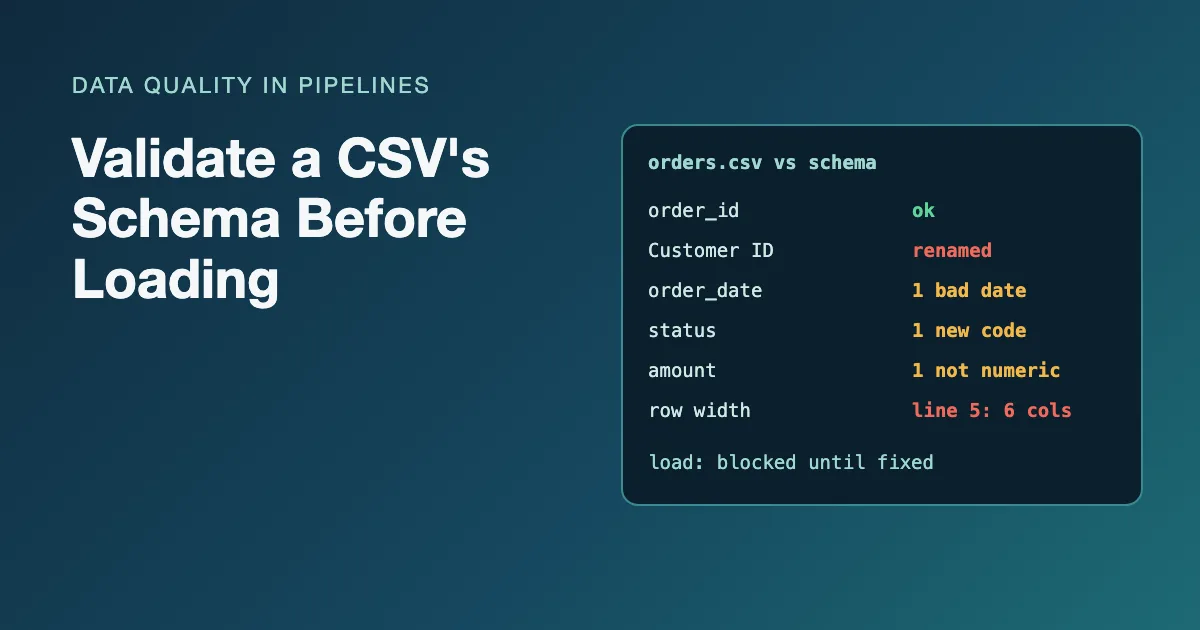
A CSV file has no schema of its own. RFC 4180, the closest thing to a CSV standard, describes records, fields, quoting, line breaks and an optional header line, and says nothing about types or required values (IETF, RFC 4180). Nothing in the file says that column three is a date, that customer_id is required or that status has three allowed values. If you want those guarantees, you have to check them yourself, and the cheapest place to do it is before the file is loaded into a warehouse table that other people query.
This post walks through validating a CSV against a written schema in six steps: write the schema down, check the header, check the row structure, check that every value parses, check the rules, and decide what happens to the file. The examples use DuckDB 1.5.1 and pandas 3.0.2 on one small file with six problems planted in it.
Key Takeaways
- Write the expected schema down (names, types, required, allowed values) before you look at the file. Inferred types describe this file, not what the file should be.
- Read the file as text first, so a bad value becomes a validation finding instead of a silent null or a crashed load.
- Check structure (header names, row width) before content (types, required fields, allowed values).
- Decide the outcome per finding: reject the whole file for structural problems, quarantine rows for value problems, and always produce a report.
What does "validating a CSV schema" check?
Schema validation compares a file with a written description of what it should contain. It covers two layers, and they fail in different ways:
| Layer | Checks | Typical failure |
|---|---|---|
| Structure | Delimiter, byte order mark, header names and order, number of fields per row | Renamed column, extra column on some rows, BOM or invisible character in the header |
| Content | Each value parses as its declared type; required fields present; allowed values; ranges; key uniqueness | 2026-11-31 in a date column, 1,200.50 in a number column, a status nobody has seen before |
Structure problems usually mean the whole file is suspect. Content problems usually affect individual rows. That difference drives what you do with each one.
Here is the sample file. It has a renamed column, an impossible date, a missing customer, an amount with a thousands separator, a row with an extra field and a status outside the allowed list:
order_id,Customer ID,order_date,status,amount
O-1001,C1,2026-11-02,shipped,49.90
O-1002,C2,2026-11-31,pending,12.00
O-1003,,2026-11-03,shipped,"1,200.50"
O-1004,C4,2026-11-04,shipped,8.00,EXTRA
O-1005,C5,2026-11-04,returned,20.00
Step 1: Write the expected schema down
Start from a written schema, not from whatever the file contains. A schema for this file needs, per column: the name, the type, whether it is required, and any allowed values or ranges. Keep it in a file under version control next to the pipeline.
You do not need a special format, but there is a good open one. Table Schema, maintained by the Data Package Working Group (it grew out of the Frictionless Data project), describes a table's fields in JSON, each with a name, type and optional constraints such as required, unique, enum, minimum and pattern, plus table-level primaryKey, foreignKeys and missingValues (Data Package, "Table Schema"):
{
  "fields": [
    {"name": "order_id",    "type": "string", "constraints": {"required": true, "unique": true}},
    {"name": "customer_id", "type": "string", "constraints": {"required": true}},
    {"name": "order_date",  "type": "date"},
    {"name": "status",      "type": "string",
     "constraints": {"enum": ["pending", "shipped", "cancelled"]}},
    {"name": "amount",      "type": "number", "constraints": {"minimum": 0}}
  ],
  "primaryKey": ["order_id"],
  "missingValues": [""]
}
Notice that order_id and customer_id are strings even though some ids look numeric. Identifiers are labels, and typing them as numbers strips leading zeros; the guide on identifiers and leading zeros covers why.
Step 2: Check the header before anything else
The header check compares the column names in the file with the names in the schema, by position. It is the first check because every later step depends on knowing which column is which.
Do not rely on CSV sniffing for this. On this file, DuckDB's automatic dialect detection gives up, because the row with six fields makes the file inconsistent; a ragged row can defeat the sniffer even when the delimiter is declared. Read the first line as plain text and split it instead:
WITH header AS (
  SELECT string_split(rtrim(split_part(content, chr(10), 1), chr(13)), ',') AS cols
  FROM read_text('orders.csv')
),
actual AS (
  SELECT i AS position, cols[i] AS column_name
  FROM header, range(1, len(cols) + 1) r(i)
),
expected(position, column_name) AS (
  VALUES (1, 'order_id'), (2, 'customer_id'), (3, 'order_date'),
         (4, 'status'), (5, 'amount')
)
SELECT position, e.column_name AS expected, a.column_name AS actual
FROM expected e
FULL OUTER JOIN actual a USING (position)
WHERE e.column_name IS DISTINCT FROM a.column_name;
┌──────────┬─────────────┬─────────────┐
│ position │  expected   │   actual    │
├──────────┼─────────────┼─────────────┤
│        2 │ customer_id │ Customer ID │
└──────────┴─────────────┴─────────────┘
The rtrim(..., chr(13)) removes the carriage return that ends each line in files saved on Windows (and in files that follow RFC 4180 strictly, which specifies CRLF line breaks); without it the last column name would be amount\r and fail to match (the exercise Windows line endings in the last column shows what that does to values). This simple split assumes header names contain no quoted commas, which is true of most machine-written files; if yours do, read the header with a CSV parser in Python instead.
A renamed column is a decision for a person, not for the pipeline: maybe Customer ID is the same field with a new label, maybe it is a different field. Map it explicitly once someone has confirmed, and keep the mapping in the schema file. Watch also for names that only look right: a byte order mark or a non-breaking space in a header is invisible in most viewers but breaks the match. A byte order mark is easy to test for, because read_text keeps it: SELECT starts_with(content, chr(65279)) FROM read_text('orders.csv') returns true when the file starts with one. The exercise an invisible character in the header is built on exactly that.
Step 3: Check the row structure
Every data row should have as many fields as the header. Rows with more or fewer usually mean an unquoted delimiter inside a value or a truncated line, and the values in that row cannot be trusted column by column.
Read the file with every column declared as VARCHAR, so no value can fail a type conversion yet, and ask DuckDB to store structural rejects rather than stop or skip silently. With store_rejects = true, faulty lines are skipped and recorded in a temporary reject_errors table, with the line number, error type and original line (DuckDB, "Reading faulty CSV files"):
CREATE TABLE raw AS
FROM read_csv('orders.csv',
  header = true,
  columns = {'order_id': 'VARCHAR', 'customer_id': 'VARCHAR', 'order_date': 'VARCHAR',
             'status': 'VARCHAR', 'amount': 'VARCHAR'},
  store_rejects = true);

SELECT line, error_type, csv_line FROM reject_errors;
┌────────┬──────────────────┬─────────────────────────────────────────┐
│  line  │    error_type    │                csv_line                 │
├────────┼──────────────────┼─────────────────────────────────────────┤
│      5 │ TOO MANY COLUMNS │ O-1004,C4,2026-11-04,shipped,8.00,EXTRA │
└────────┴──────────────────┴─────────────────────────────────────────┘
The four remaining rows land in raw as text. Declaring the columns is what makes this read possible: with the schema given, DuckDB has nothing left to sniff, so the ragged line becomes a recorded reject instead of a failed detection.
Declaring columns with header = true uses your names and skips the file's header line, so do it only after Step 2 passed or the rename was approved. Do not reach for ignore_errors = true here: it skips bad rows without recording them, so the row count drops and nobody knows why. Reading everything as text first is a habit worth keeping for every import; the lesson import everything as text first explains the reasoning.
Step 4: Check that every value parses as its declared type
With the data safely in text columns, test each typed column against its declared type (string columns always parse, so only order_date and amount need it) with TRY_CAST, which returns null instead of raising an error. A value that is present but fails to cast is a type violation:
SELECT 'order_date' AS column_name,
       count(*) FILTER (WHERE try_cast(order_date AS DATE) IS NULL
                          AND order_date IS NOT NULL) AS failures
FROM raw
UNION ALL
SELECT 'amount',
       count(*) FILTER (WHERE try_cast(amount AS DECIMAL(10,2)) IS NULL
                          AND amount IS NOT NULL)
FROM raw;
┌─────────────┬──────────┐
│ column_name │ failures │
├─────────────┼──────────┤
│ order_date  │        1 │
│ amount      │        1 │
└─────────────┴──────────┘
The AND ... IS NOT NULL part separates "missing" from "unparseable". They are different findings: a missing date may be allowed, a 31 November never is. The lesson TRY_CAST for quarantine goes into the pattern, including why you should never fix 1,200.50 by guessing which separator was meant without knowing the file's locale.
Step 5: Check the rules and give each failing row a reason
Type checks say whether a value can be stored. Rule checks say whether it is acceptable: required fields, allowed values, ranges. Combine the rules into one query that gives each failing row a single reason, tested in a fixed order so the same row always gets the same reason:
SELECT order_id,
       CASE
         WHEN order_id IS NULL THEN 'order_id is required'
         WHEN customer_id IS NULL THEN 'customer_id is required'
         WHEN order_date IS NOT NULL AND try_cast(order_date AS DATE) IS NULL
           THEN 'order_date is not a valid date'
         WHEN amount IS NOT NULL AND try_cast(amount AS DECIMAL(10,2)) IS NULL
           THEN 'amount is not a number'
         WHEN try_cast(amount AS DECIMAL(10,2)) < 0 THEN 'amount below minimum 0'
         WHEN status NOT IN ('pending', 'shipped', 'cancelled')
           THEN 'status not in allowed list'
       END AS reason
FROM raw
WHERE reason IS NOT NULL
ORDER BY order_id;
┌──────────┬────────────────────────────────┐
│ order_id │             reason             │
├──────────┼────────────────────────────────┤
│ O-1002   │ order_date is not a valid date │
│ O-1003   │ customer_id is required        │
│ O-1005   │ status not in allowed list     │
└──────────┴────────────────────────────────┘
The IS NOT NULL guards keep the Step 4 distinction: a missing optional value is not reported as unparseable. O-1003 also has an unparseable amount, but it reports only its first failure. That is a deliberate choice: one reason per row keeps the report readable and stable between runs. If people fixing the source need every problem at once, produce one row per rule broken instead. The lesson quarantine with reasons, in rule order compares both designs. (DuckDB lets WHERE refer to the reason alias; in most other databases, wrap the SELECT in a subquery first.)
The primary key needs its own check, because uniqueness is a property of the whole column, not of one row:
SELECT order_id, count(*) AS copies
FROM raw
GROUP BY order_id
HAVING count(*) > 1;
It returns no rows for this file. If it did, the duplicates would block the load, since every later join on order_id would fan out.
Step 6: Decide what happens to the file
A validation step is only useful if its result changes what happens next. A reasonable default policy:
- Structural failure (header mismatch, ragged rows): reject the file. Load nothing, keep the file in a landing area, and send the report to whoever owns the source. Column-by-column values from a file whose columns cannot be trusted are not worth loading.
- Value failures on some rows: load the good rows, quarantine the rest. Write failing rows with their reasons to an exceptions table, so the load is not blocked by one bad record and nothing is silently dropped.
- Always: produce a summary of rows read, rows loaded, rows rejected and the reasons, and check that the numbers add up.
For this file the structural check is one query. The file has five data lines; every one must be either parsed or rejected:
SELECT (SELECT count(*) FROM raw) AS rows_parsed,
       (SELECT count(DISTINCT line) FROM reject_errors) AS rows_rejected,
       (SELECT count(*) FROM raw) + (SELECT count(DISTINCT line) FROM reject_errors) AS rows_accounted_for;
┌─────────────┬───────────────┬────────────────────┐
│ rows_parsed │ rows_rejected │ rows_accounted_for │
├─────────────┼───────────────┼────────────────────┤
│           4 │             1 │                  5 │
└─────────────┴───────────────┴────────────────────┘
reject_errors lists errors, not lines, so count distinct line numbers; it also accumulates across scans in one session, so recreate it (or filter by scan_id) on each run. Under the policy above, this file is rejected: it has a header mismatch and a ragged row. Once the rename is approved and line 5 is corrected, the value checks would send three rows to quarantine with the Step 5 reasons and load one (O-1001). Reconciling those counts is the same discipline as the final check in data quality checks every pipeline should run.
Only after validation passes do you cast into the typed warehouse table, with an explicit type for every column rather than inferred ones. The guide validation rules and exception reports shows a full exceptions table, and the lesson schema checks on every run explains why the header check belongs in every scheduled run, not just the first.
The same validation in pandas
pandas can do the header, row-width and type steps, and the required-field and allowed-value rules, too. Read everything as string, turn only empty fields into missing values, and collect rows with the wrong number of fields instead of failing. With the Python parser engine, an on_bad_lines callable receives each bad line as a list of fields, and returning None drops it from the frame (pandas, read_csv):
import pandas as pd

expected = ["order_id", "customer_id", "order_date", "status", "amount"]
bad_lines = []

df = pd.read_csv(
    "orders.csv",
    dtype="string",
    keep_default_na=False,
    na_values=[""],
    engine="python",
    on_bad_lines=lambda fields: bad_lines.append(fields),
)

missing = [c for c in expected if c not in df.columns]
unexpected = [c for c in df.columns if c not in expected]
print("missing:", missing, "unexpected:", unexpected)
print("bad lines:", bad_lines)

df = df.rename(columns={"Customer ID": "customer_id"})
dates = pd.to_datetime(df["order_date"], format="%Y-%m-%d", errors="coerce")
amounts = pd.to_numeric(df["amount"], errors="coerce")
print(df.loc[dates.isna() & df["order_date"].notna(), ["order_id", "order_date"]])
print(df.loc[amounts.isna() & df["amount"].notna(), ["order_id", "amount"]])
print(df.loc[df["customer_id"].isna(), ["order_id"]])
print(df.loc[~df["status"].isin(["pending", "shipped", "cancelled"]), ["order_id", "status"]])
missing: ['customer_id'] unexpected: ['Customer ID']
bad lines: [['O-1004', 'C4', '2026-11-04', 'shipped', '8.00', 'EXTRA']]
  order_id  order_date
1   O-1002  2026-11-31
  order_id    amount
2   O-1003  1,200.50
  order_id
2   O-1003
  order_id    status
3   O-1005  returned
keep_default_na=False matters: by default pandas turns strings such as NA, null and N/A into missing values, which can erase a real value (NA is also the country code for Namibia). The explicit format on to_datetime stops pandas from guessing between day-first and month-first dates. Both are examples of defaults worth overriding before you trust a load; the guide on reading CSV files safely lists the others.
Frequently asked questions
Can't I just let the database infer the types?
Inference describes the file you have today, not the file you should have. If this month's file happens to contain only whole numbers, an amount column is inferred as an integer, and next month's 12.50 breaks the load or gets coerced. Declare types, then check values against them.
Should a renamed column fail the load?
Yes, the first time. The pipeline cannot know whether Customer ID is the old field with a new label or a different field. Fail, ask the source owner, and record the approved mapping in the schema so the next file passes. The exercise on renaming vendor columns practises the mapping step.
What about files whose columns change from month to month?
That is schema drift. Schema drift is an unannounced change in a source's columns, names or types over time, and validation is how you detect it. Decide which columns are required and which are optional, accept optional ones being absent, and stack files by column name rather than position (stack by column name, not position is the exercise). When the producer and the consumer agree these rules in writing, the schema becomes a data contract. The free exercise append monthly files under a declared schema lets you try it.
Related reading
- Cleaning Messy CSV Files With DuckDB's read_csv Options
- Data Validation vs Data Verification: What Analysts Should Know
Sources
- IETF, RFC 4180: Common Format and MIME Type for Comma-Separated Values (CSV) Files.
- Data Package Working Group, "Table Schema".
- DuckDB, "Reading faulty CSV files":
store_rejects,ignore_errorsand thereject_errorstable. - pandas,
pandas.read_csv:dtype,keep_default_na,na_valuesandon_bad_lines.
All SQL was run on DuckDB 1.5.1 and the Python on pandas 3.0.2; outputs are copied from those runs with type rows removed.