Data Quality Checks Every Pipeline Should Run
Nine data quality checks every pipeline should run, from schema and row counts to uniqueness and freshness, with tested DuckDB SQL and pandas code.
By Tnas · Published · 12 min read
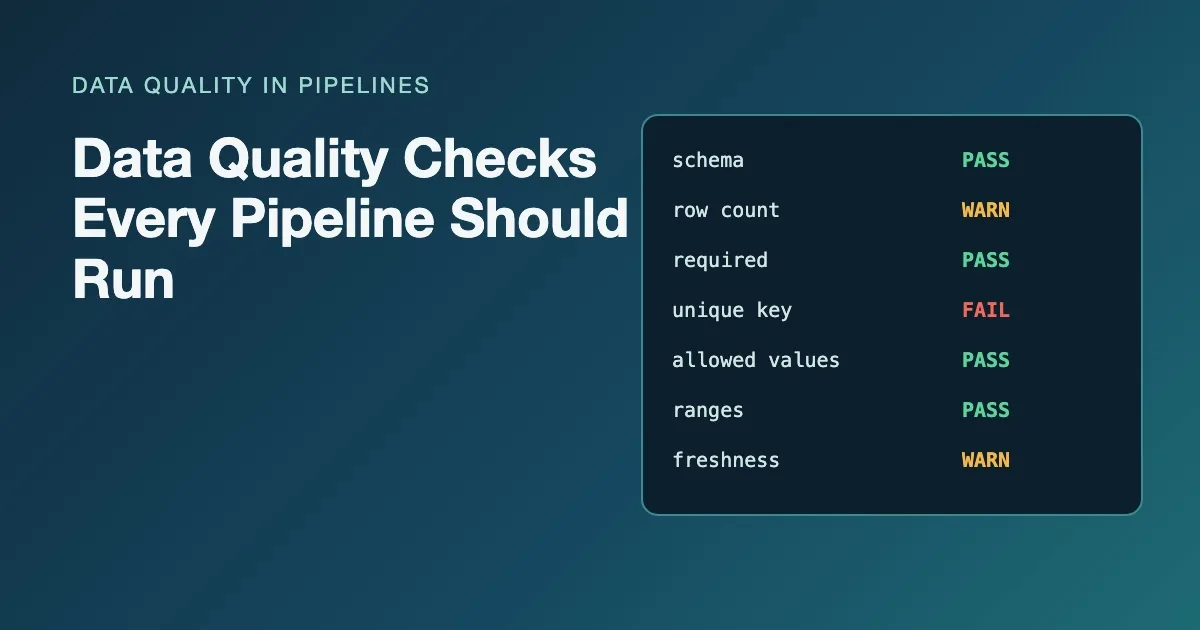
A pipeline that finishes without an error has only proved that the code ran. It has not proved that the data is right. A file can arrive with half its usual rows, a renamed column, a duplicated batch or a status value nobody has seen before, and every step will still succeed. Data quality checks are the small queries that turn those silent problems into loud ones.
This post lists the nine checks worth running on every load, what each one catches, whether a failure should stop the load or only warn, and how to write each one in DuckDB SQL (with pandas versions of four of them at the end). None of them needs a framework. Each is a query that counts the rows breaking a rule.
Key Takeaways
- Write every check as a query that returns the failing rows or their count; zero means pass. dbt's data tests work the same way.
- Run structural checks (schema, row count, freshness) before cleaning, and content checks (required, unique, allowed values, ranges, references) after it.
- Give every check a severity. Errors stop the load; warnings go into a report that someone reads.
- Reconcile at the end: rows in must equal rows loaded plus rows rejected, or something went missing.
What makes a check useful?
A useful check is a query that returns the rows that break one written rule, so zero rows means pass. That is the definition dbt uses for its data tests: they are select statements that look for failing records, and a test passes when it returns none (dbt docs, "Add data tests to your DAG"). The pattern works in any SQL engine and in pandas, and it gives you two things a yes/no assertion cannot: a count to put in a report, and the actual rows to investigate.
Two more properties matter:
- One rule per check. "Order is valid" is not a check. "
amountis not negative" is. When a load fails, the check name should tell you what to look at. - A severity. Some failures make the output wrong (a duplicated primary key inflates revenue). Others are worth knowing but should not block (a new product code that has no lookup row yet). Decide which is which before the first failure, not during it. The errors versus warnings exercise practises exactly that split.
The examples below use one small orders table with a problem planted for each check:
CREATE TABLE customers AS
SELECT * FROM (VALUES ('C1'), ('C2'), ('C3')) t(customer_id);

CREATE TABLE orders AS
SELECT * FROM (VALUES
  ('O-1001', 'C1', DATE '2026-11-02', 'shipped',   49.90),
  ('O-1002', 'C2', DATE '2026-11-03', 'pending',   12.00),
  ('O-1002', 'C2', DATE '2026-11-03', 'pending',   12.00),
  ('O-1003', NULL, DATE '2026-11-03', 'shipped',   80.00),
  ('O-1004', 'C9', DATE '2026-11-04', 'Shipped',   -5.00),
  ('O-1005', 'C3', DATE '2027-01-15', 'cancelled', 20.00)
) t(order_id, customer_id, order_date, status, amount);
Where should checks run in a pipeline?
Checks belong at three points: when data lands, after it is cleaned, and after it is loaded. Structural checks run first because there is no point validating values in a file whose columns have moved. Content checks run on the cleaned table, where types are settled. Reconciliation runs last and compares the two ends.
The nine checks
1. Schema: are the columns and types what you expect?
A schema check compares the columns that arrived with the columns you declared, by name and type. It catches renamed, missing and extra columns, and types that changed under you. Compare an expected list against information_schema.columns with a full outer join, so missing and unexpected columns both show up:
WITH expected(column_name, data_type) AS (
  VALUES ('order_id', 'VARCHAR'), ('customer_id', 'VARCHAR'),
         ('order_date', 'DATE'), ('status', 'VARCHAR'),
         ('amount', 'DECIMAL(10,2)')
),
actual AS (
  SELECT column_name, data_type
  FROM information_schema.columns
  WHERE table_name = 'orders'
)
SELECT coalesce(e.column_name, a.column_name) AS column_name,
       e.data_type AS expected_type,
       a.data_type AS actual_type
FROM expected e
FULL OUTER JOIN actual a USING (column_name)
WHERE e.data_type IS DISTINCT FROM a.data_type;
┌─────────────┬───────────────┬──────────────┐
│ column_name │ expected_type │ actual_type  │
├─────────────┼───────────────┼──────────────┤
│ amount      │ DECIMAL(10,2) │ DECIMAL(4,2) │
└─────────────┴───────────────┴──────────────┘
This one caught something real: DuckDB inferred DECIMAL(4,2) from the literal values, so an order of 100.00 or more would not fit. Inferred types depend on whatever the current batch happens to contain, which is why the expected schema should be written down rather than taken from the data. Severity: error. The lesson schema checks on every run goes further, and the companion post on validating a CSV's schema before loading covers the file-level version.
2. Row count: is this load the usual size?
A volume check compares today's row count with recent loads. It catches truncated extracts, half-delivered files and accidental double deliveries, none of which raise an error. Keep a small load log, one row per load, and compare each load with the median of the previous few:
CREATE TABLE load_log AS
SELECT * FROM (VALUES
  (DATE '2026-11-01', 10412, TIMESTAMPTZ '2026-11-01 23:58:00+00'),
  (DATE '2026-11-02', 10388, TIMESTAMPTZ '2026-11-02 23:59:00+00'),
  (DATE '2026-11-03', 10501, TIMESTAMPTZ '2026-11-03 23:57:00+00'),
  (DATE '2026-11-04',  3120, TIMESTAMPTZ '2026-11-04 09:14:00+00')
) t(load_date, row_count, max_event_at);

SELECT load_date, row_count,
       median(row_count) OVER (ORDER BY load_date
                               ROWS BETWEEN 3 PRECEDING AND 1 PRECEDING) AS recent_median,
       round(row_count / recent_median, 2) AS ratio
FROM load_log
QUALIFY ratio NOT BETWEEN 0.5 AND 1.5;
┌────────────┬───────────┬───────────────┬────────┐
│ load_date  │ row_count │ recent_median │ ratio  │
├────────────┼───────────┼───────────────┼────────┤
│ 2026-11-04 │      3120 │       10412.0 │    0.3 │
└────────────┴───────────┴───────────────┴────────┘
The 0.5 to 1.5 band is a starting point, not a rule. Pick it from the history of your own feed, and remember weekends and month-ends. Severity: usually a warning, promoted to an error when a short load would publish wrong totals.
3. Freshness: is the newest record recent enough?
A freshness check compares the newest event timestamp with the time the pipeline runs. It catches a source that stopped updating while the job kept "succeeding" on yesterday's file. This query reads the max_event_at column of the same load log (run with the session time zone set to UTC):
SELECT max(max_event_at) AS newest_event,
       TIMESTAMPTZ '2026-11-05 12:00:00+00' - max(max_event_at) AS lag,
       lag > INTERVAL 24 HOUR AS is_stale
FROM load_log;
┌──────────────────────────┬────────────────┬──────────┐
│       newest_event       │      lag       │ is_stale │
├──────────────────────────┼────────────────┼──────────┤
│ 2026-11-04 09:14:00+00   │ 1 day 02:46:00 │ true     │
└──────────────────────────┴────────────────┴──────────┘
In production, replace the literal with now(). Compare instants with an offset, not local timestamp text, or the lag will be off by an hour around each daylight-saving change. Severity: depends on the consumer: a warning for a weekly report, an error for anything a person acts on the same day.
4. Required fields: are the must-have values present?
A required-field check counts nulls (and blank strings, if blanks were not already turned into nulls) in columns the output cannot do without. customer_id on an order is a typical one.
SELECT count(*) FILTER (WHERE customer_id IS NULL) AS missing_customer
FROM orders;
Severity: error for truly required columns. Keep the list short and honest: if a column is optional in the source, do not make it required in the check, or the check will be ignored within a week. The exercise required fields block, optional fields don't makes you draw that line.
5. Uniqueness: is the key unique at the declared grain?
A uniqueness check counts keys that appear more than once. It catches double-loaded batches and joins that fanned out. The key must match the table's grain: an order table is unique by order_id, an order-line table by order_id and line_number.
SELECT order_id, count(*) AS copies
FROM orders
GROUP BY order_id
HAVING count(*) > 1;
┌──────────┬────────┐
│ order_id │ copies │
├──────────┼────────┤
│ O-1002   │      2 │
└──────────┴────────┘
Severity: error. A duplicated key silently inflates every sum that includes the duplicated rows. If you are unsure what the grain is, the lesson find the row grain before removing duplicates is the place to start, and deduplicate at the right grain is the exercise.
6. Allowed values: is every code in the approved list?
An allowed-values check flags any value outside a written list. It catches typos, case drift (Shipped versus shipped) and new codes the source added without telling anyone.
SELECT status, count(*) AS n
FROM orders
WHERE status NOT IN ('pending', 'shipped', 'cancelled')
GROUP BY status;
Watch for nulls: NULL NOT IN (...) is null, not true, so a missing status passes this check silently. Pair it with a required-field check or add OR status IS NULL. Severity: error if the code drives logic (filters, mappings), warning otherwise.
7. Ranges and cross-field rules: are the values possible?
A range check catches values that cannot be right: negative amounts, quantities of zero, order dates in the future. A cross-field rule compares columns in the same row, such as ship_date >= order_date.
SELECT order_id, amount, order_date
FROM orders
WHERE amount < 0
   OR order_date > current_date;
Separate impossible from unusual. A negative amount on a sale is an error; a very large amount is an outlier to flag, not to delete. When one row breaks several rules, record the first rule it broke in a fixed order so reports are stable between runs. Practise that in validate quantities and prices against ranges.
8. References: does every foreign key have a parent?
A referential check finds orphan rows: orders whose customer_id has no matching customer. Joins drop these rows silently, so the check has to look for them on purpose.
SELECT o.order_id, o.customer_id
FROM orders o
WHERE o.customer_id IS NOT NULL
  AND NOT EXISTS (SELECT 1 FROM customers c WHERE c.customer_id = o.customer_id);
The IS NOT NULL condition keeps missing keys out of this check; they belong to check 4. Severity: often a warning, because the parent may simply arrive in tomorrow's load. Report the orphans instead of dropping them; the referential integrity with exceptions exercise is free to try.
9. Reconciliation: did every input row end up somewhere?
Reconciliation compares the two ends of the pipeline: rows read must equal rows loaded plus rows rejected, and the same holds for totals such as the sum of amount. It is the only check that catches rows lost inside your own code, through an inner join, a filter with a null comparison or a deduplication at the wrong grain. The query below is a template: raw_orders is the table as read, clean_orders what was loaded and rejected_orders the quarantine table, so substitute your own names.
SELECT r.rows_in,
       l.rows_loaded,
       x.rows_rejected,
       r.rows_in - l.rows_loaded - x.rows_rejected AS unexplained
FROM (SELECT count(*) AS rows_in FROM raw_orders) r,
     (SELECT count(*) AS rows_loaded FROM clean_orders) l,
     (SELECT count(*) AS rows_rejected FROM rejected_orders) x;
Severity: error whenever unexplained is not zero. The guide reconciliation: proving nothing was lost covers totals per group and per source file.
How do you run all the checks in one place?
Put every content check into one query that returns one row per check, with a severity and a failing-row count. The orchestrator then has a single rule: stop if any error row has a count above zero, and publish the rest as the run's quality report.
SELECT 'required: customer_id' AS check_name, 'error' AS severity,
       count(*) FILTER (WHERE customer_id IS NULL) AS failing_rows
FROM orders
UNION ALL
SELECT 'unique: order_id', 'error', count(*) - count(DISTINCT order_id)
FROM orders
UNION ALL
SELECT 'accepted values: status', 'error',
       count(*) FILTER (WHERE status NOT IN ('pending', 'shipped', 'cancelled'))
FROM orders
UNION ALL
SELECT 'range: amount >= 0', 'error', count(*) FILTER (WHERE amount < 0)
FROM orders
UNION ALL
SELECT 'not in the future: order_date', 'error',
       count(*) FILTER (WHERE order_date > DATE '2026-11-05')
FROM orders
UNION ALL
SELECT 'orphan: customer_id', 'warning', count(*)
FROM orders o
WHERE o.customer_id IS NOT NULL
  AND NOT EXISTS (SELECT 1 FROM customers c WHERE c.customer_id = o.customer_id)
ORDER BY check_name;
┌───────────────────────────────┬──────────┬──────────────┐
│          check_name           │ severity │ failing_rows │
├───────────────────────────────┼──────────┼──────────────┤
│ accepted values: status       │ error    │            1 │
│ not in the future: order_date │ error    │            1 │
│ orphan: customer_id           │ warning  │            1 │
│ range: amount >= 0            │ error    │            1 │
│ required: customer_id         │ error    │            1 │
│ unique: order_id              │ error    │            1 │
└───────────────────────────────┴──────────┴──────────────┘
Every planted problem shows up once. The date literal stands in for current_date so the output is reproducible; use current_date in production. Note that count(*) - count(DISTINCT order_id) counts extra copies, so two identical rows count as one failure.
Blocking the load is not the only response to an error. Often the better move is to quarantine the failing rows with a reason and load the rest, so one bad record does not hold back ten thousand good ones. The guide quarantine, flag, fix or delete? walks through when each response fits, and validation rules and exception reports shows the exception table that goes with it.
Four of the checks in pandas
In pandas each check is a boolean mask, and the failing rows are df[mask]. Build a dictionary of masks and sum them for the report:
import pandas as pd

orders = pd.DataFrame({
    "order_id": ["O-1001", "O-1002", "O-1002", "O-1003", "O-1004"],
    "customer_id": ["C1", "C2", "C2", None, "C9"],
    "status": ["shipped", "pending", "pending", "shipped", "Shipped"],
    "amount": [49.90, 12.00, 12.00, 80.00, -5.00],
}).astype({"order_id": "string", "customer_id": "string", "status": "string"})

allowed = {"pending", "shipped", "cancelled"}
checks = {
    "required: customer_id": orders["customer_id"].isna(),
    "unique: order_id": orders["order_id"].duplicated(keep=False),
    "accepted values: status": ~orders["status"].isin(allowed),
    "range: amount >= 0": orders["amount"] < 0,
}
summary = pd.Series({name: int(mask.sum()) for name, mask in checks.items()},
                    name="failing_rows")
print(summary)
required: customer_id      1
unique: order_id           2
accepted values: status    1
range: amount >= 0         1
Name: failing_rows, dtype: int64
The uniqueness count is 2 here, not 1, because duplicated(keep=False) marks every copy rather than only the extras. Both conventions are fine; pick one and say which in the report. For a real pipeline, use exact decimals for money rather than floats.
Summary: which check catches what
| Check | Catches | Typical severity |
|---|---|---|
| Schema | Renamed, missing or retyped columns | Error |
| Row count | Truncated or doubled deliveries | Warning, sometimes error |
| Freshness | A source that stopped updating | Depends on the consumer |
| Required fields | Missing must-have values | Error |
| Uniqueness | Duplicate keys, join fan-out | Error |
| Allowed values | Typos, case drift, new codes | Error or warning |
| Ranges and cross-field | Impossible values | Error |
| References | Orphan rows | Warning |
| Reconciliation | Rows lost inside the pipeline | Error |
Frequently asked questions
How many data quality checks does a pipeline need?
Start with these nine on every table that feeds a report, then add checks only when an incident shows a gap. A short list that runs every time and gets read beats a long list that people learn to ignore.
Should a failed check stop the pipeline?
Only for errors, meaning failures that make the output wrong. Warnings belong in a report someone reads after each run. Where possible, quarantine failing rows and load the rest instead of blocking everything.
Do I need a tool like dbt or Great Expectations?
No. Every check here is a plain SQL query or pandas mask. Tools add scheduling, history and reporting, and Great Expectations calls each rule an "expectation", but the logic is the same as the queries above.
Related reading
- Data Validation vs Data Verification: What Analysts Should Know
- Idempotent Data Cleaning: Why Running It Twice Should Change Nothing
Sources
- dbt Labs, "Add data tests to your DAG": data tests as queries returning failing rows; the built-in
unique,not_null,accepted_valuesandrelationshipstests. - Great Expectations, "Expectation": terminology for declarative data checks.
- DuckDB, "QUALIFY clause": filtering on window function results, used in the row-count check.
All SQL in this post was run on DuckDB 1.5.1 and the Python on pandas 3.0.2; the outputs shown are from those runs, with type rows removed from the tables.