Idempotent Data Cleaning: Why Running It Twice Should Change Nothing
What idempotent data cleaning means, which steps break it, and the load patterns that make a rerun safe, with tested DuckDB SQL and pandas examples.
By Tnas · Published · 10 min read
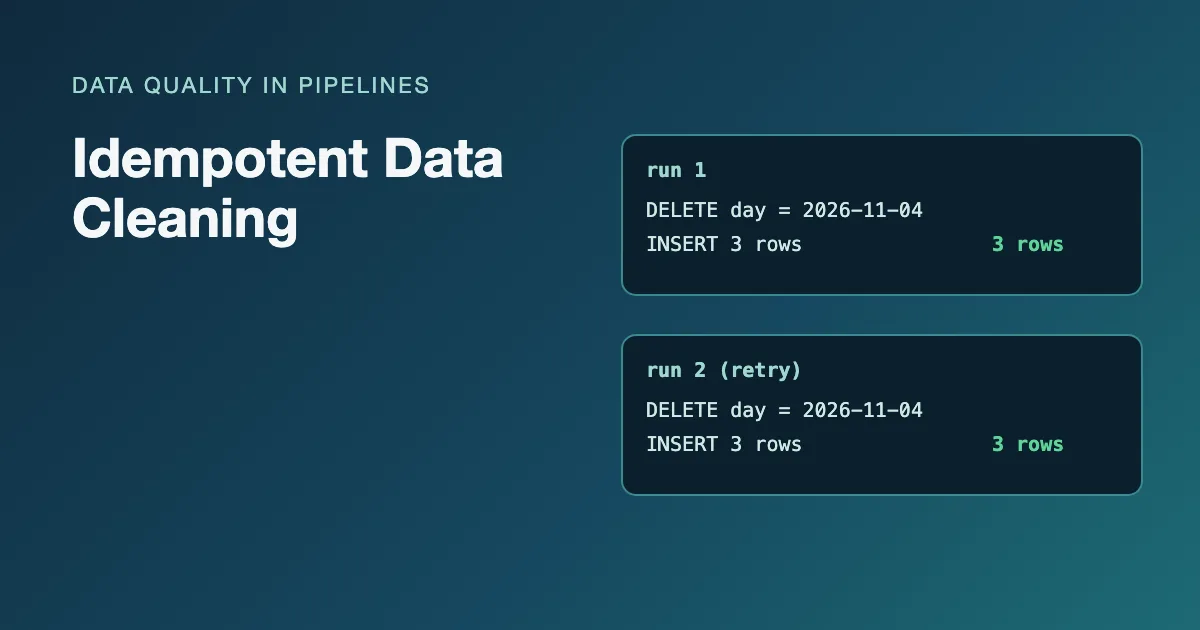
A cleaning job is idempotent when running it a second time on the same input leaves the output exactly as the first run did. No extra rows, no prices raised twice, no C-C-17 where C-17 should be. It sounds like a nice-to-have until a job fails halfway at 2 a.m. and someone has to decide whether rerunning it is safe. If the job is idempotent, the answer is always yes.
This post explains the two places idempotency matters (the transformations and the load), the common steps that break it, and the patterns that fix it, with SQL that was run on DuckDB 1.5.1 and Python run on pandas 3.0.2.
Key Takeaways
- Idempotent means the second run changes nothing: same input, same output, however many times it runs.
- Transformations break it when they read their own output, such as multiplying a price in place or adding a prefix to an id that already has one. Derive new columns from raw columns instead.
- Loads break it when they append. Replace a whole partition, or upsert on a key, so a retry overwrites instead of duplicating.
- Test it directly: run the job twice and compare the two outputs, or check that
clean(clean(x))equalsclean(x).
What does idempotent mean for a data pipeline?
An operation is idempotent if applying it twice has the same effect as applying it once. For a single cleaning function that means clean(clean(x)) == clean(x). For a whole pipeline run it means that rerunning the job for the same input period leaves the target tables in the same state. The glossary entry on idempotency gives the short definition; the rest of this post is about where it goes wrong.
Orchestration tools assume it. Apache Airflow's best-practices guide says tasks "should produce the same outcome on every re-run", warns that an INSERT during a re-run can create duplicate rows, and recommends reading and writing a specific partition rather than "the latest available data" (Apache Airflow, "Best Practices"). Retries, backfills and manual reruns are all routine, so a job that is only correct on its first run is not correct.
Idempotency is not the same as determinism, though the two travel together. Deterministic means the same input always produces the same output. A job can be deterministic and still not idempotent (appending the same three rows every run is perfectly predictable), and a job that picks "any one" duplicate at random is idempotent on its own output but not reproducible from the raw data. You want both.
Which cleaning steps are not idempotent?
Steps that read their own output are the usual culprits. If a step takes column A and writes the result back into column A, the second run starts from the already-cleaned value and changes it again.
Some steps are idempotent by nature:
- Trimming whitespace: a trimmed string has nothing left to trim.
- Lowercasing, Unicode normalization to NFC, casting text that is already the target type.
- Mapping values through a dictionary whose outputs are not also inputs.
- Replacing a sentinel such as
-999with null.
Others are not:
- Arithmetic in place:
price = price * 1.2adds VAT again on every run. - Adding prefixes, suffixes or units:
'C-' || customer_idgivesC-C-17on the second pass. - Appending rows to a table without checking what is already there.
- Filling down when the row order is not fixed: the next run may see the rows in a different order and fill different values.
- Generating surrogate keys from a sequence, or stamping
now()into a business column.
Here is the in-place arithmetic problem in DuckDB. The same UPDATE run twice raises the price twice:
CREATE TABLE products AS
SELECT * FROM (VALUES ('A-1', 10.00), ('A-2', 4.00)) t(sku, price);

UPDATE products SET price = price * 1.2;
UPDATE products SET price = price * 1.2;  -- the retry

FROM products;
┌─────────┬──────────────┐
│   sku   │    price     │
├─────────┼──────────────┤
│ A-1     │        14.40 │
│ A-2     │         5.76 │
└─────────┴──────────────┘
The fix is structural, not a guard clause: keep the raw column untouched and derive the cleaned one from it every time, for example SELECT sku, price AS net_price, price * 1.2 AS gross_price FROM raw_products. A derived column is recomputed from the same source on every run, so it cannot drift. The lesson rules you can run twice works through the same idea step by step.
The prefix version of the bug looks like this in pandas:
import pandas as pd

raw = pd.DataFrame({
    "customer_id": ["17", "042", "17 "],
    "email": ["  Ana@Example.com", "bo@example.com ", "ANA@example.com"],
}, dtype="string")

def add_prefix(df: pd.DataFrame) -> pd.DataFrame:
    out = df.copy()
    out["customer_id"] = "C-" + out["customer_id"].str.strip()
    return out

print(add_prefix(add_prefix(raw))["customer_id"].tolist())
['C-C-17', 'C-C-042', 'C-C-17']
If the prefix is really needed, add it in the step that reads raw data, never in a step that might receive its own output.
How do you make a load idempotent?
A load is idempotent when it overwrites the slice of the target it is responsible for instead of adding to it. There are three standard patterns, and each needs one decision up front: what identifies "the same data" on a rerun, a partition (such as a load date) or a key (such as order_id).
The examples load the same three staged rows twice, which is exactly what a retry does:
CREATE TABLE staged AS
SELECT * FROM (VALUES
  ('O-1', DATE '2026-11-04', 10.00),
  ('O-2', DATE '2026-11-04', 25.50),
  ('O-3', DATE '2026-11-04',  7.25)
) t(order_id, order_date, amount);
The anti-pattern: plain INSERT
Appending is the default, and it doubles the data on every retry:
CREATE TABLE orders_appended (order_id VARCHAR, order_date DATE, amount DECIMAL(10,2));
INSERT INTO orders_appended SELECT * FROM staged;
INSERT INTO orders_appended SELECT * FROM staged;  -- the retry

SELECT count(*) AS rows, sum(amount) AS total FROM orders_appended;
┌───────┬───────────────┐
│ rows  │     total     │
├───────┼───────────────┤
│     6 │         85.50 │
└───────┴───────────────┘
Nothing failed, and revenue for the day is now double the real 42.75.
Pattern 1: delete and insert the partition
Delete everything the run is responsible for, then insert it again, inside one transaction so a reader never sees the gap:
CREATE TABLE orders_di (order_id VARCHAR, order_date DATE, amount DECIMAL(10,2));

BEGIN TRANSACTION;
DELETE FROM orders_di WHERE order_date = DATE '2026-11-04';
INSERT INTO orders_di SELECT * FROM staged WHERE order_date = DATE '2026-11-04';
COMMIT;
Run twice, this leaves 3 rows totalling 42.75. It is the simplest pattern and the one Airflow's advice points at: each run owns a partition and rewrites it completely. The partition filter must be the same in the DELETE and the INSERT, and it must come from the run's parameters (the date being processed), not from current_date, or a backfill of last Tuesday will delete today.
Pattern 2: upsert on a primary key
If the target has a primary key, INSERT OR REPLACE updates rows that already exist and inserts the rest. In DuckDB it is shorthand for INSERT ... ON CONFLICT DO UPDATE on every column, and it relies on a PRIMARY KEY or UNIQUE constraint to detect the conflict (DuckDB, "INSERT statement"):
CREATE TABLE orders (order_id VARCHAR PRIMARY KEY, order_date DATE, amount DECIMAL(10,2));
INSERT OR REPLACE INTO orders SELECT * FROM staged;
INSERT OR REPLACE INTO orders SELECT * FROM staged;  -- the retry
Still 3 rows and 42.75. Upserts suit tables where rows change over time, such as customers or order status, and Airflow's guide names UPSERT as the replacement for INSERT. Deduplicate the staged rows on the key first: in a test on DuckDB 1.5.1, INSERT OR REPLACE given two rows with the same key in one statement kept only one of them and raised no error. One caution: an upsert never deletes. If a row disappears from the source, the old copy stays in the target, so a full refresh of a partition is safer when the source can drop rows.
Pattern 3: MERGE INTO
MERGE INTO states the matching rule explicitly and does not need a primary key (DuckDB, "MERGE INTO statement"):
CREATE TABLE orders_m (order_id VARCHAR, order_date DATE, amount DECIMAL(10,2));

MERGE INTO orders_m AS t
USING staged AS s
ON t.order_id = s.order_id
WHEN MATCHED THEN UPDATE SET order_date = s.order_date, amount = s.amount
WHEN NOT MATCHED THEN INSERT VALUES (s.order_id, s.order_date, s.amount);
Run twice, it also ends with 3 rows. MERGE is the most flexible of the three; it is also the easiest to get subtly wrong, because the result depends on the ON condition matching each target row to at most one source row. Deduplicate the staged data on the key first.
| Load pattern | Rerun-safe? | Identifies "same data" by | Removes rows deleted at source? |
|---|---|---|---|
Plain INSERT |
No | Nothing | No |
| Delete and insert a partition | Yes | Partition (e.g. load date) | Yes, within the partition |
INSERT OR REPLACE / ON CONFLICT |
Yes | Primary or unique key | No |
MERGE INTO |
Yes, if the source is unique on the key | Explicit ON condition |
Only with an explicit delete clause |
The exercise load a new batch only once practises the batch-tracking version, where the pipeline records which deliveries it has already processed. The lesson on duplicate deliveries covers the case where the same file arrives twice under different names.
Why does deterministic ordering matter?
A rerun can only reproduce the first run if every choice the job makes is fully specified. The classic leak is a "keep the latest row" deduplication with a tie in the sort column. User u1 has two submissions with the same timestamp:
CREATE TABLE subs AS
SELECT * FROM (VALUES
  ('u1', TIMESTAMP '2026-11-01 09:00', 'a@x.com'),
  ('u1', TIMESTAMP '2026-11-01 09:00', 'b@x.com'),
  ('u2', TIMESTAMP '2026-11-02 10:00', 'c@x.com')
) t(user_id, submitted_at, email);

SELECT user_id, email
FROM subs
QUALIFY row_number() OVER (PARTITION BY user_id
                           ORDER BY submitted_at DESC, email) = 1
ORDER BY user_id;
┌─────────┬─────────┐
│ user_id │  email  │
├─────────┼─────────┤
│ u1      │ a@x.com │
│ u2      │ c@x.com │
└─────────┴─────────┘
Without the trailing email in the ORDER BY, two submissions with the same timestamp tie, and the database may return either one. Run the job twice and the surviving email can change, with no change to the input. Always end a survivor rule with a column that is unique within the partition. The lessons deterministic steps and deterministic survivor rules go deeper, and pick one surviving record per account is a free exercise on exactly this.
The same applies to anything else that varies between runs: random sampling without a fixed seed, now() written into a business column, and reading "the newest file in the folder" rather than the file named for the run's date.
How do you test that a job is idempotent?
Test it the way it fails: run it twice and compare. For a single function, check that a second application changes nothing:
def clean(df: pd.DataFrame) -> pd.DataFrame:
    out = df.copy()
    out["customer_id"] = out["customer_id"].str.strip()
    out["email"] = out["email"].str.strip().str.lower()
    return out

once = clean(raw)
twice = clean(once)
pd.testing.assert_frame_equal(once, twice)
The assertion passes, because trimming and lowercasing are idempotent. Swap in add_prefix and it fails, which is the point.
For a whole load, run the job, snapshot the target, run it again, and diff the two snapshots in both directions with EXCEPT ALL, which keeps duplicate rows rather than collapsing them:
-- after run 1: CREATE TABLE run1 AS FROM orders_di;
-- after run 2: CREATE TABLE run2 AS FROM orders_di;
SELECT 'only in run 1' AS side, * FROM (FROM run1 EXCEPT ALL FROM run2)
UNION ALL
SELECT 'only in run 2', * FROM (FROM run2 EXCEPT ALL FROM run1);
Zero rows means the second run changed nothing. Put this in the test suite next to your other cleaning tests (the lesson tests for cleaning code has more patterns), and add a row-count check to every scheduled run, along with the other data quality checks every pipeline should run. The guide to reproducible cleaning pipelines shows how these pieces fit into one job.
Frequently asked questions
Is idempotency the same as deduplication?
No. Deduplication removes duplicates that are already in the data. Idempotency stops the pipeline from creating new ones when it reruns. A pipeline can deduplicate perfectly and still double a day's rows on a retry if its load step appends.
Do I need a primary key to make a load idempotent?
No. Replacing a whole partition (delete and insert by load date) works without any key, and MERGE INTO lets you state the matching rule yourself. A key makes upserts simple, but partition replacement is often the more robust choice.
Is a full refresh always idempotent?
Rebuilding a table from scratch from the same raw data is idempotent as long as every step is deterministic. It is the simplest option for small tables. It stops being practical when the history is large, which is when partition replacement takes over.
Related reading
- Handling Late-Arriving and Updated Records in a Cleaning Pipeline
- How to Document a Data Cleaning Pipeline So Others Can Trust It
Sources
- Apache Airflow, "Best Practices": tasks should produce the same outcome on every re-run; avoid
INSERTon re-runs; read and write a specific partition. - DuckDB, "INSERT statement":
INSERT OR REPLACEandON CONFLICTwith primary and unique keys. - DuckDB, "MERGE INTO statement": merging without a primary key.
Every SQL example was run on DuckDB 1.5.1 and every Python example on pandas 3.0.2; outputs are copied from those runs with the type rows removed.