How to Document a Data Cleaning Pipeline So Others Can Trust It
What to write down for a data cleaning pipeline: scope, data dictionary, a rule register, decisions, a reconciliation each run, and how to rerun it.
By Tnas · Published · 9 min read
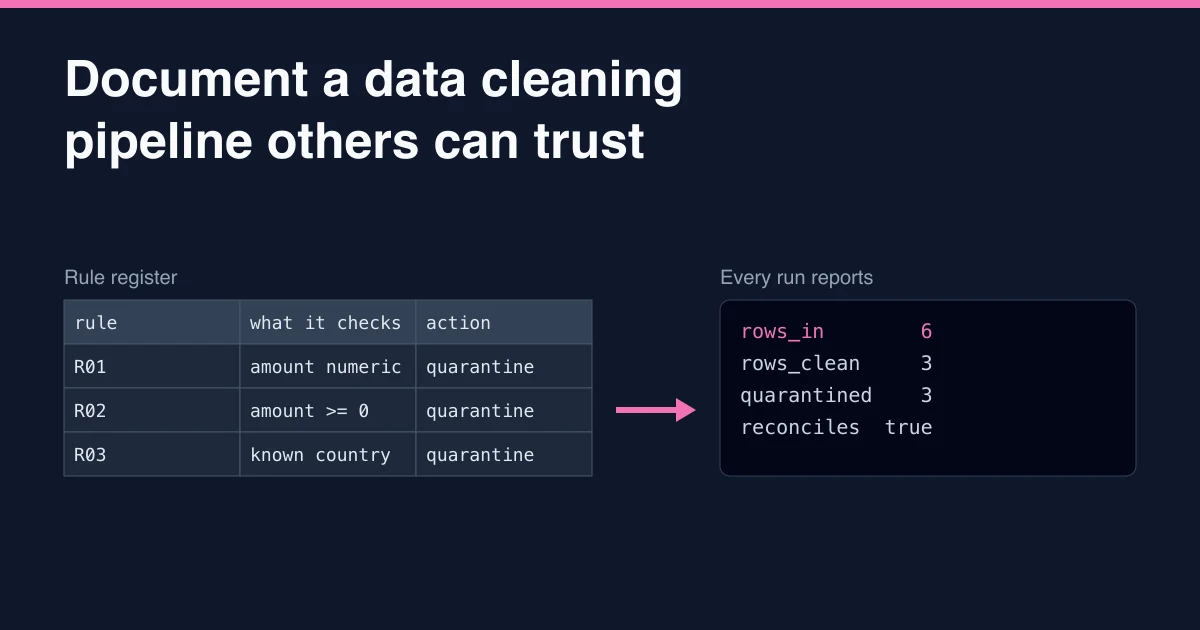
To document a data cleaning pipeline so others can trust it, write down six things: what the pipeline is for and what one row means, what the inputs and outputs contain, every rule with its reason and action, the decisions and assumptions behind those rules, a reconciliation that proves no rows went missing, and exactly how to rerun it. Keep these next to the code, and generate the parts that change on every run (counts, exceptions, versions) rather than typing them by hand.
Trust does not come from the length of the documentation. It comes from a reader being able to answer "what happened to this row, and why?" without asking you.
Key Takeaways
- Start with scope and grain: what the pipeline is for, and what one output row represents.
- Keep a rule register: one row per rule with its reason, its action (fix, flag or quarantine) and who agreed it.
- Log decisions and assumptions separately from rules, with dates and owners.
- Produce a reconciliation on every run: rows in equals rows clean plus rows quarantined, with totals.
- Generate what changes each run and version the rest with the code.
Why documentation decides whether people trust cleaned data
A cleaned dataset is a set of claims: these rows are valid, these were excluded for these reasons, these values were changed according to these rules. Without documentation, the only way to check a claim is to reread the code or ask the author. Neither scales, and the second disappears when the author moves on.
Public-sector guidance treats this as a basic requirement rather than an extra. The UK government's AQuA Book on producing quality analysis, revised in 2025, says all analysis "shall have user documentation, even if the only user is the analyst" (GOV.UK, The AQuA Book). It also describes an assumptions log that records each assumption, its effect and reliability, when and why it was made, and who made and approved it. Research on machine learning datasets reached a similar conclusion: the "Datasheets for Datasets" proposal argues that every dataset should come with a document covering its motivation, composition, collection process and recommended uses, including any cleaning or preprocessing applied (Gebru et al., Datasheets for Datasets).
A cleaning pipeline sits between those two ideas. It needs enough documentation for a reviewer to verify it and for a user of the output to know what they are getting.
What to document, section by section
1. Purpose, scope and grain
Open with three sentences a stakeholder can read:
- Purpose: what question or process the cleaned data supports.
- Scope: which records are in and which are deliberately out (for example, test accounts and orders before the migration date).
- Grain: what one output row represents, such as "one order line" or "one customer as of the extract date".
The grain is what one output row represents, such as one order line or one customer per day. Grain is the line most often missing and the one that prevents the worst misunderstandings. A report that sums a table at the wrong grain double-counts without any error message. The lesson on defining scope and grain first covers how to pin it down.
2. Inputs and outputs: a data dictionary
For each input and output table, list the columns with their type, meaning, allowed values or range, and whether missing values are allowed. Note where each input comes from (system, extract name, delivery schedule) and the date or version of the extract used.
| Column | Type | Meaning | Allowed values | Missing allowed? |
|---|---|---|---|---|
order_id |
text | Order reference from the shop system | A- followed by digits |
No |
amount |
decimal(10,2) | Order value in the order's currency | 0 or more | No |
country |
text | Shipping country, ISO 3166-1 alpha-2 | Codes in countries table |
No |
Recording identifiers as text and amounts as exact decimals in the dictionary stops someone "simplifying" the types later. A data dictionary for the output is also what users of the cleaned table will read first.
3. A rule register
The rule register is the heart of the documentation. Each rule gets one row:
| ID | Rule | Reason | Action | Agreed by |
|---|---|---|---|---|
| R01 | amount must parse as a number |
Text such as n/a cannot be totalled |
Quarantine | Finance lead, 2026-10-12 |
| R02 | amount must not be negative |
Refunds are recorded in a separate system | Quarantine | Finance lead, 2026-10-12 |
| R03 | country must be in the approved list |
Shipping reports group by country | Quarantine | Operations, 2026-10-14 |
Three details make a register useful:
- The reason is a business reason, not a restatement of the rule. "Refunds are recorded in a separate system" tells a reader when the rule might stop being true.
- The action is explicit. Fix (change the value by a stated method), flag (keep the row and mark it) or quarantine (route the row to an exceptions output). Deleting rows silently is not an action anyone can review.
- Rule IDs appear in the output. When every quarantined row carries the ID of the rule it failed, the register and the data point at each other.
The one reason column lesson shows how to carry rule IDs through a query, and the free validate ranges with ordered reasons exercise practises applying rules in a documented order.
4. Decisions and assumptions
Some choices are not rules on rows. "We use the extract taken at 06:00 UTC, not the end-of-day file." "Duplicate orders are resolved by keeping the latest updated_at." "Currency is assumed to be GBP when the column is blank, until the source system fixes it." Record each one with a date, the person who made it, who approved it and what would change it. This is the assumptions log the AQuA Book describes, applied to cleaning.
Keep this separate from the rule register. Rules are applied by code on every run; decisions explain why the code is shaped the way it is.
5. A reconciliation on every run
Documentation that only describes intent is not enough. Each run should produce evidence that it behaved as described. The minimum is a reconciliation: every input row is accounted for as either clean or quarantined, and the totals add up.
With rule IDs in a reason_code column, the run summary is one query:
SELECT coalesce(reason_code, 'clean')         AS outcome,
       count(*)                               AS row_count,
       sum(TRY_CAST(amount AS DECIMAL(10,2))) AS amount_total
FROM checked
GROUP BY ALL
ORDER BY outcome;
┌────────────────────────┬───────────┬───────────────┐
│        outcome         │ row_count │ amount_total  │
│        varchar         │   int64   │ decimal(38,2) │
├────────────────────────┼───────────┼───────────────┤
│ R01_amount_not_numeric │         1 │          NULL │
│ R02_amount_negative    │         1 │         -4.00 │
│ R03_unknown_country    │         1 │          7.00 │
│ clean                  │         3 │         60.75 │
└────────────────────────┴───────────┴───────────────┘
And a check that nothing went missing:
WITH counts AS (
  SELECT (SELECT count(*) FROM raw_orders)               AS rows_in,
         count(*) FILTER (WHERE reason_code IS NULL)     AS rows_clean,
         count(*) FILTER (WHERE reason_code IS NOT NULL) AS rows_quarantined
  FROM checked
)
SELECT *, rows_in = rows_clean + rows_quarantined AS reconciles
FROM counts;
┌─────────┬────────────┬──────────────────┬────────────┐
│ rows_in │ rows_clean │ rows_quarantined │ reconciles │
│  int64  │   int64    │      int64       │  boolean   │
├─────────┼────────────┼──────────────────┼────────────┤
│       6 │          3 │                3 │ true       │
└─────────┴────────────┴──────────────────┴────────────┘
Here checked is the raw table with a reason_code column added by the rules (NULL when a row passes them all). Save both outputs with each run, with the run date and input file name. A reader can then see, for any run, how many rows each rule caught, and a sudden jump in one rule's count is often the first sign that the source has changed. The guide on reconciliation covers totals by currency and other checks, and the load summary per source file exercise asks you to build exactly this kind of report.
6. How to rerun it
Write the exact steps to reproduce an output: the command to run, the input files or tables, the tool versions (for example DuckDB 1.5.1 or pandas 3.0.2), and any configuration. The AQuA Book's test for repeatable analysis is that the same inputs and constraints produce the same outputs. If a colleague cannot rerun the pipeline from these notes on a clean machine, they are incomplete. The guide to reproducible cleaning pipelines covers pinning versions and making steps deterministic.
A template you can copy
A single README in the pipeline's folder, with the generated files beside it, covers most needs:
## Purpose
Clean the weekly order export for the shipping dashboard.

## Scope and grain
In scope: orders placed from 2026-01-01; excludes test accounts.
One output row = one order.

## Inputs
- orders_YYYY-MM-DD.csv from the shop export (delivered Mondays 06:00 UTC)
- countries.csv, approved ISO country codes (owner: Operations)

## Outputs
- orders_clean.parquet: see data dictionary below
- orders_exceptions.parquet: quarantined rows with reason_code

## Data dictionary
(table of columns, types, meanings, allowed values)

## Rule register
(table: ID, rule, reason, action, agreed by)

## Decisions and assumptions
(dated entries: decision, reason, made by, approved by)

## Run it
duckdb < clean_orders.sql   (DuckDB 1.5.1)

## Run reports
reports/YYYY-MM-DD_reconciliation.csv (generated each run)

## Change log
(dated entries for rule or schema changes)
If your team uses dbt, much of this can live in the project itself: model and column descriptions sit in YAML files next to the data tests, and dbt generates a documentation site with a lineage graph from them (dbt, About documentation). The principle is the same with or without a tool: descriptions live beside the code that implements them, so they change together.
Common mistakes that make documentation untrustworthy
- Describing intent, not behaviour. A README that says "invalid rows are removed" without counts invites the question "how many?"
- Documentation that lives somewhere else. A wiki page written at launch and never updated is worse than none, because it is confidently wrong. Keep it in the same repository as the code.
- Hand-typed run statistics. Numbers typed into a document drift from the data. Generate them.
- Rules without reasons. A rule with no stated reason cannot be safely changed, so it never is.
- No owner for mappings and lists. Approved country lists and category mappings change. Treat them as data with an owner and a version, as the lesson on mapping tables as data describes.
Frequently asked questions
How much documentation does a small cleaning script need?
Scale it to the risk, but never skip the core: purpose and grain, the rules with reasons, and a reconciliation. For a one-off analysis these can be a few lines at the top of the script and a printed summary. The AQuA Book's position is that even analysis used only by its author needs user documentation.
What is the difference between a rule register and a data dictionary?
A data dictionary describes what each column means and what values it may hold. A rule register lists the checks and changes the pipeline applies, why, and what happens to rows that fail. The dictionary describes the data; the register describes the pipeline.
Should documentation be generated automatically?
Generate anything that changes on every run: row counts, exceptions by rule, input file names, tool versions. Write by hand the things that need judgement: purpose, reasons for rules, decisions. Tools such as dbt can generate a site from descriptions you write, which combines both.
Where should the documentation live?
In the same repository or folder as the pipeline code, so a change to a rule and the change to its description can be reviewed together.
Related reading
- Data Contracts Explained for Analysts
- Idempotent Data Cleaning: Why Running It Twice Should Change Nothing
- How to Talk About Data Cleaning in a Data Analyst Interview
Sources
- GOV.UK. The AQuA Book: guidance on producing quality analysis for government, revised edition 2025.
- Gebru T, Morgenstern J, Vecchione B, Vaughan JW, Wallach H, Daumé III H, Crawford K. Datasheets for Datasets. arXiv:1803.09010, version of December 2021.
- dbt. About documentation.