Cleaning Messy CSV Files With DuckDB's read_csv Options
Read messy CSV files in DuckDB with read_csv: skip preamble lines, pad short rows, declare types, null strings, decimal commas and dates, and log rejected rows.
By Tnas · Published · 12 min read
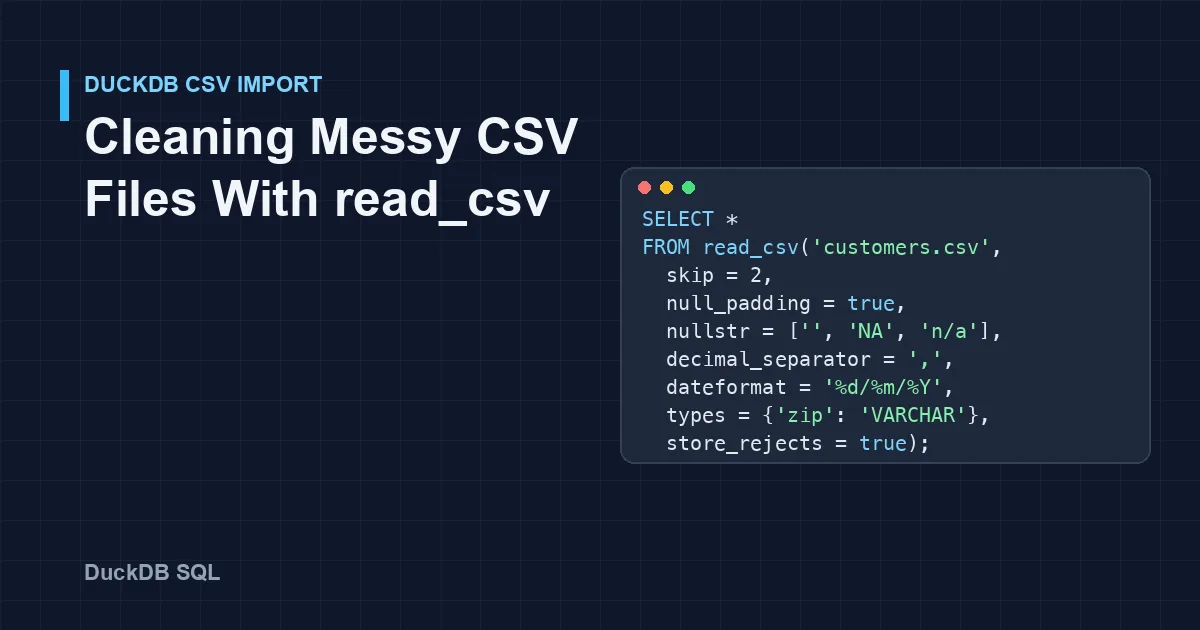
read_csv is DuckDB's CSV reader, and it detects the delimiter, quoting, header and column types of a CSV file on its own, and on a clean file that is all you need. On a messy file, auto-detection can guess wrong without telling you: a two-line preamble and one short row together turn the file into a single text column, and a decimal comma leaves numbers as text. The fix is to tell read_csv what you know about the file. This tutorial takes one realistic export and works through the options that matter, in the order you usually need them: skip, null_padding, nullstr, decimal_separator, dateformat, types, store_rejects, union_by_name and encoding.
Key Takeaways
- Run
sniff_csv('file.csv')before trusting a read. It shows the delimiter, quote, header and row skip that DuckDB detected.- A preamble above the header needs
skip; a row with missing trailing fields needsnull_padding = true, or auto-detection may fall back to one text column.- Declare types for identifiers. DuckDB kept
00123as text in this file, but an id column without leading zeros is detected asBIGINT.- Set
nullstrbefore setting types: a placeholder such asn/ain aDATEcolumn is a conversion error until it is declared as missing.store_rejects = truekeeps the read going and logs bad rows inreject_errors, but those rows are missing from the result. Count them every time.
The messy file
The examples read this file, saved as customers.csv. It has the problems that turn up in real exports: two lines of preamble, a semicolon delimiter, a quoted name containing the delimiter, a doubled quote inside a quoted field, leading zeros, day-first dates, decimal commas, two different placeholders for missing values, a row with a missing last field, and one date in a different format.
Customer export
Generated 2026-10-01
customer_id;Full Name;zip;signup_date;balance;active
00123;"Silva; Ana";01004;03/10/2026;1250,50;yes
00124;Ben Okafor;94107;15/10/2026;-80,00;no
00125;"Cara ""CJ"" Diaz";02139;n/a;NA;yes
00126;Dev Patel;10001;31/10/2026;12,5
00127;Eve Novak;60601;2026-11-01;7,00;yes
Every query below was run in DuckDB 1.5.1. Outputs omit the column-type row except where the types are the point.
Step 1: See what auto-detection decided
A plain read looks like it worked, because it returns rows:
SELECT * FROM read_csv('customers.csv');
┌──────────────────────────────────────────────────────┐
│                   Customer export                    │
├──────────────────────────────────────────────────────┤
│ Generated 2026-10-01                                 │
│ customer_id;Full Name;zip;signup_date;balance;active │
│ 00123;"Silva; Ana";01004;03/10/2026;1250,50;yes      │
│ ...                                                  │
└──────────────────────────────────────────────────────┘
The whole file came back as one text column whose name is the first preamble line. sniff_csv shows why, without reading the data into a table (DuckDB CSV auto detection documentation):
SELECT Delimiter, Quote, HasHeader, SkipRows FROM sniff_csv('customers.csv');
┌───────────┬─────────┬───────────┬──────────┐
│ Delimiter │  Quote  │ HasHeader │ SkipRows │
├───────────┼─────────┼───────────┼──────────┤
│ |         │         │ true      │        0 │
└───────────┴─────────┴───────────┴──────────┘
The quote character is empty and the delimiter is a placeholder: the sniffer found no delimiter that produced a consistent table, so it treated each line as a single value. The DuckDB team's write-up on the CSV sniffer explains how it scores candidate dialects. Whenever the column count looks wrong, sniff_csv is the first thing to run.
Step 2: Skip the preamble and pad short rows
skip = 2 drops the two preamble lines, so the header is the first line the reader sees. On this file that is not enough on its own: the result is still a single column. The 00126 row has five fields instead of six, and that inconsistency stops the dialect detection. null_padding = true tells the reader to fill missing trailing fields with NULL, and then the detection succeeds:
SELECT Delimiter, Quote, Escape, HasHeader, SkipRows
FROM sniff_csv('customers.csv', skip = 2, null_padding = true);
┌───────────┬─────────┬─────────┬───────────┬──────────┐
│ Delimiter │  Quote  │ Escape  │ HasHeader │ SkipRows │
├───────────┼─────────┼─────────┼───────────┼──────────┤
│ ;         │ "       │ "       │ true      │        2 │
└───────────┴─────────┴─────────┴───────────┴──────────┘
Both options are needed. With null_padding alone, the preamble line Customer export becomes the header and the real header turns into a data row; with skip alone, or skip plus delim = ';', the short row still breaks detection.
Semicolon delimiter, double-quote quoting, and a doubled quote as the escape, which is the convention in RFC 4180. That is why "Silva; Ana" stays one field and "Cara ""CJ"" Diaz" becomes Cara "CJ" Diaz. If you already know the dialect, you can set it explicitly with delim = ';', quote = '"' and escape = '"'.
Be careful with null_padding. It makes the read succeed by assuming the missing fields are at the end of the row. If a field is missing in the middle, every value after it shifts one column to the left. Check padded rows before trusting them: here, Dev Patel's active value is NULL because it was never in the file. The lesson on delimiters and quotes covers how short and long rows arise.
Step 3: Check the types DuckDB inferred
With the dialect fixed, look at the column types before looking at the values:
DESCRIBE SELECT * FROM read_csv('customers.csv', skip = 2, null_padding = true);
| column_name | column_type | Why (note) |
|---|---|---|
| customer_id | VARCHAR | Values with leading zeros are kept as text |
| Full Name | VARCHAR | Text |
| zip | VARCHAR | Leading zeros again |
| signup_date | VARCHAR | Day-first dates mixed with one ISO date |
| balance | VARCHAR | Decimal commas, plus NA |
| active | BOOLEAN | yes and no are read as booleans |
Some of this is helpful. DuckDB did not turn 01004 into the number 1004. Do not rely on that: in a test file where the ids had no leading zeros (123, 124), the same reader detected BIGINT. A table created from that read would then reject or strip a zero-padded id when next month's file is appended to it. Identifiers are labels, not quantities, so declare them as text. The guide on identifiers and leading zeros explains the failure cases.
Detection also only looks at a sample of rows (sample_size, 20,480 by default according to the CSV overview). On a large file, a column that is numeric for the first sample and text afterwards can be typed wrongly. Explicit types remove that guesswork.
Step 4: Declare missing values, decimals, dates and types
Four options describe the file's conventions:
nullstrlists the strings that mean missing. This file usesn/aandNA, and an empty field should be missing too.decimal_separator = ','reads1250,50as 1250.50.dateformat = '%d/%m/%Y'reads03/10/2026as 3 October, not 10 March.typessets the type for named columns and leaves the rest to detection.
normalize_names = true also turns Full Name into full_name, which saves quoting it in every query.
SELECT * FROM read_csv('customers.csv',
  skip = 2, null_padding = true, normalize_names = true,
  nullstr = ['', 'NA', 'n/a'],
  decimal_separator = ',',
  dateformat = '%d/%m/%Y',
  types = {'customer_id': 'VARCHAR', 'zip': 'VARCHAR',
           'signup_date': 'DATE', 'balance': 'DECIMAL(12,2)'});
Conversion Error: CSV Error on Line: 8
Original Line: 00127;Eve Novak;60601;2026-11-01;7,00;yes
Error when converting column "signup_date". Could not convert string "2026-11-01" to 'DATE'
That error is the reader doing its job. Eve Novak's date is in a different format from the rest of the file, and DuckDB refuses to guess. Two details are worth knowing here. First, without nullstr, the n/a row would fail the same way, so declare missing values before declaring types. Second, without an explicit DECIMAL type, decimal_separator produces a DOUBLE, which is an approximation; use DECIMAL for money. The guide on parsing dates when formats are ambiguous covers how to choose the format.
Step 5: Log the rows that fail instead of stopping
For a file with a few bad rows, store_rejects = true keeps the read going, skips each row that fails, and records why in a temporary table called reject_errors (DuckDB faulty CSV documentation):
SELECT * FROM read_csv('customers.csv',
  skip = 2, null_padding = true, normalize_names = true,
  nullstr = ['', 'NA', 'n/a'], decimal_separator = ',', dateformat = '%d/%m/%Y',
  types = {'customer_id': 'VARCHAR', 'zip': 'VARCHAR',
           'signup_date': 'DATE', 'balance': 'DECIMAL(12,2)'},
  store_rejects = true);
┌─────────────┬────────────────┬───────┬─────────────┬─────────┬────────┐
│ customer_id │   full_name    │  zip  │ signup_date │ balance │ active │
├─────────────┼────────────────┼───────┼─────────────┼─────────┼────────┤
│ 00123       │ Silva; Ana     │ 01004 │ 2026-10-03  │ 1250.50 │ true   │
│ 00124       │ Ben Okafor     │ 94107 │ 2026-10-15  │  -80.00 │ false  │
│ 00125       │ Cara "CJ" Diaz │ 02139 │ NULL        │    NULL │ true   │
│ 00126       │ Dev Patel      │ 10001 │ 2026-10-31  │   12.50 │ NULL   │
└─────────────┴────────────────┴───────┴─────────────┴─────────┴────────┘
SELECT line, column_name, error_type, csv_line FROM reject_errors;
┌──────┬─────────────┬────────────┬───────────────────────────────────────────┐
│ line │ column_name │ error_type │                 csv_line                  │
├──────┼─────────────┼────────────┼───────────────────────────────────────────┤
│    8 │ signup_date │ CAST       │ 00127;Eve Novak;60601;2026-11-01;7,00;yes │
└──────┴─────────────┴────────────┴───────────────────────────────────────────┘
Every column now has the right type, and the problem row is logged with its line number and original text. But notice what happened to the result: Eve Novak is gone. Five customers went in and four came out. store_rejects (and its quieter relative ignore_errors, which skips rows without logging them) turns a loud failure into a silent loss unless you check the rejects table on every run. A load step should compare the row count with the file and fail, or at least warn, when reject_errors is not empty. The guide on validation rules and exception reports covers what to do with those rows.
Step 6: Land everything as text, then clean in SQL
When you would rather keep every row and decide about bad values yourself, read the file with all_varchar = true and do the typing in SQL with TRY_CAST and TRY_STRPTIME. Nothing is dropped at the reader:
CREATE TABLE customers_raw AS
SELECT * FROM read_csv('customers.csv',
  skip = 2, null_padding = true, all_varchar = true, normalize_names = true);

SELECT customer_id, full_name, zip,
       TRY_STRPTIME(nullif(signup_date, 'n/a'), '%d/%m/%Y')::DATE         AS signup_date,
       TRY_CAST(replace(nullif(balance, 'NA'), ',', '.') AS DECIMAL(12,2)) AS balance,
       signup_date AS signup_date_raw
FROM customers_raw;
┌─────────────┬────────────────┬───────┬─────────────┬─────────┬─────────────────┐
│ customer_id │   full_name    │  zip  │ signup_date │ balance │ signup_date_raw │
├─────────────┼────────────────┼───────┼─────────────┼─────────┼─────────────────┤
│ 00123       │ Silva; Ana     │ 01004 │ 2026-10-03  │ 1250.50 │ 03/10/2026      │
│ 00124       │ Ben Okafor     │ 94107 │ 2026-10-15  │  -80.00 │ 15/10/2026      │
│ 00125       │ Cara "CJ" Diaz │ 02139 │ NULL        │    NULL │ n/a             │
│ 00126       │ Dev Patel      │ 10001 │ 2026-10-31  │   12.50 │ 31/10/2026      │
│ 00127       │ Eve Novak      │ 60601 │ NULL        │    7.00 │ 2026-11-01      │
└─────────────┴────────────────┴───────┴─────────────┴─────────┴─────────────────┘
All five customers are present. Eve's date failed to parse under the declared format, and the raw value sits next to the NULL so a reviewer can see why. If you confirm that the source really mixes two formats, and that the ISO one is unambiguous, add it as a second, explicit rule:
SELECT customer_id, signup_date AS signup_date_raw,
       coalesce(TRY_STRPTIME(signup_date, '%d/%m/%Y'),
                TRY_STRPTIME(signup_date, '%Y-%m-%d'))::DATE AS signup_date
FROM customers_raw;
┌─────────────┬─────────────────┬─────────────┐
│ customer_id │ signup_date_raw │ signup_date │
├─────────────┼─────────────────┼─────────────┤
│ 00123       │ 03/10/2026      │ 2026-10-03  │
│ 00124       │ 15/10/2026      │ 2026-10-15  │
│ 00125       │ n/a             │ NULL        │
│ 00126       │ 31/10/2026      │ 2026-10-31  │
│ 00127       │ 2026-11-01      │ 2026-11-01  │
└─────────────┴─────────────────┴─────────────┘
Each format is a decision you can point to, rather than a guess the reader made for you. This "land as text, type in SQL" pattern is slower to write than a single read_csv call, but it never loses a row at the door.
Step 7: Read many files at once
Monthly exports often drift: a column is added, renamed or reordered. Reading several files with a glob matches columns by position by default, which silently misaligns them when the layouts differ. With these two files, the second of which adds a currency column:
orders_2026_09.csv          orders_2026_10.csv
order_id,amount             order_id,amount,currency
1,10.00                     3,8.00,EUR
2,12.50                     4,9.99,USD
a plain read_csv('orders_*.csv') returns only order_id and amount, and the currency is gone. union_by_name = true matches columns by header name and fills absent columns with NULL. filename = true adds the source file to each row, which you will want the first time a value looks wrong:
SELECT * FROM read_csv('orders_*.csv', union_by_name = true, filename = true);
┌──────────┬────────┬──────────┬──────────────────────┐
│ order_id │ amount │ currency │       filename       │
├──────────┼────────┼──────────┼──────────────────────┤
│        1 │   10.0 │ NULL     │ ./orders_2026_09.csv │
│        2 │   12.5 │ NULL     │ ./orders_2026_09.csv │
│        3 │    8.0 │ EUR      │ ./orders_2026_10.csv │
│        4 │   9.99 │ USD      │ ./orders_2026_10.csv │
└──────────┴────────┴──────────┴──────────────────────┘
The September rows now carry a NULL currency, which is honest: the file never said. The guide on appending monthly files and handling schema drift covers deciding what that NULL should become.
Step 8: Set the encoding
DuckDB reads UTF-8 by default. A file saved as Latin-1 stops the read with Invalid unicode (byte sequence mismatch) detected. This file is not utf-8 encoded. Name the encoding and the accented characters come through intact:
SELECT * FROM read_csv('latin1.csv', encoding = 'latin-1');
┌────┬─────────┐
│ id │  city   │
├────┼─────────┤
│  1 │ München │
│  2 │ Zürich  │
└────┴─────────┘
The CSV overview lists the supported encodings: UTF-8, UTF-16 and Latin-1. Files from older Windows tools are often Windows-1252, which matches Latin-1 for letters such as ü but not for characters such as € or curly quotes, so check those after reading. The lesson on encodings and mojibake shows what the wrong choice looks like when it does not fail loudly.
read_csv options at a glance
| Problem in the file | Option | Example |
|---|---|---|
| Title or notes above the header | skip |
skip = 2 |
| Wrong delimiter or quoting detected | delim, quote, escape |
delim = ';' |
| Rows with missing trailing fields | null_padding |
null_padding = true |
| Placeholders for missing values | nullstr |
nullstr = ['', 'NA', 'n/a'] |
| Decimal commas | decimal_separator |
decimal_separator = ',' |
| Non-ISO dates | dateformat, timestampformat |
dateformat = '%d/%m/%Y' |
| Ids, codes or money typed wrongly | types |
types = {'zip': 'VARCHAR'} |
| Keep everything for cleaning in SQL | all_varchar |
all_varchar = true |
| Some rows fail to convert | store_rejects |
then query reject_errors |
| Header names with spaces or capitals | normalize_names |
normalize_names = true |
| Several files with different columns | union_by_name, filename |
union_by_name = true |
| Not UTF-8 | encoding |
encoding = 'latin-1' |
Practise reading messy files
- Append monthly files under a declared schema (free): combine files whose columns drift.
- Stray header and total rows: remove rows that are not data before typing.
- An invisible character in the header: a header that looks right and is not.
For the habits behind all of this, see reading CSV files without changing your data.
Frequently Asked Questions
Why does DuckDB read my CSV as a single column?
Usually because something above or inside the data breaks dialect detection: a preamble before the header, or rows with different field counts. Run sniff_csv to see what was detected, then add skip for the preamble and null_padding = true for short rows. Setting delim explicitly fixes the delimiter, but short rows still need null_padding = true.
How do I stop DuckDB from removing leading zeros?
Declare the column as text: types = {'zip': 'VARCHAR'}. DuckDB may keep zero-padded values as text on its own, but a column without leading zeros in the sample is detected as a number, so an explicit type is the only safe choice.
What is the difference between ignore_errors and store_rejects?
Both skip rows that cannot be read or converted. store_rejects = true also records each failure in the reject_errors table, with the line number, column and original text. Prefer store_rejects, and check the table after every load.
Can DuckDB read a CSV with a comma as the decimal separator?
Yes, with decimal_separator = ','. Pair it with an explicit DECIMAL type for money. Values that also use a dot as a thousands separator, such as 1.250,50, still fail; read that column as text, remove the dots and turn the comma into a point before casting: TRY_CAST(replace(replace(x, '.', ''), ',', '.') AS DECIMAL(12,2)).
Related reading
- How to Validate a CSV's Schema Before It Reaches Your Warehouse
- TRY_CAST in DuckDB: Converting Messy Text Without Breaking Your Query
- Why Excel Ruins Your Dates and IDs, and How to Prevent It
Sources
Every query in this article was run in DuckDB 1.5.1 against the example files shown. Spotted an error? Tell us through the contact page linked in the site footer and it will be corrected.
- DuckDB documentation: CSV import overview and read_csv parameters, retrieved 2026-11-05.
- DuckDB documentation: CSV auto detection, retrieved 2026-11-05.
- DuckDB documentation: Reading faulty CSV files, retrieved 2026-11-05.
- DuckDB blog: DuckDB's CSV Sniffer: Automatic Detection of Types and Dialects, retrieved 2026-11-05.
- IETF: RFC 4180, Common Format and MIME Type for CSV Files, retrieved 2026-11-05.