The 10 Most Common Data Quality Problems (and How to Spot Each One)
Ten data quality problems analysts meet again and again, from hidden duplicates to lost leading zeros, each with a DuckDB SQL query that finds it.
By Tnas · Published · 9 min read
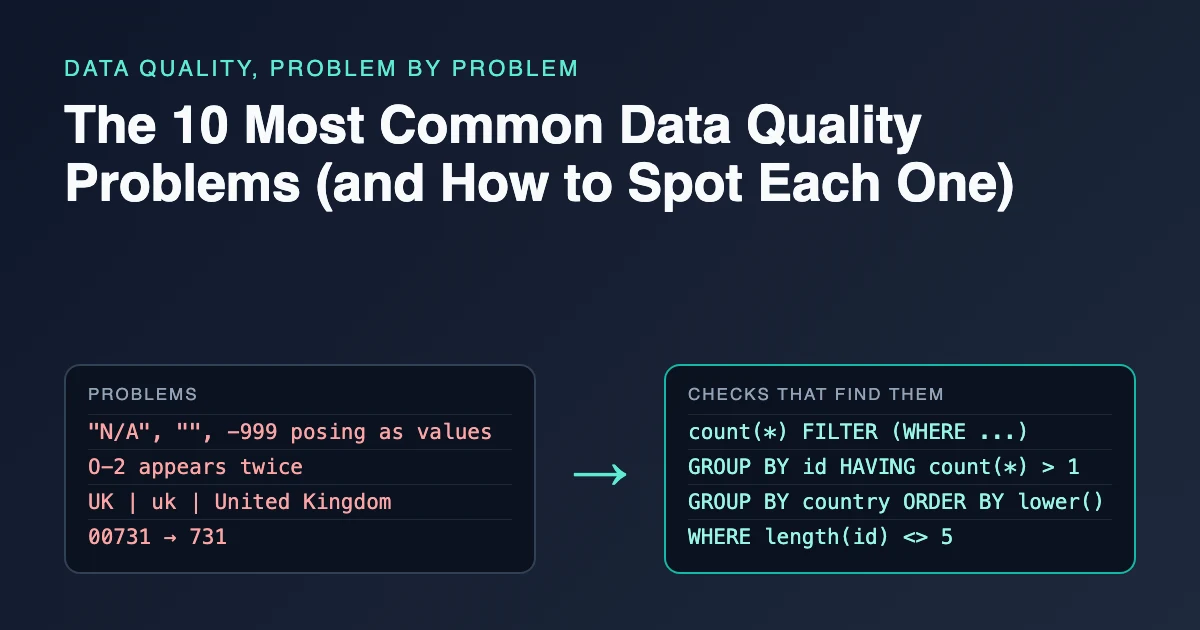
Ten problems that turn up again and again in practice are missing values in disguise, duplicate records, inconsistent categories, invisible characters, numbers and dates stored as text, impossible values, ambiguous date formats, orphan rows, mangled identifiers and outliers caused by unit errors. Each one can be found with a short query before it reaches a report. This guide shows what each problem looks like, why it matters and the DuckDB SQL that spots it, all run against the same small, deliberately messy dataset.
Key Takeaways
- Most data quality problems are invisible in a spreadsheet view. You find them by counting, grouping and test-casting, not by scrolling.
- Each problem maps to a data quality dimension (completeness, uniqueness, validity, consistency or accuracy), which tells you what kind of rule to write.
- Detection comes before fixing. Every query below returns the offending rows or counts them, and those rows become your exception report.
- Some problems need a person to decide: whether
731is00731, or whether04/03/2026is March or April.- Once the queries are written, rerunning all ten checks on each new file is cheap, and far cheaper than explaining a wrong number later.
The example dataset
All ten checks run on two small tables, customers and orders, with every column loaded as text. Loading as text matters: it keeps the raw values intact so that the checks can see them, as the lesson on importing everything as text first explains.
CREATE TABLE customers AS SELECT * FROM (VALUES
  ('00731', 'Ana Lima',   'UK'),
  ('731',   'Ben Okafor', 'United Kingdom'),
  ('00845', 'Chloé' || chr(160) || 'Martin', 'uk'),   -- chr(160) is a non-breaking space
  ('00912', 'José Ruiz', 'Spain')
) AS t(customer_id, name, country);

CREATE TABLE orders AS SELECT * FROM (VALUES
  ('O-1', '00731', '2026-03-04', '19.99', '2'),
  ('O-2', '00731', '04/03/2026', '24.50', '1'),
  ('O-2', '00731', '04/03/2026', '24.50', '1'),
  ('O-3', '00845', '2026-03-07', 'N/A',   '3'),
  ('O-4', '00999', '2026-03-08', '18.00', '-5'),
  ('O-5', '00912', '2026-03-09', '2150',  '1'),
  ('O-6', '00845', NULL,         '21.00', '')
) AS t(order_id, customer_id, order_date, amount, quantity);
Every result below comes from running these queries in DuckDB 1.5.1, with the column-type rows removed and a few columns narrowed for readability.
1. Missing values in disguise
A missing value is not always NULL. It can be an empty string, a string of spaces, or a placeholder such as N/A, -, ? or -999. A plain count(*) WHERE x IS NULL misses all of those, so completeness looks better than it is.
How to spot it: count each kind separately.
SELECT count(*)                                                        AS total_rows,
       count(*) FILTER (WHERE order_date IS NULL)                      AS null_dates,
       count(*) FILTER (WHERE trim(quantity) = '')                     AS blank_quantities,
       count(*) FILTER (WHERE upper(amount) IN ('N/A', 'NA', '-', '?')) AS placeholder_amounts
FROM orders;
┌────────────┬────────────┬──────────────────┬─────────────────────┐
│ total_rows │ null_dates │ blank_quantities │ placeholder_amounts │
├────────────┼────────────┼──────────────────┼─────────────────────┤
│          7 │          1 │                1 │                   1 │
└────────────┴────────────┴──────────────────┴─────────────────────┘
Three missing values sit in two of the seven rows (O-3 and O-6), and only one of them is a real NULL. Practice turning these into honest nulls in the exercise placeholder text means missing.
2. Duplicate records
Duplicates come from resent files, retried API calls, and exports that overlap. They inflate counts and sums without producing an error.
How to spot it: group by the column that should be unique and look for counts above one.
SELECT order_id, count(*) AS copies
FROM orders
GROUP BY order_id
HAVING count(*) > 1;
┌──────────┬────────┐
│ order_id │ copies │
├──────────┼────────┤
│ O-2      │      2 │
└──────────┴────────┘
Before deleting anything, decide what one row is supposed to represent. Two identical order lines may be one order sent twice, or two genuine purchases. The exercise build a duplicate review queue practices grouping likely duplicates for a person to review instead of deleting them. For the SQL patterns, see how to find duplicate rows in SQL.
3. Inconsistent categories
The same thing spelled several ways splits every group-by. UK, uk and United Kingdom are one country to a person and three to a database.
How to spot it: list the distinct values with counts, sorted so variants sit next to each other.
SELECT country, count(*) AS n
FROM customers
GROUP BY country
ORDER BY lower(country), country;
┌────────────────┬───────┐
│    country     │   n   │
├────────────────┼───────┤
│ Spain          │     1 │
│ UK             │     1 │
│ uk             │     1 │
│ United Kingdom │     1 │
└────────────────┴───────┘
The fix is a mapping table from every known variant to one approved value, with anything unmapped left as it is rather than guessed. Try it in map known variants, keep the rest.
4. Invisible characters and broken encoding
Some problems are invisible in the output. A non-breaking space (U+00A0) looks like a normal space but fails equality checks. A zero-width space (U+200B) or byte-order mark (U+FEFF) is not visible at all. Mojibake, such as José instead of José, appears when UTF-8 text is decoded with the wrong encoding.
How to spot it: search for the specific characters and the telltale mojibake patterns.
SELECT customer_id, name
FROM customers
WHERE regexp_matches(name, '[\x{00A0}\x{200B}\x{FEFF}]')
   OR name <> trim(name)
   OR regexp_matches(name, 'Ã|Â');
┌─────────────┬──────────────┐
│ customer_id │     name     │
├─────────────┼──────────────┤
│ 00845       │ Chloé Martin │
│ 00912       │ José Ruiz   │
└─────────────┴──────────────┘
Chloé's row looks perfectly normal in the output, which is exactly the problem. The exercise invisible spaces break validation shows what this does to a validation rule.
5. Numbers and dates stored as text
When a column that should be numeric contains even one non-numeric value, many tools read the whole column as text. Sorting then puts "100" before "9", and sums fail or silently skip rows.
How to spot it: test-cast every value and list the ones that fail.
SELECT order_id, amount
FROM orders
WHERE amount IS NOT NULL
  AND TRY_CAST(amount AS DECIMAL(10,2)) IS NULL;
┌──────────┬─────────┐
│ order_id │ amount  │
├──────────┼─────────┤
│ O-3      │ N/A     │
└──────────┴─────────┘
TRY_CAST returns NULL instead of failing, so the IS NOT NULL condition separates "was missing" from "could not be parsed". The same test works for dates:
SELECT DISTINCT order_id, order_date
FROM orders
WHERE order_date IS NOT NULL
  AND TRY_CAST(order_date AS DATE) IS NULL;
┌──────────┬────────────┐
│ order_id │ order_date │
├──────────┼────────────┤
│ O-2      │ 04/03/2026 │
└──────────┴────────────┘
DuckDB's DATE cast expects ISO 8601 year-month-day text such as 2026-03-04, so 04/03/2026 fails. Whether that value is March or April is a separate problem, covered in section 7. The lesson validate before you cast in SQL covers the pattern in more depth.
6. Impossible values
Some values parse fine but cannot be true: a negative quantity on a sale, a birth date in the future, a percentage of 140. These are validity problems, and they need a written rule because the database will accept them.
How to spot it: write the business rule as a filter.
SELECT order_id, quantity
FROM orders
WHERE TRY_CAST(quantity AS INTEGER) <= 0;
┌──────────┬──────────┐
│ order_id │ quantity │
├──────────┼──────────┤
│ O-4      │ -5       │
└──────────┴──────────┘
Check with the data owner before treating every negative as an error; a negative quantity might be a legitimate return. Practice writing range rules with reasons in validate quantities and prices against ranges.
7. Ambiguous date formats
A date column that mixes formats is worse than one that is consistently wrong. 04/03/2026 is 4 March in the UK and April 3 in the US, and nothing in the value says which.
How to spot it: classify each value by its pattern.
SELECT CASE WHEN regexp_matches(order_date, '^\d{4}-\d{2}-\d{2}$') THEN 'ISO'
            WHEN regexp_matches(order_date, '^\d{2}/\d{2}/\d{4}$') THEN 'dd/mm or mm/dd?'
            ELSE 'other' END AS format,
       count(*)        AS n,
       min(order_date) AS example
FROM orders
WHERE order_date IS NOT NULL
GROUP BY ALL
ORDER BY format;
┌─────────────────┬───────┬────────────┐
│     format      │   n   │  example   │
├─────────────────┼───────┼────────────┤
│ ISO             │     4 │ 2026-03-04 │
│ dd/mm or mm/dd? │     2 │ 04/03/2026 │
└─────────────────┴───────┴────────────┘
The answer has to come from the source system, not from guessing. The exercise parse dates by declared locale practices parsing with a declared format instead of inference.
8. Orphan rows
An orphan is a row whose foreign key points at nothing, such as an order for a customer who does not exist in the customer table. An inner join silently drops orphans, so revenue disappears from any report that joins the two tables.
How to spot it: use an anti join, which returns rows from the left table with no match on the right.
SELECT o.order_id, o.customer_id
FROM orders AS o
ANTI JOIN customers AS c ON o.customer_id = c.customer_id;
┌──────────┬─────────────┐
│ order_id │ customer_id │
├──────────┼─────────────┤
│ O-4      │ 00999       │
└──────────┴─────────────┘
Report orphans instead of dropping them; the exercise referential integrity with explicit exceptions shows the shape of that report.
9. Mangled identifiers
Identifiers that look like numbers are often damaged by tools that treat them as numbers. Leading zeros vanish (00731 becomes 731), long IDs turn into scientific notation, and gene symbols become dates. A scan of 3,597 papers with Excel gene lists in 18 genomics journals, published 2005 to 2015, found that 19.6% of them (704 papers) contained gene names that had been converted to dates or floating-point numbers (Ziemann, Eren and El-Osta, Genome Biology, 2016).
How to spot it: check the expected length or pattern of each identifier.
SELECT customer_id, length(customer_id) AS len
FROM customers
WHERE length(customer_id) <> 5;
┌─────────────┬───────┐
│ customer_id │  len  │
├─────────────┼───────┤
│ 731         │     3 │
└─────────────┴───────┘
Padding 731 back to 00731 looks like the fix, but 00731 already belongs to Ana Lima. The damaged ID might be Ana's, or a different customer whose real ID is unrecoverable, so it belongs in a review queue. The exercise keep identifiers as text and parse yes/no flags practices preventing the damage at import.
10. Outliers from unit errors
A common cause of extreme values is a unit mistake rather than a rare event: an amount in cents in a column defined in dollars, a weight in grams among kilograms. They distort averages and totals far more than their row count suggests.
How to spot it: compare each value with a robust center such as the median. DuckDB's QUALIFY clause filters on the window result directly.
WITH a AS (
  SELECT order_id, TRY_CAST(amount AS DECIMAL(10,2)) AS amount FROM orders
)
SELECT order_id, amount,
       round(amount / median(amount) OVER (), 1) AS times_median
FROM a
QUALIFY times_median > 10;
┌──────────┬─────────┬──────────────┐
│ order_id │ amount  │ times_median │
├──────────┼─────────┼──────────────┤
│ O-5      │ 2150.00 │         94.5 │
└──────────┴─────────┴──────────────┘
At roughly 100 times the median, O-5 looks like 21.50 recorded in cents. Flag it with that reason; do not divide it by 100 until someone confirms. The exercise flag large transactions, keep refunds practices flagging without deleting.
Which data quality dimension does each problem affect?
Data quality frameworks group problems into dimensions. IBM's summary lists six core ones: accuracy, completeness, consistency, timeliness, validity and uniqueness (IBM, "What are data quality dimensions?"). Naming the dimension tells you what kind of rule to write.
| Problem | Main dimension | Rule to write |
|---|---|---|
| 1. Missing values in disguise | Completeness | Placeholders and blanks become NULL; required fields are checked |
| 2. Duplicate records | Uniqueness | Each key appears once, with a survivor rule for copies |
| 3. Inconsistent categories | Consistency | Values map to an approved list; unmapped values are kept unchanged and reported |
| 4. Invisible characters, encoding | Validity | Text contains only allowed characters after normalization |
| 5. Numbers and dates as text | Validity | Every value parses to its declared type, or goes to exceptions |
| 6. Impossible values | Validity | Values fall within documented ranges |
| 7. Ambiguous date formats | Consistency | Dates are parsed with a declared format per source |
| 8. Orphan rows | Consistency (referential integrity) | Every foreign key exists in its parent table |
| 9. Mangled identifiers | Accuracy | Identifiers match their expected pattern and length |
| 10. Unit-error outliers | Accuracy | Values beyond a threshold are flagged with a reason |
Timeliness, the sixth dimension, is about whether data is current enough for its use, such as a feed that stopped updating. It needs a check on load dates rather than on values.
How to run these checks on a new dataset
Run the checks before writing any cleaning logic, and save each result as a row in an exception report: the row's key, the check that failed and the raw value. One ordering rule helps: run check 4 first and normalize what it finds before checks 2 and 3, because hidden characters stop true duplicates from matching and split one category into several.
- Load every column as text.
- Profile row counts, nulls and distinct values per column.
- Run the ten checks above, adapted to your columns and rules.
- Send the ambiguous cases (dates, damaged IDs, suspected unit errors) to the data owner as questions.
- Turn the answers into written rules, and rerun the checks after cleaning to confirm each count is now zero or explained.
The guide to profiling a new dataset walks through step 2 in detail.
Frequently asked questions
What is the single most common data quality problem?
There is no reliable published ranking across industries, so treat any "number one" claim with caution. Missing values and duplicates are the two that almost every dataset has to be checked for, because nearly every source can produce them and both change counts and totals directly.
What is the difference between a data quality problem and a data quality dimension?
A problem is a specific defect in specific rows, such as O-2 appearing twice. A dimension is the category of quality it violates, in that case uniqueness. Dimensions help you organize rules and report quality scores; problems are what you actually fix.
Can data quality checks be automated?
Yes. Once each check is written as a query, it can run on every new file or pipeline load and fail or alert when a count is above zero. The rules still need a person to set them, for example deciding whether a negative quantity is an error or a return.
Related reading
- Data Quality Checks Every Pipeline Should Run
- What Is Data Cleaning? A Plain-English Guide With Examples
- Cleaning Categorical Data: Typos, Synonyms and Rare Categories
Sources
- IBM Think. What are data quality dimensions? Retrieved 2026-11-05.
- DuckDB documentation: Casting, FROM and JOIN clauses, QUALIFY clause. Retrieved 2026-11-05.
- Ziemann, M., Eren, Y. and El-Osta, A. (2016). Gene name errors are widespread in the scientific literature. Genome Biology 17, 177.