Cleaning Categorical Data: Typos, Synonyms and Rare Categories
Clean messy category columns in DuckDB SQL and pandas: normalise spelling, map synonyms with a dictionary, review typos by edit distance and handle rare values.
By Tnas · Published · 12 min read
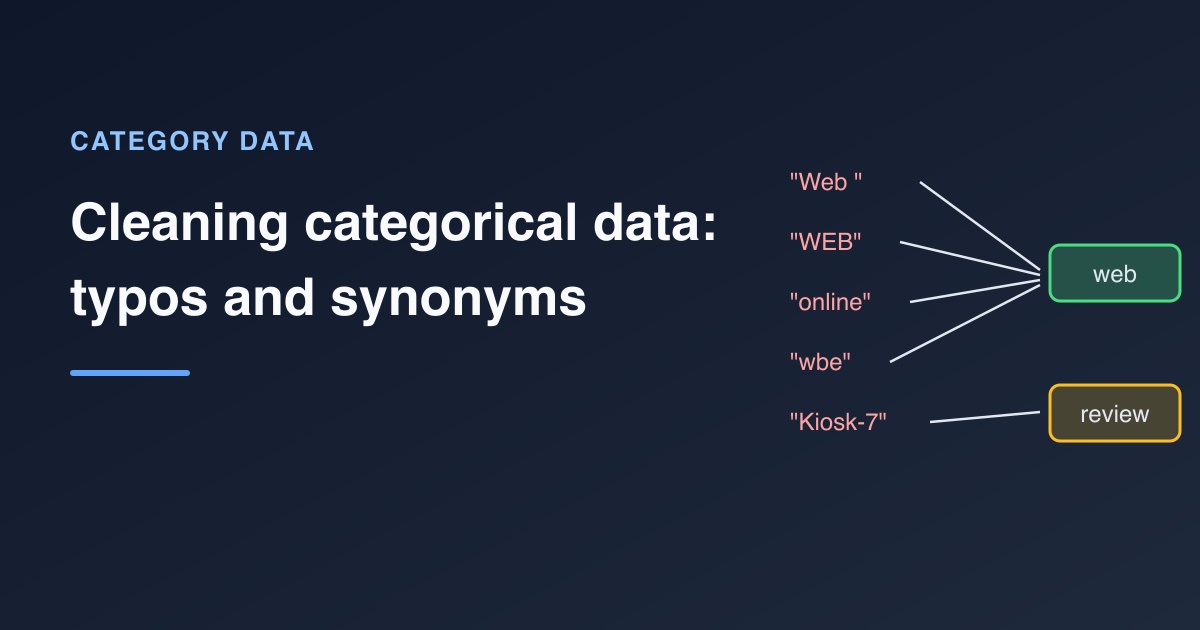
To clean categorical data, work in four passes. First normalise the text (case, spacing, punctuation) so that trivially different spellings become the same key. Then map those keys to approved categories with a dictionary table, which handles synonyms like "online" and "web". Next, use edit distance to suggest fixes for the remaining typos, and have a person approve them by adding rows to the dictionary. Finally, decide what "rare" means for your purpose before grouping anything into "other". Values that match nothing go to an exceptions list instead of being guessed. The walkthrough below does all four in DuckDB SQL and pandas on one messy column.
Key Takeaways
- Normalising case, whitespace and punctuation is mechanical and safe for plain-ASCII labels (fold accents first if yours have them). It merged 14 raw spellings into 10 keys in the example.
- Synonyms can't be detected by string similarity: "online" and "web" share no letters in the right places. Only a dictionary that someone approved can map them.
- Edit distance is good at proposing typo fixes and bad at deciding them. Use it to build a review list, never to rewrite values automatically.
- Unmapped values go to an exceptions list with a reason, so new categories are noticed instead of silently mislabelled.
- "Rare" depends on the purpose. Grouping small categories into "other" is a presentation or modelling choice, not a cleaning fix.
The messy column
A categorical column is one whose values should come from a fixed set of labels, such as a sales channel or a country. Here is a channel column as it often arrives from a form, a CRM export or several source systems combined. Fifteen orders, three intended channels (web, store, phone) and plenty of variation:
CREATE TABLE orders AS SELECT * FROM (VALUES
 (1, 'Web'), (2, 'web '), (3, 'WEB'), (4, 'online'), (5, 'Online  Store'),
 (6, 'wbe'), (7, 'Store'), (8, 'in-store'), (9, 'retail'), (10, 'Phone'),
 (11, 'telephone'), (12, 'Kiosk-7'), (13, NULL), (14, 'web'), (15, 'store')
) AS t(order_id, channel_raw);
The examples were tested with DuckDB 1.5.1 and pandas 3.0.2. The column contains most of the common problems with category data:
| Problem | Examples | What fixes it |
|---|---|---|
| Case and whitespace variants | Web, WEB, web , Online Store |
Normalisation |
| Punctuation variants | in-store |
Normalisation |
| Synonyms | online, retail, telephone |
A mapping dictionary |
| Typos | wbe |
Review with edit distance, then the dictionary |
| Unknown or new values | Kiosk-7 |
Exceptions list and a human decision |
| Missing values | NULL |
Keep missing, label explicitly if needed |
| Placeholder text for missing | N/A, -, unknown (in other data) |
Convert to missing during normalisation |
Pass 1: Normalise into a key
Normalisation turns each raw value into a comparison key: lowercase, every run of non-alphanumeric characters replaced by one space, then trimmed. Keep the raw value next to the key so nothing is lost:
SELECT '"' || channel_raw || '"' AS channel_raw_quoted,
       trim(regexp_replace(lower(channel_raw), '[^a-z0-9]+', ' ', 'g')) AS channel_key,
       count(*) AS n
FROM orders
GROUP BY ALL
ORDER BY channel_key, channel_raw_quoted;
┌────────────────────┬──────────────┬───────┐
│ channel_raw_quoted │ channel_key  │   n   │
├────────────────────┼──────────────┼───────┤
│ "in-store"         │ in store     │     1 │
│ "Kiosk-7"          │ kiosk 7      │     1 │
│ "online"           │ online       │     1 │
│ "Online  Store"    │ online store │     1 │
│ "Phone"            │ phone        │     1 │
│ "retail"           │ retail       │     1 │
│ "Store"            │ store        │     1 │
│ "store"            │ store        │     1 │
│ "telephone"        │ telephone    │     1 │
│ "wbe"              │ wbe          │     1 │
│ "WEB"              │ web          │     1 │
│ "Web"              │ web          │     1 │
│ "web "             │ web          │     1 │
│ "web"              │ web          │     1 │
│ NULL               │ NULL         │     1 │
└────────────────────┴──────────────┴───────┘
Wrapping the raw value in quotes makes the trailing space in "web " visible. Without it, two rows that both display as web look identical but don't group together. The whitespace and invisible characters guide covers the harder cases, such as non-breaking spaces, which [^a-z0-9]+ also catches.
This is the same idea as the "fingerprint" key collision method in OpenRefine, which trims whitespace, lowercases, removes punctuation and sorts the words of each value before grouping (OpenRefine, Clustering methods in-depth). Sorting the words also merges store online with online store; add that step if word order varies in your data.
Note the NULL: lower and regexp_replace return NULL for NULL input, so a missing channel stays missing. Don't turn it into the string 'null' or an empty string.
Two refinements: accents and placeholders
The pattern [^a-z0-9]+ only keeps plain ASCII letters, so Café would become caf and a label written entirely in a non-Latin script would become an empty string. Placeholders cause a similar problem: - normalises to an empty string and N/A to n a, and both would land in the exceptions as "unmapped" when they really mean "missing". A slightly longer key expression handles both, using DuckDB's strip_accents and nullif:
SELECT raw,
       nullif(trim(regexp_replace(lower(strip_accents(raw)), '[^a-z0-9]+', ' ', 'g')), '') AS key_step,
       CASE WHEN key_step IN ('n a', 'na', 'none', 'unknown') THEN NULL ELSE key_step END AS channel_key
FROM (VALUES ('Café'), ('N/A'), ('-'), ('unknown'), ('Web ')) AS t(raw);
┌─────────┬──────────┬─────────────┐
│   raw   │ key_step │ channel_key │
├─────────┼──────────┼─────────────┤
│ Café    │ cafe     │ cafe        │
│ N/A     │ n a      │ NULL        │
│ -       │ NULL     │ NULL        │
│ unknown │ unknown  │ NULL        │
│ Web     │ web      │ web         │
└─────────┴──────────┴─────────────┘
Keep the placeholder list short and explicit, and agree it with the data owner: "unknown" is a placeholder in one system and a real answer in another. The placeholder text means missing exercise practises this step. For labels in non-Latin scripts, use a Unicode-aware pattern rather than an ASCII one. If you adopt the refined key, label exceptions from it too: WHEN channel_key IS NULL THEN 'missing' in the Pass 2 query, which is only safe once no real label can normalise to an empty key.
Pass 2: Map synonyms with a dictionary
Normalisation can't know that "online", "web" and "online store" mean the same channel, or that "retail" means "store". That knowledge belongs in a mapping table that a person approved, kept as data rather than buried in a long CASE expression:
CREATE TABLE channel_map AS SELECT * FROM (VALUES
 ('web', 'web'), ('online', 'web'), ('online store', 'web'),
 ('store', 'store'), ('in store', 'store'), ('retail', 'store'),
 ('phone', 'phone'), ('telephone', 'phone')
) AS t(channel_key, channel);

WITH keyed AS (
  SELECT order_id, channel_raw,
         trim(regexp_replace(lower(channel_raw), '[^a-z0-9]+', ' ', 'g')) AS channel_key
  FROM orders
)
SELECT k.order_id, k.channel_raw, m.channel,
       CASE WHEN k.channel_raw IS NULL THEN 'missing'
            WHEN m.channel IS NULL THEN 'unmapped' END AS exception
FROM keyed k LEFT JOIN channel_map m USING (channel_key)
ORDER BY k.order_id;
┌──────────┬───────────────┬─────────┬───────────┐
│ order_id │  channel_raw  │ channel │ exception │
├──────────┼───────────────┼─────────┼───────────┤
│        1 │ Web           │ web     │ NULL      │
│        2 │ web           │ web     │ NULL      │
│        3 │ WEB           │ web     │ NULL      │
│        4 │ online        │ web     │ NULL      │
│        5 │ Online  Store │ web     │ NULL      │
│        6 │ wbe           │ NULL    │ unmapped  │
│        7 │ Store         │ store   │ NULL      │
│        8 │ in-store      │ store   │ NULL      │
│        9 │ retail        │ store   │ NULL      │
│       10 │ Phone         │ phone   │ NULL      │
│       11 │ telephone     │ phone   │ NULL      │
│       12 │ Kiosk-7       │ NULL    │ unmapped  │
│       13 │ NULL          │ NULL    │ missing   │
│       14 │ web           │ web     │ NULL      │
│       15 │ store         │ store   │ NULL      │
└──────────┴───────────────┴─────────┴───────────┘
The LEFT JOIN is deliberate. An inner join would silently drop orders 6, 12 and 13, and every total by channel would be short by three orders without any warning. With the left join, each row either gets an approved category or a reason it didn't. The mapping categories with an approved dictionary guide explains how to maintain the table, and the map channels with an approved dictionary exercise lets you practise this exact pattern.
Pass 3: Suggest typo fixes with edit distance
What is left in the exceptions are typos and genuinely new values. Edit distance can tell them apart well enough to build a review list. DuckDB's damerau_levenshtein counts insertions, deletions, substitutions and swaps of adjacent characters, so the transposed wbe is one edit from web:
WITH keyed AS (
  SELECT DISTINCT trim(regexp_replace(lower(channel_raw), '[^a-z0-9]+', ' ', 'g')) AS channel_key
  FROM orders WHERE channel_raw IS NOT NULL
),
unmapped AS (
  SELECT channel_key FROM keyed ANTI JOIN channel_map USING (channel_key)
)
SELECT u.channel_key AS unmapped_value, m.channel_key AS closest_known,
       m.channel AS suggested_channel,
       damerau_levenshtein(u.channel_key, m.channel_key) AS edits,
       damerau_levenshtein(u.channel_key, m.channel_key) <= 1 AS worth_reviewing
FROM unmapped u CROSS JOIN channel_map m
QUALIFY row_number() OVER (PARTITION BY u.channel_key ORDER BY edits, m.channel_key) = 1
ORDER BY unmapped_value;
┌────────────────┬───────────────┬───────────────────┬───────┬─────────────────┐
│ unmapped_value │ closest_known │ suggested_channel │ edits │ worth_reviewing │
├────────────────┼───────────────┼───────────────────┼───────┼─────────────────┤
│ kiosk 7        │ phone         │ phone             │     6 │ false           │
│ wbe            │ web           │ web               │     1 │ true            │
└────────────────┴───────────────┴───────────────────┴───────┴─────────────────┘
wbe is a clear typo of web. kiosk 7 is technically "closest" to phone, at six edits, which shows why the closest match must never be applied blindly. Every unmapped value has some nearest neighbour. Kiosk-7 is probably a new channel the business started using, and the right response is a question to whoever owns the data, not a guess.
String similarity also produces false positives in the other direction. "ship" and "shop" are one edit apart and mean different things; so are many product codes. OpenRefine's documentation is candid about this in its own clustering tools: even the default fingerprint method is described as "the least likely to produce false positives", and its looser methods are described as yielding "many false positives" (OpenRefine). The safe workflow is:
- Generate suggestions with a strict threshold.
- Have a person approve them.
- Add the approved spellings to the dictionary, for example
('wbe', 'web'). - Re-run the mapping. The fix is now recorded, repeatable and visible in review.
The lesson on unmapped values going to exceptions and the guide on validation rules and exception reports cover how to present that list.
Passes 1 and 2 in pandas
pandas uses the same steps for normalising and mapping: build the key with vectorised string methods, then merge with the mapping table. how="left" plays the role of the LEFT JOIN:
import pandas as pd

df = pd.DataFrame({
    "order_id": range(1, 16),
    "channel_raw": ["Web", "web ", "WEB", "online", "Online  Store", "wbe", "Store",
                    "in-store", "retail", "Phone", "telephone", "Kiosk-7", None,
                    "web", "store"],
})
mapping = pd.DataFrame({
    "channel_key": ["web", "online", "online store", "store", "in store",
                    "retail", "phone", "telephone"],
    "channel": ["web", "web", "web", "store", "store", "store", "phone", "phone"],
})

df["channel_key"] = (df["channel_raw"].str.lower()
                     .str.replace(r"[^a-z0-9]+", " ", regex=True)
                     .str.strip())
out = df.merge(mapping, on="channel_key", how="left", validate="many_to_one")
exceptions = out[out["channel"].isna()]
print(exceptions[["order_id", "channel_raw", "channel_key"]])
    order_id channel_raw channel_key
5          6         wbe         wbe
11        12     Kiosk-7     kiosk 7
12        13         NaN         NaN
validate="many_to_one" makes pandas raise an error if the mapping table ever contains the same key twice, which would otherwise duplicate order rows during the merge. It is a cheap guard worth keeping. For suggestions, pandas has no built-in edit distance; the standard library's difflib.get_close_matches or a dedicated package can fill that role, under the same "suggest, then approve" rule.
Once every row is either mapped or in the exceptions list, pandas' categorical dtype can lock the clean column to the approved values:
mapped = out[out["channel"].notna()].copy()
mapped["channel"] = pd.Categorical(mapped["channel"], categories=["web", "store", "phone"])
print(mapped["channel"].value_counts())
channel
web      6
store    4
phone    2
Name: count, dtype: int64
The fixed category list documents the allowed values, keeps a zero count for an approved category that has no rows, and uses less memory than plain strings. Apply it after the exceptions step, not instead of it: in pandas 3.0, a value outside the list becomes NaN with a deprecation warning, and the warning says a future version will raise an error instead. Either way, it is no substitute for an exceptions list with reasons.
Pass 4: Decide what to do with rare categories
After mapping, the example has three channels: web (6 orders), store (4) and phone (2). Is phone "rare"? The answer depends on what you're doing, which is why rare-category handling isn't part of cleaning itself.
WITH mapped AS (
  SELECT o.order_id, m.channel
  FROM orders o
  LEFT JOIN channel_map m
    ON m.channel_key = trim(regexp_replace(lower(o.channel_raw), '[^a-z0-9]+', ' ', 'g'))
)
SELECT channel, count(*) AS n,
       CASE WHEN count(*) < 3 THEN 'other' ELSE channel END AS channel_grouped
FROM mapped
WHERE channel IS NOT NULL
GROUP BY channel
ORDER BY n DESC;
┌─────────┬───────┬─────────────────┐
│ channel │   n   │ channel_grouped │
├─────────┼───────┼─────────────────┤
│ web     │     6 │ web             │
│ store   │     4 │ store           │
│ phone   │     2 │ other           │
└─────────┴───────┴─────────────────┘
The counts cover the 12 mapped orders; the three exceptions are left out on purpose and stay on the exceptions list. A threshold of 3 turned a real, valid channel into "other". That may be fine for a chart with limited space and wrong for a report the phone team reads. Common purposes need different rules:
- Cleaning output: keep every valid category. Don't group anything. The clean table should be the most detailed true version of the data.
- Charts and summaries: group small categories into "other" in the presentation layer, and say what "other" contains.
- Machine learning: rare categories give a model too few examples to learn from, so grouping them helps. Learn the list of frequent categories from training rows only, and send unseen categories to the same bucket at prediction time.
scikit-learn's OneHotEncoder supports this directly: categories below min_frequency are "considered infrequent" and grouped, and with handle_unknown='infrequent_if_exist' an unknown category at prediction time maps to that infrequent group, if one was learned during fitting (scikit-learn, OneHotEncoder). The one-hot encode a category and categories the model never saw exercises practise the encoding step that follows, and getting the order of data prep right explains where it belongs.
A checklist for category columns
- Profile the raw values with counts, quoting them to reveal hidden spaces.
- Build a normalised key; keep the raw value next to it.
- Map keys with an approved dictionary using a left join.
- Send unmapped and missing values to an exceptions list with a reason.
- Generate typo suggestions with edit distance; approve them into the dictionary.
- Check the result: every row mapped or excepted, totals unchanged.
- Group rare categories only for a stated purpose, outside the clean table.
The data cleaning checklist puts these steps in the context of a whole dataset.
Frequently asked questions
How do you clean inconsistent categorical data?
Normalise each value into a key (lowercase, single spaces, no punctuation), then map the keys to approved categories with a dictionary table and a left join. Anything that doesn't match goes to an exceptions list for review rather than being guessed.
How do you fix typos in a category column?
Compare unmapped values with known categories using an edit distance such as Damerau-Levenshtein, which counts swapped letters as one edit. Treat close matches as suggestions, have a person approve them, and add the approved spellings to the mapping dictionary so the fix is repeatable.
Should rare categories be grouped into "other"?
Not in the clean dataset. Keep every valid category there. Group rare values into "other" only for a specific purpose, such as a chart or a machine learning feature, and for models, learn which categories count as frequent from training data only.
What should happen to category values that don't match the dictionary?
Keep the row, leave the clean category empty and record a reason such as "unmapped". Then review the list: each value is either a typo to add to the dictionary, a new category to approve, or an error to fix at the source.
Related reading
- Cleaning Boolean Columns: Yes, Y, True, 1 and Everything in Between
- How to Clean Free-Text Survey Responses
Sources
- OpenRefine, Clustering methods in-depth, retrieved 2026-11-05.
- scikit-learn developers, sklearn.preprocessing.OneHotEncoder, retrieved 2026-11-05.
- DuckDB, Text functions, version 1.5 (
damerau_levenshtein,regexp_replace), retrieved 2026-11-05.