How to Clean Free-Text Survey Responses
Clean open-ended survey answers in DuckDB SQL and pandas: normalize text, separate non-answers, redact personal data and code themes with a codebook.
By Tnas · Published · 10 min read
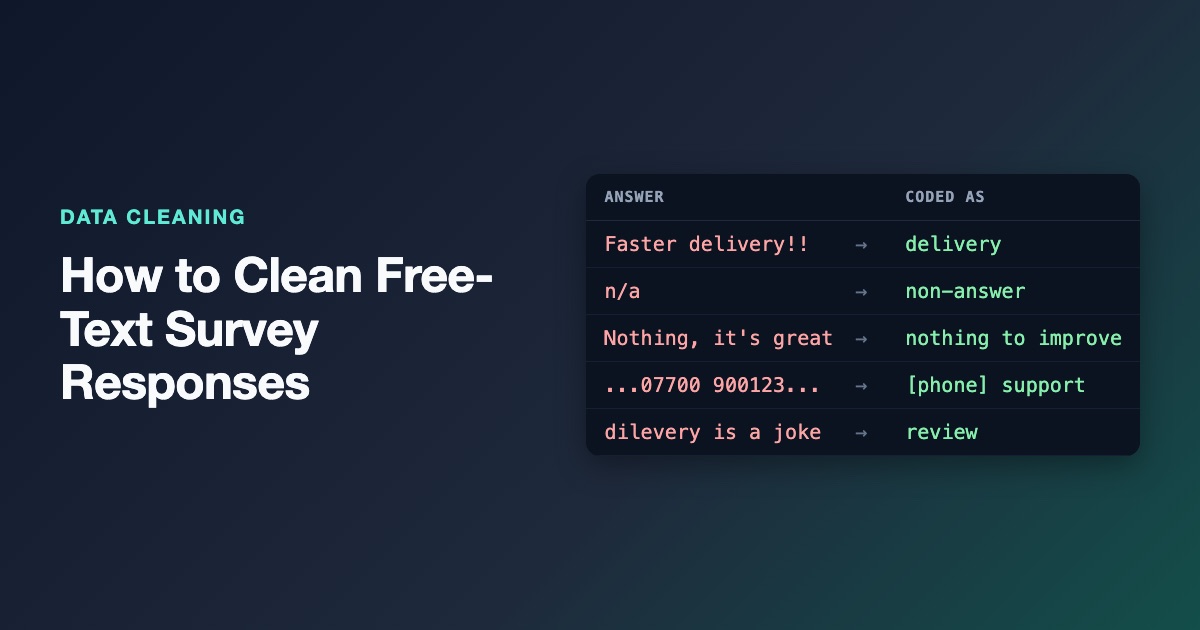
To clean free-text survey responses, keep the original answer untouched and build cleaned columns beside it: normalize Unicode and whitespace, sort every row into blank, non-answer or real answer, redact personal data such as emails and phone numbers, and then code the real answers into themes using a codebook kept as a table. Answers the codebook can't place go to a review queue rather than into an "other" bucket nobody reads, and theme counts state their denominator. This post builds that pipeline in DuckDB SQL and pandas on fifteen answers to one question: "What should we improve?"
Key Takeaways
- Never overwrite the raw answer. Quotes for a report and audits of your coding both need the original text.
- Blank, non-answer (
n/a,-) and "nothing to improve" are three different facts. Only the first two are missing data.- Redact emails and phone numbers before the text is shared or sent to anyone, and record that a redaction happened.
- Code themes from a codebook table, allow more than one theme per answer, and send uncoded answers to a person.
- Report theme counts with an explicit denominator, such as "share of respondents who gave a substantive answer".
Why free-text answers need their own cleaning rules
Open-ended answers are where respondents tell you things your answer options didn't anticipate, which is why they are worth cleaning carefully rather than discarding. Pew Research Center describes a 2008 experiment in which voters were asked what issue mattered most to them: 58% chose the economy when it was offered as an option, but only 35% volunteered it when the question was open-ended, and 43% of open-ended respondents gave an answer that wasn't in the closed list at all (Pew Research Center, Writing survey questions). Free text captures that 43%, but only if the cleaning doesn't flatten it.
That changes the goal compared with cleaning a category column. You aren't forcing values into a fixed list. You're making the text consistent enough to search and count, separating real answers from noise, protecting respondents, and leaving a trail that shows how each answer was coded.
The dataset
Fifteen answers to "What should we improve?" from a customer survey:
| resp_id | answer_raw |
|---|---|
| S01 | Faster delivery!! |
| S02 | faster delivery (extra spaces before, inside and after) |
| S03 | n/a |
| S04 | N.A. |
| S05 | - |
| S06 | Nothing, it's great |
| S07 | Delivery was slow and support never replied |
| S08 | cheaper prices pls |
| S09 | Price is too high |
| S10 | Call me on 07700 900123 about my refund |
| S11 | email me: jo@example.com |
| S12 | asdfgh |
| S13 | (blank) |
| S14 | Livraison plus rapide |
| S15 | dilevery is a joke |
The phone number and email are fictional, but real survey exports contain both, and they're the main reason this data needs care before anyone else sees it.
Step 1: Keep the raw answer, normalize a copy
Read the column as text and keep answer_raw exactly as it arrived. Then build answer_clean:
- Unicode normalization to NFC, so an accented letter typed as one character and the same letter typed as a base letter plus a combining accent become identical. Normalize, but don't strip accents:
caféandcafecan be different words. The lesson normalize Unicode, keep the accents covers why. - Whitespace collapsed and trimmed, including non-breaking spaces, which arrive when people paste from documents. The whitespace and invisible characters guide shows how to find the less obvious ones.
For matching, build a third column, match_text: lowercase, with punctuation replaced by spaces. It's only for searching, never for display, so it can be aggressive, but it should still keep letters in every script: the pattern below uses \p{L} and \p{N} (any letter, any digit) so livré survives instead of becoming livr.
Step 2: Separate blanks, non-answers and real answers
Classify every row into one response_status before you code anything:
| Status | Example | What it means |
|---|---|---|
blank |
(empty) | The respondent left the box empty |
non-answer |
n/a, N.A., -, idk |
They typed something that carries no answer |
answer |
everything else | Treat as substantive, even if it's short |
Match non-answers against the whole cleaned value from a short, reviewed list, not with a search inside the text. N/A on its own is a non-answer; "n/a for me, but delivery was slow" is an answer. The exercises survey codes that mean missing and placeholder text means missing practise building that list.
Watch the boundary with "nothing". For this question, Nothing, it's great is a real answer: the respondent is telling you there's nothing to improve. Treating it as missing would hide satisfied customers and inflate the share of complaints. The guide null, blank and zero makes the same argument for numeric data.
Step 3: Redact personal data
Free text is where personal data leaks into survey files. Replace email addresses and phone-number-like digit runs with markers such as [email] and [phone], and add a pii_redacted flag so you can count and check what was changed.
The patterns below are deliberately broad: an email is anything shaped like name@domain.tld, and a phone number is eight or more digits with at most two spaces, brackets or hyphens between any two digits. That catches 07700 900123 and an unbroken 12345678, but leaves a year range like 2019 - 2020 alone. Broad patterns over-redact sometimes (an order number can look like a phone), which is the right direction to fail for text that will be shared. Keep the raw column in the restricted source dataset and give analysts only the redacted one, as practised in share only the columns needed.
Steps 1 to 3 in DuckDB SQL
CREATE TABLE cleaned AS
WITH base AS (
  SELECT resp_id, answer_raw,
    trim(regexp_replace(nfc_normalize(coalesce(answer_raw, '')), '[\s\x{00A0}]+', ' ', 'g')) AS t
  FROM answers
),
redacted AS (
  SELECT *,
    regexp_replace(
      regexp_replace(t, '[A-Za-z0-9._%+-]+@[A-Za-z0-9.-]+\.[A-Za-z]{2,}', '[email]', 'g'),
      '\+?\(?[0-9](?:[ ()-]{0,2}[0-9]){7,}', '[phone]', 'g') AS answer_clean
  FROM base
)
SELECT resp_id, answer_raw, answer_clean,
  answer_clean <> t AS pii_redacted,
  trim(regexp_replace(lower(answer_clean), '[^\p{L}\p{N}\[\] ]+', ' ', 'g')) AS match_text,
  CASE
    WHEN answer_clean = '' THEN 'blank'
    WHEN regexp_full_match(lower(answer_clean), '\s*(n/?a|n\.a\.?|-+|\.+|\?+|idk|no comment)\s*') THEN 'non-answer'
    ELSE 'answer'
  END AS response_status
FROM redacted;
nfc_normalize is DuckDB's built-in Unicode normalizer (DuckDB text functions). The non-breaking space is listed explicitly because DuckDB's regex engine, RE2, treats \s as ASCII whitespace only. The result for the rows that change most:
resp_id  answer_clean                         pii_redacted  response_status
S02      faster delivery                      false         answer
S03      n/a                                  false         non-answer
S04      N.A.                                 false         non-answer
S05      -                                    false         non-answer
S06      Nothing, it's great                  false         answer
S10      Call me on [phone] about my refund   true          answer
S11      email me: [email]                    true          answer
S13                                           false         blank
Step 4: Code themes with a codebook table
Coding means assigning each real answer to one or more themes. Keep the rules in a codebook table with one row per theme and a pattern, so the codebook can be reviewed, versioned and extended without editing the query. That's the approach in the lesson on mapping tables as data.
The codebook file (codebook.csv), with patterns matched against match_text:
theme,pattern
delivery,\bdeliver|\bshipping|\barriv
price,\bprice|\bcheap|\bexpensive|\bcost
support,\bsupport|\brepl(?:y|ied)|\brefund
nothing to improve,^(?:nothing|none)\b
Two design choices matter. First, the join produces a long table, one row per answer and theme, so an answer that mentions both slow delivery and silent support counts under both. Forcing one theme per answer throws that information away. Second, the patterns use \b word boundaries so price doesn't match inside an unrelated word.
CREATE TABLE coded AS
SELECT c.resp_id, k.theme
FROM cleaned c
JOIN codebook k ON regexp_matches(c.match_text, k.pattern)
WHERE c.response_status = 'answer';
resp_id  theme
S01      delivery
S02      delivery
S06      nothing to improve
S07      delivery
S07      support
S08      price
S09      price
S10      support
S07 appears twice, as it should. S10 was coded as support because "refund" survived redaction; the phone number didn't need to.
Step 5: Send uncoded answers to review
Every real answer that matched no theme goes to a review queue:
SELECT c.resp_id, c.answer_clean
FROM cleaned c
WHERE c.response_status = 'answer'
  AND NOT EXISTS (SELECT 1 FROM coded d WHERE d.resp_id = c.resp_id)
ORDER BY c.resp_id;
resp_id  answer_clean
S11      email me: [email]
S12      asdfgh
S14      Livraison plus rapide
S15      dilevery is a joke
Each one teaches you something about the codebook. S15 is a misspelling of "delivery"; add dilever to the pattern or accept that a person codes typos. S14 is French for "faster delivery", so the survey reached people the codebook didn't plan for. S12 looks like keyboard mashing, and S11 is a contact request rather than feedback. A person should decide each case, and the decisions should go back into the codebook as new rows, not into one-off fixes in the data. The exercise report unmapped values as other practises keeping unmatched values visible.
The same pipeline in pandas
import pandas as pd

df = pd.read_csv("answers.csv", dtype="string", keep_default_na=False)
codebook = pd.read_csv("codebook.csv", dtype="string")

t = (df["answer_raw"].str.normalize("NFC")
     .str.replace(r"[\s\x{00A0}]+", " ", regex=True)
     .str.strip())
df["answer_clean"] = (t.str.replace(r"[A-Za-z0-9._%+-]+@[A-Za-z0-9.-]+\.[A-Za-z]{2,}", "[email]", regex=True)
                       .str.replace(r"\+?\(?[0-9](?:[ ()-]{0,2}[0-9]){7,}", "[phone]", regex=True))
df["pii_redacted"] = df["answer_clean"] != t
df["match_text"] = df["answer_clean"].str.lower().str.replace(r"[^\p{L}\p{N}\[\] ]+", " ", regex=True).str.strip()
non_answer = df["answer_clean"].str.lower().str.fullmatch(r"\s*(n/?a|n\.a\.?|-+|\.+|\?+|idk|no comment)\s*")
df["response_status"] = "answer"
df.loc[non_answer, "response_status"] = "non-answer"
df.loc[df["answer_clean"] == "", "response_status"] = "blank"

answered = df[df["response_status"] == "answer"]
coded = pd.concat(
    [answered.loc[answered["match_text"].str.contains(row.pattern, regex=True), ["resp_id"]].assign(theme=row.theme)
     for row in codebook.itertuples()],
    ignore_index=True,
)
uncoded = answered[~answered["resp_id"].isin(coded["resp_id"])]
On pandas 3.0.2 this produces the same statuses, coded rows and review queue as the DuckDB 1.5.1 version above. The patterns are written in RE2 syntax (\x{00A0}, non-capturing groups), which pandas uses for its default Arrow-backed string dtype when pyarrow is installed; on Python-backed strings, write the non-breaking space as \u00a0 instead, and note that Python's re doesn't support \p{L}. The non-capturing (?:...) groups also keep str.contains from warning that the pattern has match groups.
Step 6: Count themes with a stated denominator
A theme count is only meaningful next to its denominator. Here, 15 people were asked, 1 left the box blank, 3 gave non-answers and 11 gave a substantive answer. Dividing by 15 and dividing by 11 give different stories, and both are defensible as long as the report says which one it used.
WITH answered AS (SELECT count(*) AS n FROM cleaned WHERE response_status = 'answer')
SELECT k.theme,
  count(DISTINCT d.resp_id) AS respondents,
  round(100.0 * count(DISTINCT d.resp_id) / (SELECT n FROM answered), 1) AS pct_of_answers
FROM codebook k
LEFT JOIN coded d USING (theme)
GROUP BY k.theme
ORDER BY respondents DESC, k.theme;
theme               respondents  pct_of_answers
delivery            3            27.3
price               2            18.2
support             2            18.2
nothing to improve  1            9.1
Because answers can carry several themes, the percentages don't add up to 100, and they shouldn't. The LEFT JOIN from the codebook keeps themes with zero mentions in the table instead of silently dropping them. Four answers are still in review, so these numbers are provisional until the queue is cleared. The exercises unanswered questions count in the denominator and answer counts per question practise exactly these choices.
What not to do
- Don't spell-correct the raw text. Automatic correction changes meaning in ways you can't audit. Fix spelling in the codebook patterns, or let a person code it.
- Don't drop short answers. "Price" is a complete answer to "What should we improve?".
- Don't translate silently. If answers arrive in several languages, add a language column and decide whether to translate, code in each language, or report them separately.
- Don't rely on keyword rules alone for important decisions. Rules are transparent and repeatable, which makes them a good first pass, but sarcasm ("great, another late parcel") and negation fool them. Check a sample of coded answers by hand and record the agreement rate.
Frequently asked questions
Should I lowercase survey answers?
Lowercase a separate matching column, not the answer itself. The original casing is useful for quotes in reports and sometimes for meaning, such as product names.
How do I treat "N/A" in a free-text answer?
As a non-answer when it is the entire answer, and as part of a real answer when it appears inside a longer sentence. Match it against the whole cleaned value, never with a substring search.
Can I use a language model to code survey answers?
It can suggest themes quickly, but treat its output like any other coder's: give it a fixed codebook, keep its suggestions in a separate column, review a sample by hand, and never send unredacted answers to an external service.
What do I do with gibberish like "asdfgh"?
Leave it in the review queue and let a person mark it as a non-answer. A rule that guesses gibberish from letter patterns will eventually drop a real answer in a language or abbreviation it doesn't know.
Practice it
Start with survey codes that mean missing and placeholder text means missing for the status step, then report unmapped values as other for the review queue, and finish with unanswered questions count in the denominator. Each can be solved in SQL, pandas or the visual pipeline builder.
Related reading
- pandas String Methods for Cleaning Text Columns
- Cleaning Categorical Data: Typos, Synonyms and Rare Categories
- Cleaning Boolean Columns: Yes, Y, True, 1 and Everything in Between
Sources
- Pew Research Center, Writing survey questions, including the 2008 open- versus closed-ended experiment.
- DuckDB, Text functions and Regular expression functions.
- pandas, Series.str.normalize.