Cleaning Boolean Columns: Yes, Y, True, 1 and Everything in Between
Turn yes/no, Y/N, TRUE/FALSE and 1/0 into a real nullable boolean in DuckDB SQL and pandas, keep unknown separate from false, and catch values nobody approved.
By Tnas · Published · 9 min read
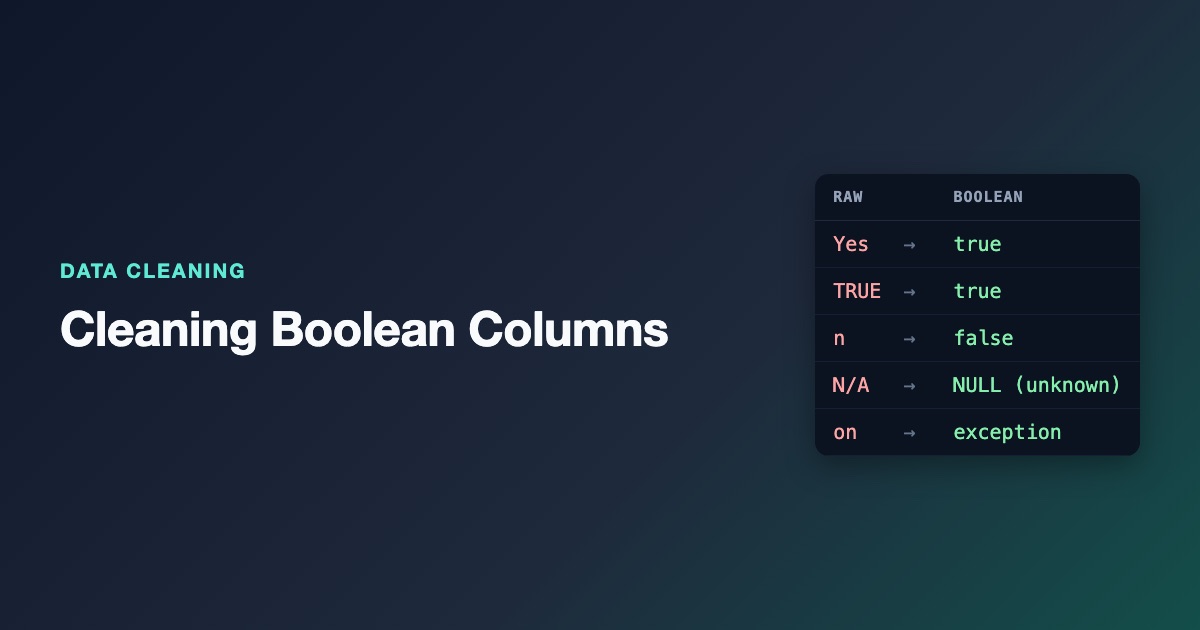
To clean a boolean column, trim and lowercase each value, then look it up in an approved list that maps every accepted spelling to true or false, and store the result in a nullable boolean type. Spellings that mean "we don't know", such as N/A or Unknown, become missing with a note saying so. Anything not on the list, like on, 2 or a tick mark, is reported as an exception instead of being guessed. Don't let a cast or a truthiness test decide for you: in Python, bool("false") is True, and a database cast accepts some spellings and silently drops others. This post builds the list-based rule in DuckDB SQL and pandas on fifteen real-world spellings of one yes/no field.
Key Takeaways
- A boolean column has three states in practice: true, false and unknown. Use a nullable type (
BOOLEANin DuckDB,"boolean"in pandas) so unknown never turns into false.- Map values with an approved list kept as data. Casting is a shortcut that accepts spellings you didn't approve and quietly drops ones you'd have wanted to see.
- Never use Python truthiness on text. Any non-empty string is
True, including"false","no"and"0".- Keep "blank", "stated unknown" and "unrecognised value" as different notes. They lead to different follow-ups.
- Report counts and rates with their denominator, because a nullable boolean's mean skips the unknown rows.
Why yes/no columns get messy
A boolean column is a column with two meaningful values, true and false, plus missing when the answer is unknown. A yes/no field looks like the simplest column in a dataset, which is why it's often the least controlled. Web forms send on for a ticked checkbox, spreadsheets show TRUE, survey tools export 1 and 0 or Yes and No, legacy systems use Y and N, and people typing into a free-text box add yes with a trailing space, N/A and ✓. Merge three sources and one column holds all of them.
The danger isn't that these values are hard to read. It's that the usual shortcuts read them wrongly without raising an error.
The messy column
Fifteen values from an opted_in field after several sources were combined:
| id | opted_in_raw | Notes |
|---|---|---|
| U01 | Yes |
|
| U02 | y |
|
| U03 | TRUE |
Spreadsheet export |
| U04 | 1 |
Survey tool |
| U05 | No |
|
| U06 | n |
|
| U07 | False |
|
| U08 | 0 |
|
| U09 | yes |
Trailing space |
| U10 | N/A |
Respondent said not applicable |
| U11 | Unknown |
Stated unknown |
| U12 | (blank) | Nothing recorded |
| U13 | on |
HTML checkbox value |
| U14 | 2 |
Not a yes/no value |
| U15 | ✓ |
Tick mark pasted from a document |
The shortcuts and how they fail
Python truthiness
Python treats every non-empty string as true. The Python documentation lists the values that count as false, and a non-empty string such as "false" isn't one of them (Python, Truth value testing):
print([bool(v) for v in ["false", "no", "0", ""]])
[True, True, True, False]
The same thing happens in pandas when you call .astype(bool) on a text column: "no" and "false" both become True, on pandas 3's default string dtype as well as on Python object columns. The only time it complains is when the column contains a missing value, where the string dtype raises boolean value of NA is ambiguous. The exercise the text 'false' is true in Python is built around this trap.
A database cast
DuckDB's TRY_CAST(... AS BOOLEAN) is better, but it still isn't a cleaning rule. Here's what it does with the fifteen values, run on DuckDB 1.5.1:
SELECT id, opted_in_raw, TRY_CAST(opted_in_raw AS BOOLEAN) AS try_cast
FROM flags
ORDER BY id;
id   opted_in_raw  try_cast
U01  Yes           true
U02  y             true
U03  TRUE          true
U04  1             true
U05  No            false
U06  n             false
U07  False         false
U08  0             false
U09  yes           NULL
U10  N/A           NULL
U11  Unknown       NULL
U12  NULL          NULL
U13  on            NULL
U14  2             NULL
U15  ✓             NULL
It handles eight values well, but the seven NULLs mean seven different things. yes failed only because of a trailing space. N/A and Unknown are real, stated answers. on is a ticked checkbox. 2 and ✓ need a person to look at them. After the cast, all seven look identical, and if someone later fills missing flags with false, a ticked checkbox becomes "not opted in". The cast also decides for you that t and f count as booleans, which may or may not match your data's rules.
The rule: an approved list, kept as data
The fix is to write down which spellings mean what, in a small table, and look values up in it. The lesson parse booleans from an approved list introduces the idea, and the boolean parsing glossary entry defines it.
| token | meaning |
|---|---|
| yes, y, true, 1 | true |
| no, n, false, 0 | false |
| n/a, unknown | unknown |
The table is shown grouped; the real one has one row per token. A few decisions are encoded here deliberately:
onis not in the list. It probably means a ticked HTML checkbox, but this dataset mixes sources, so it goes to review. If you know a source is a web form, addonfor that source.n/amaps to unknown, not false. For an opt-in question, not applicable and no are different answers. The exercise not applicable is not unknown goes one step further and keeps those two apart as well.- Blank is not in the list. Whether a blank means false depends on how it was produced. In a form where an unticked box is sent as an empty field, blank does mean false, which is the scenario in an unticked checkbox is blank. In a survey, blank usually means skipped. Decide per source and document it.
Normalize before the lookup: collapse whitespace (including non-breaking spaces), trim and lowercase. That alone rescues yes .
The rule in DuckDB SQL
WITH t AS (
  SELECT id, opted_in_raw,
    lower(trim(regexp_replace(coalesce(opted_in_raw, ''), '[\s\x{00A0}]+', ' ', 'g'))) AS token
  FROM flags
)
SELECT t.id, t.opted_in_raw,
  CASE m.meaning WHEN 'true' THEN true WHEN 'false' THEN false END AS opted_in,
  CASE
    WHEN t.token = '' THEN 'blank'
    WHEN m.meaning = 'unknown' THEN 'stated unknown'
    WHEN m.token IS NULL THEN 'unmapped value'
  END AS note
FROM t
LEFT JOIN bool_map m ON m.token = t.token
ORDER BY t.id;
id   opted_in_raw  opted_in  note
U01  Yes           true      NULL
U02  y             true      NULL
U03  TRUE          true      NULL
U04  1             true      NULL
U05  No            false     NULL
U06  n             false     NULL
U07  False         false     NULL
U08  0             false     NULL
U09  yes           true      NULL
U10  N/A           NULL      stated unknown
U11  Unknown       NULL      stated unknown
U12  NULL          NULL      blank
U13  on            NULL      unmapped value
U14  2             NULL      unmapped value
U15  ✓             NULL      unmapped value
The LEFT JOIN is what makes the rule safe: values missing from the list still come through, with a note, instead of disappearing from an inner join. The opted_in column is a real BOOLEAN, which in DuckDB holds true, false or NULL (DuckDB, Boolean type). The non-breaking space is listed explicitly because DuckDB's RE2 regex engine treats \s as ASCII whitespace only.
The same rule in pandas
import pandas as pd

df = pd.read_csv("flags.csv", dtype="string", keep_default_na=False)
bool_map = pd.read_csv("bool_map.csv", dtype="string", keep_default_na=False)
lookup = dict(zip(bool_map["token"], bool_map["meaning"]))

token = df["opted_in_raw"].str.replace(r"[\s\x{00A0}]+", " ", regex=True).str.strip().str.lower()
meaning = token.map(lookup)
df["opted_in"] = meaning.map({"true": True, "false": False}).astype("boolean")
df["note"] = pd.Series(pd.NA, index=df.index, dtype="string")
df.loc[meaning.isna(), "note"] = "unmapped value"
df.loc[meaning == "unknown", "note"] = "stated unknown"
df.loc[token == "", "note"] = "blank"
On pandas 3.0.2 this gives the same opted_in values and notes as the SQL, with opted_in typed boolean. One detail nearly broke it while testing this post: the first version read bool_map.csv without keep_default_na=False, and pandas turned the token n/a into a missing value, so N/A answers fell through as unmapped. pandas treats strings such as N/A, NA and null as missing by default when reading CSV files (pandas read_csv). Lookup tables need the same protection as the data.
read_csv also has true_values and false_values parameters, but they only convert a column when every value in it is recognised. One unexpected maybe and the whole column stays text, with no note saying why. An explicit lookup keeps the exceptions visible. The guide to pandas nullable dtypes explains why "boolean" rather than bool is the type to aim for.
Using a nullable boolean correctly
Once the column is a nullable boolean, two behaviours need attention.
Aggregates skip unknowns. In this dataset opted_in.sum() is 5 and opted_in.mean() is 0.556, which is 5 out of the 9 known answers, not 5 out of 15 people. Both are legitimate, but a report should say which denominator it uses and how many rows were unknown, blank or unmapped. The lesson on nullable booleans covers this in more detail.
Logic is three-valued. pandas' nullable boolean uses Kleene logic: True | NA is True, but True & NA is NA, because the answer depends on the missing value (pandas, Nullable Boolean data type). SQL behaves the same way with NULL. A filter such as "opted in and over 18" therefore excludes unknown opt-ins rather than treating them as yes, which is usually what you want, but check it whenever a boolean drives who gets contacted.
Store flags as booleans, not as text or integers
After cleaning, store the column as a real boolean. Text columns invite new spellings back in, and integer 1/0 columns get summed and averaged as numbers alongside other numbers, where a NULL can be mistaken for a zero. The lesson identifiers are text; flags are booleans states the rule, and the free exercise keep identifiers as text and parse yes/no flags practises both halves of it.
Frequently asked questions
Should a blank boolean be false?
Only when the source defines it that way, such as a form that sends nothing for an unticked box. Otherwise blank means "not recorded" and should stay missing. Write the rule down per source.
Can I just use CAST(... AS BOOLEAN) in SQL?
Use it after you've mapped values to true and false yourself, not on raw input. A direct cast on raw text accepts some spellings, rejects others, and gives every rejected value the same NULL, so you can't tell a stated unknown from a typo.
What about Y/N columns with lowercase or padding?
Normalize first: trim, collapse whitespace and lowercase. That turns Y, y and y into the same token, so the approved list stays short.
How do I handle a new spelling that shows up next month?
It arrives as unmapped value in the note column. Someone decides what it means and adds a row to the lookup table. The code doesn't change, and the decision is recorded where the next person will find it.
Practice it
Work through keep identifiers as text and parse yes/no flags (free), then the text 'false' is true in Python, an unticked checkbox is blank and not applicable is not unknown. Each can be solved in SQL, pandas or the visual pipeline builder.
Related reading
- Cleaning Categorical Data: Typos, Synonyms and Rare Categories
- How to Clean Free-Text Survey Responses
- TRY_CAST in DuckDB: Converting Messy Text Without Breaking Your Query
Sources
- Python, Built-in types: truth value testing.
- DuckDB, Boolean type.
- pandas, Nullable Boolean data type and read_csv.