What Is Data Cleaning? A Plain-English Guide With Examples
Data cleaning explained in plain English: what it is, what dirty data looks like, the core tasks, and a worked example in DuckDB SQL and pandas.
By Tnas · Published · 11 min read
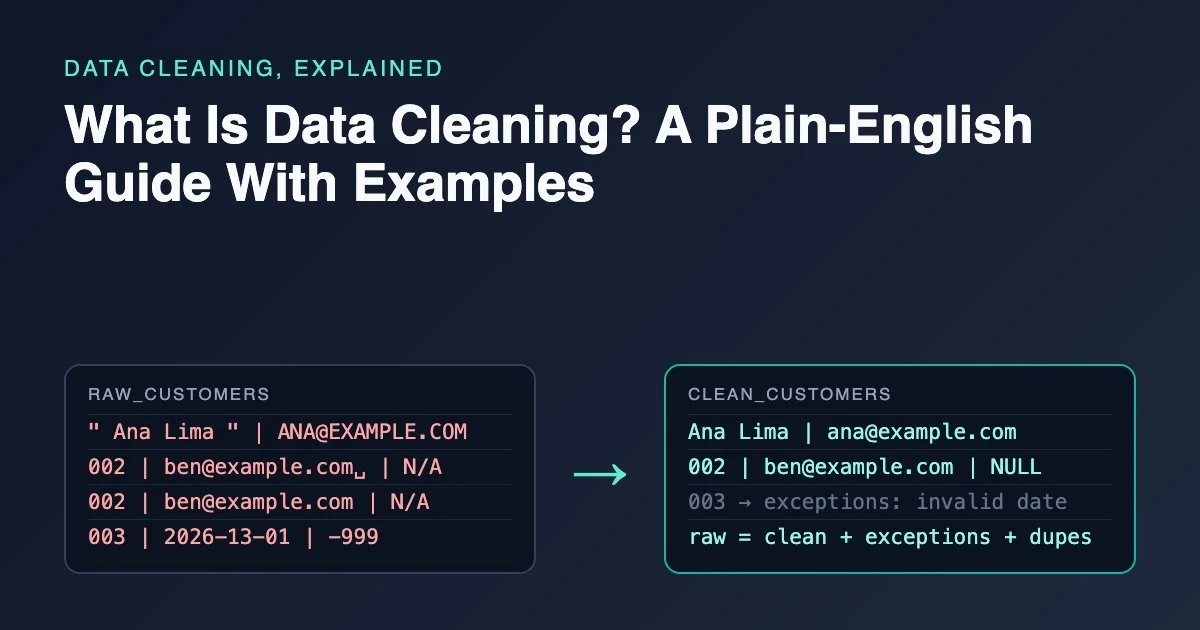
Data cleaning is the work of finding and fixing problems in a dataset so that the numbers you calculate from it mean what you think they mean. In practice that means trimming stray spaces, converting text to real dates and numbers, deciding what a blank means, removing true duplicates, and setting aside rows that break a rule instead of quietly deleting them. It is also called data cleansing or data scrubbing; the three names describe the same job.
Key Takeaways
- Data cleaning turns raw data into data you can trust for one specific purpose, by fixing types, text, missing values, duplicates and rule violations.
- Good cleaning is written down and repeatable: every change is a rule someone can read, rerun and challenge.
- Bad rows are flagged or quarantined with a reason, not silently deleted, so totals can still be reconciled to the source.
- Small errors have large costs: about one in five genomics papers with Excel gene lists contained gene names Excel had silently converted to dates or numbers.
- One of the quickest ways to learn cleaning is practicing on deliberately messy data and checking your output against a known answer.
What does data cleaning mean, in plain English?
Data cleaning means making a dataset fit for the question you want to answer. A spreadsheet of customer sign-ups can be "clean enough" for counting sign-ups per month and still be too dirty for emailing those customers, because the email column was never checked. Cleanliness is always relative to a use.
Put another way, the goal is not a pretty table but a table whose values follow rules you can state. "Every row is one order line." "Amounts are exact decimals in the order's currency." "A blank email means we never collected one." Cleaning is the process of making the data obey those rules and reporting the rows that cannot.
Two things are not data cleaning, even though they often happen in the same script:
- Analysis. Calculating revenue per region is analysis. Making sure each region name is spelled one way before you group by it is cleaning.
- Reshaping for a model or report. Pivoting months into columns or one-hot encoding a category changes the shape of correct data. That is transformation, and it comes after cleaning.
What does dirty data look like?
Dirty data rarely looks broken at a glance. Here is a five-row customer extract of the kind that arrives from a web form:
| customer_id | name | signup_date | age | |
|---|---|---|---|---|
| 001 | ␣␣Ana Lima␣ |
ANA@EXAMPLE.COM |
2026-03-04 | 34 |
| 002 | Ben Okafor | ben@example.com␣ |
2026-03-05 | N/A |
| 002 | Ben Okafor | ben@example.com |
2026-03-05 | N/A |
| 003 | Chloé Martin | (null) | 2026-13-01 | -999 |
| 004 | (empty) | dev@example |
2026-03-09 | 41 |
(␣ marks a space you would not see in a spreadsheet.)
Every row has at least one problem:
- Whitespace and case. Ana's name has leading and trailing spaces, and her email is in capitals. A join on email would miss her.
- A hidden duplicate. Customer 002 appears twice. The rows only look different because one email has a trailing space.
- Text pretending to be missing.
N/Aand-999are placeholders. Ifagewere converted to a number naively,-999would drag the average age down. - An impossible date. There is no 13th month, so
2026-13-01cannot be a valid ISO date. - Blank versus missing. Customer 004's name is an empty string, while customer 003's email is a true null. The guide to null, blank and zero explains why those deserve different treatment.
- A value that breaks a format rule.
dev@examplehas no domain suffix.
What are the main data cleaning tasks?
Most cleaning work falls into seven tasks. Not every dataset needs all of them, but you should be able to say which ones you checked.
- Profile first. Count rows, nulls, distinct values and value lengths before changing anything. Profiling a new dataset shows you which of the tasks below you actually need.
- Import safely and fix types. Read columns as text, then convert them to dates, numbers and booleans on purpose, so that a tool's type guessing doesn't drop leading zeros or reinterpret dates.
- Standardize text. Trim spaces, decide on a case policy, normalize Unicode and map spelling variants to one approved value.
- Handle missing values deliberately. Turn blanks and placeholder codes into real nulls, and only fill a gap when the rule for filling it is defensible.
- Remove duplicates with a survivor rule. Decide what one row represents (the row grain), then decide which copy of a duplicate wins and why.
- Validate and quarantine. Check each row against stated rules, such as ranges, allowed values and cross-field logic. Rows that fail go to an exception table with a reason.
- Reconcile. Prove that clean rows, exception rows and deliberately removed duplicates add back up to the raw input, so nothing disappeared without explanation.
The data cleaning checklist expands each of these into questions you can tick off on a real file.
A worked example in DuckDB SQL
Step 1: Clean the columns
Here is the table above cleaned in DuckDB SQL. Each line applies one written rule:
SELECT DISTINCT
  customer_id,
  NULLIF(trim(name), '')                    AS name,
  lower(trim(email))                        AS email,
  TRY_CAST(signup_date AS DATE)             AS signup_date,
  CASE WHEN age IN ('N/A', '-999') THEN NULL
       ELSE TRY_CAST(age AS INTEGER) END    AS age
FROM raw_customers
ORDER BY customer_id;
┌─────────────┬──────────────┬─────────────────┬─────────────┬───────┐
│ customer_id │     name     │      email      │ signup_date │  age  │
├─────────────┼──────────────┼─────────────────┼─────────────┼───────┤
│ 001         │ Ana Lima     │ ana@example.com │ 2026-03-04  │    34 │
│ 002         │ Ben Okafor   │ ben@example.com │ 2026-03-05  │  NULL │
│ 003         │ Chloé Martin │ NULL            │ NULL        │  NULL │
│ 004         │ NULL         │ dev@example     │ 2026-03-09  │    41 │
└─────────────┴──────────────┴─────────────────┴─────────────┴───────┘
Trimming the email made the two 002 rows identical, so DISTINCT could collapse them into one. TRY_CAST returns NULL instead of failing on 2026-13-01, and the CASE expression turns both placeholder codes into a real missing value.
Step 2: Record exceptions with reasons
That query alone is not finished cleaning, because it hides two problems: customer 003's date became NULL without a trace, and dev@example passed through untouched. A second query records why those rows need attention:
SELECT customer_id,
  CASE
    WHEN NULLIF(trim(name), '') IS NULL THEN 'missing name'
    WHEN TRY_CAST(signup_date AS DATE) IS NULL THEN 'invalid signup_date'
    WHEN email IS NOT NULL
     AND NOT regexp_matches(lower(trim(email)), '^[^@\s]+@[^@\s]+\.[^@\s]+$')
      THEN 'invalid email'
  END AS reason
FROM raw_customers
WHERE reason IS NOT NULL
ORDER BY customer_id;
┌─────────────┬─────────────────────┐
│ customer_id │       reason        │
├─────────────┼─────────────────────┤
│ 003         │ invalid signup_date │
│ 004         │ missing name        │
└─────────────┴─────────────────────┘
Customer 004 breaks two rules but gets one reason, because the rules are checked in a fixed order. That is a deliberate design choice, covered in the lesson on quarantining with reasons, in rule order.
Step 3: Route every row to one place
To finish the job, combine the two queries into one table, checked, that holds the cleaned columns, a reason and a copy number for exact duplicates. Then route each row to exactly one place. The row_number() has no ORDER BY because these duplicates are exact copies; for near-duplicates you would order by a survivor rule instead:
CREATE TABLE checked AS
SELECT *,
  row_number() OVER (PARTITION BY customer_id, name, email, signup_date, age) AS copy_number,
  CASE
    WHEN name IS NULL THEN 'missing name'
    WHEN signup_date IS NULL THEN 'missing or invalid signup_date'
    WHEN email IS NOT NULL
     AND NOT regexp_matches(email, '^[^@\s]+@[^@\s]+\.[^@\s]+$')
      THEN 'invalid email'
  END AS reason
FROM (
  SELECT
    customer_id,
    NULLIF(trim(name), '')                  AS name,
    lower(trim(email))                      AS email,
    TRY_CAST(signup_date AS DATE)           AS signup_date,
    CASE WHEN age IN ('N/A', '-999') THEN NULL
         ELSE TRY_CAST(age AS INTEGER) END  AS age
  FROM raw_customers
);

CREATE TABLE clean_customers AS
SELECT * EXCLUDE (copy_number, reason) FROM checked
WHERE copy_number = 1 AND reason IS NULL;

CREATE TABLE customer_exceptions AS
SELECT * EXCLUDE (copy_number) FROM checked
WHERE copy_number = 1 AND reason IS NOT NULL;
Step 4: Reconcile the counts
The duplicates are counted from checked, and the clean and exception rows are counted from the tables they were routed to, so a row lost in either routing step would make the check fail:
WITH counts AS (
  SELECT
    (SELECT count(*) FROM raw_customers)                  AS raw_rows,
    (SELECT count(*) FROM checked WHERE copy_number > 1)  AS duplicates_removed,
    (SELECT count(*) FROM clean_customers)                AS clean_rows,
    (SELECT count(*) FROM customer_exceptions)            AS exception_rows
)
SELECT *, raw_rows = duplicates_removed + clean_rows + exception_rows AS reconciles
FROM counts;
┌──────────┬────────────────────┬────────────┬────────────────┬────────────┐
│ raw_rows │ duplicates_removed │ clean_rows │ exception_rows │ reconciles │
├──────────┼────────────────────┼────────────┼────────────────┼────────────┤
│        5 │                  1 │          2 │              2 │ true       │
└──────────┴────────────────────┴────────────┴────────────────┴────────────┘
Five raw rows equal one removed duplicate, two clean rows and two exceptions. Every row is accounted for, which is what the guide on proving nothing was lost through reconciliation asks of every cleaning job.
The same cleaning in pandas
The same rules in pandas 3.0 look like this (all outputs in this post come from running the code with pandas 3.0.2 and DuckDB 1.5.1), starting from a DataFrame raw with every column read as text:
import pandas as pd

df = raw.astype("string")
df["name"] = df["name"].str.strip().replace("", pd.NA)
df["email"] = df["email"].str.strip().str.lower()
df["signup_date"] = pd.to_datetime(df["signup_date"], format="%Y-%m-%d", errors="coerce")
df["age"] = pd.to_numeric(df["age"].replace(["N/A", "-999"], pd.NA), errors="coerce").astype("Int64")
df = df.drop_duplicates()
print(df.to_string(index=False))
customer_id         name           email signup_date  age
        001     Ana Lima ana@example.com  2026-03-04   34
        002   Ben Okafor ben@example.com  2026-03-05 <NA>
        003 Chloé Martin            <NA>         NaT <NA>
        004         <NA>     dev@example  2026-03-09   41
Because the columns start as pandas' nullable string type, pd.to_numeric already returns the nullable Int64 type, so the missing ages stay <NA>. Run the same code on a NumPy object column and you get float64 instead, with 34.0, 41.0 and NaN; the explicit .astype("Int64") makes the intended type visible either way. The exception and reconciliation steps work the same way in pandas: build a reason column, split on it, and compare the counts. Side by side, the rules map like this:
| Rule | DuckDB SQL | pandas |
|---|---|---|
| Trim spaces | trim(name) |
df["name"].str.strip() |
| Blank means missing | NULLIF(trim(name), '') |
.replace("", pd.NA) |
| Lowercase emails | lower(email) |
.str.lower() |
| Text to date, bad values to missing | TRY_CAST(signup_date AS DATE) |
pd.to_datetime(..., errors="coerce") |
| Placeholder codes to missing | CASE WHEN age IN ('N/A', '-999') THEN NULL ... |
.replace(["N/A", "-999"], pd.NA) |
| Drop exact duplicates | SELECT DISTINCT or row_number() |
drop_duplicates() |
The guide to SQL versus pandas cleaning differences lists the other places where the two tools quietly disagree.
Why does data cleaning matter?
Data cleaning matters because errors in raw data flow straight into decisions, and they are usually invisible in the final number. Three examples show the scale:
- Gene names turned into dates. A scan of leading genomics journals found that 19.6% of papers with supplementary Excel gene lists contained gene names that Excel had silently converted to dates or numbers, such as
SEPT2becoming a date (Ziemann, Eren and El-Osta, Genome Biology, 2016). The fix is a cleaning rule: import identifiers as text. - Lost COVID-19 test results. Between late September and early October 2020, nearly 16,000 positive cases in England went unreported for several days because a file format used in the data pipeline ran out of rows (BBC News, 2020). A reconciliation check, comparing row counts in and out, would have flagged the missing rows.
- The economy-wide cost. Thomas Redman, writing in Harvard Business Review, cited an IBM estimate that bad data costs the US economy about $3 trillion a year (Redman, HBR, 2016). Treat that figure as an order of magnitude rather than a measurement; the point is that the cost is paid downstream, by whoever uses the numbers.
You will also often hear that 80% of data analysis is spent cleaning and preparing data. Hadley Wickham's Tidy Data paper repeats the claim but introduces it with "it is often said" (Wickham, Journal of Statistical Software, 2014). It is folklore with a citation, not a measured average, but anyone who has worked with real data will recognize the direction.
How do you clean data without making things worse?
Cleaning can damage data as easily as it repairs it. A few rules keep the process safe:
- Keep the raw data untouched. Clean into a new table or file. You should always be able to start again from the original.
- Write rules, not one-off edits. A rule like "trim whitespace from every text column" can be reviewed and rerun on next month's file. Fixing cell C42 by hand cannot.
- Flag, don't delete. An unusual value is not automatically an error. The guide to quarantine, flag, fix or delete explains how to choose.
- Don't invent data. Filling a missing measurement with zero or an average changes the answer. Fill labels when the rule is clear, and leave measurements missing.
- Reconcile at the end. Raw rows should equal clean rows plus exception rows plus any duplicates you removed on purpose, and totals should match per currency, per file or per period.
Frequently asked questions
Is data cleaning the same as data cleansing?
Yes. Data cleaning, data cleansing and data scrubbing are used interchangeably. All three describe the same job: making data fit its intended use.
What tools are used for data cleaning?
SQL engines such as DuckDB, Python with pandas, R with the tidyverse, spreadsheet tools and visual pipeline builders are all common. The tool matters less than whether the rules are written down and repeatable. SQL and pandas are good starting points because most cleaning rules translate between them.
How do I know when data is clean enough?
Data is clean enough when it passes the validation rules your use case needs and the exceptions are reported, not hidden. Write the rules before you start, for example "no duplicate order IDs" or "every amount has a currency", then stop when they pass and the totals reconcile.
Can data cleaning be fully automated?
The repeatable parts can, and should, be automated as a pipeline that runs the same rules on every new file. Deciding what the rules should be, such as whether a blank means "no" or "unknown", needs a person who understands the data's source.
Where to practice
Reading about data cleaning helps, but the skill comes from doing it on data that fights back. Good first exercises are cleaning an order-line export, turning placeholder text into missing values and keeping identifiers as text while parsing yes/no flags. Each one checks your output against a known answer, so you find out immediately whether a rule did what you intended.
Related reading
- The 10 Most Common Data Quality Problems (and How to Spot Each One)
- Data Cleaning vs Data Transformation: Where One Ends and the Other Begins
- How to Practice Data Cleaning: 7 Ways to Build Real Skill
Sources
- Ziemann, M., Eren, Y. and El-Osta, A. (2016). Gene name errors are widespread in the scientific literature. Genome Biology 17, 177.
- Kelion, L. (2020). Excel: Why using Microsoft's tool caused Covid-19 results to be lost. BBC News, 5 October 2020.
- Redman, T. C. (2016). Bad Data Costs the U.S. $3 Trillion Per Year. Harvard Business Review, 22 September 2016.
- Wickham, H. (2014). Tidy Data. Journal of Statistical Software 59(10). Author's PDF.