How to Clean Data With pandas: A Step-by-Step Walkthrough
A seven-step pandas cleaning walkthrough: read as text, profile, trim, convert types, map categories, deduplicate with a survivor rule and reconcile counts.
By Tnas · Published · 8 min read
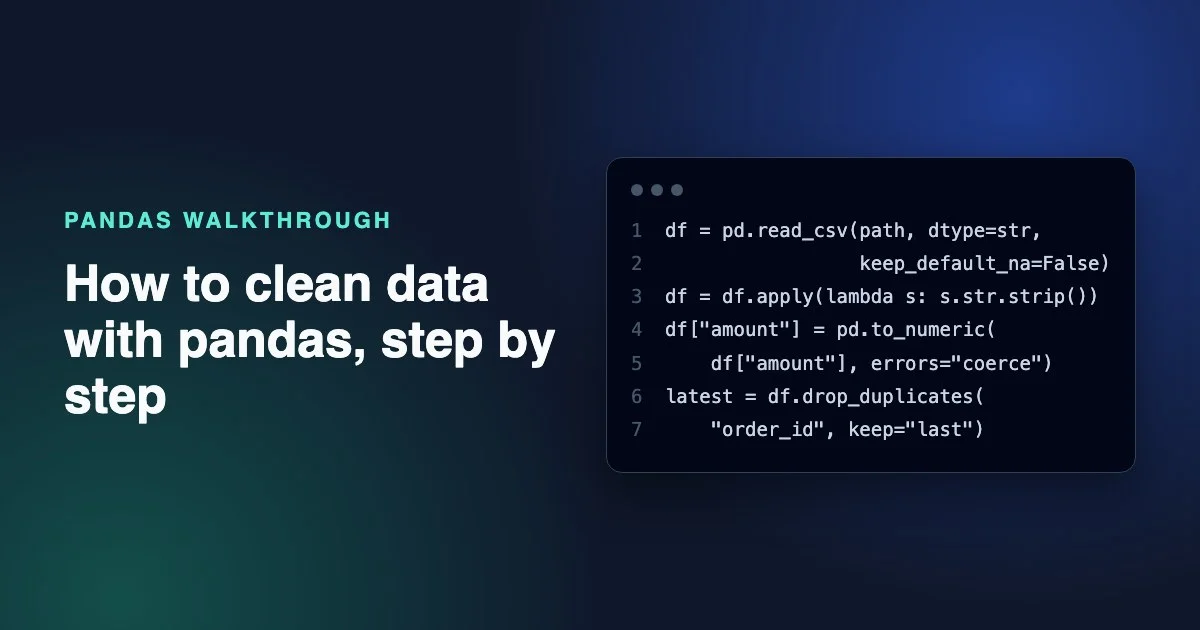
Cleaning data with pandas comes down to seven steps done in a fixed order. Read every column as text and profile what you got. Trim spaces and standardise blanks. Convert types while catching failures, and map categories to an approved list. Remove duplicates with a stated survivor rule. Finally, split the result into clean rows and exceptions and prove the counts add up. The order matters because each step relies on the one before it. You can't deduplicate on a key that still has trailing spaces, and you can't trust a numeric column that silently turned bad values into NaN.
This walkthrough cleans one small, deliberately messy orders file from start to finish. Every snippet was run on pandas 3.0.2, and the output blocks are copied from those runs.
Key Takeaways
- Read with
dtype=str, keep_default_na=Falseso pandas cannot drop leading zeros or guess which strings mean missing.- After every
errors="coerce"conversion, count the values that were present before but are missing after. Those are your parse failures.- Sort by a timestamp before
drop_duplicates(keep="last"), otherwise "last" just means "lowest in the file".- Send rows that fail a rule to an exceptions table with a reason instead of deleting them, and check that superseded plus clean plus exceptions equals the rows you read.
The messy file we will clean
The sample has six rows and most of the usual problems: a padded category, mixed case, a text placeholder in a numeric column, a missing customer, an impossible date, and an order that appears twice because it was updated.
import io
import pandas as pd

raw = io.StringIO("""order_id,customer_id,order_date,channel,amount,updated_at
1001,00042,2026-03-01, Web ,19.99,2026-03-01T09:00:00Z
1002,00107,2026-03-01,email,n/a,2026-03-01T10:15:00Z
1003,,2026-03-02,WEB,7.50,2026-03-02T08:30:00Z
1002,00107,2026-03-01,Email,24.00,2026-03-02T11:00:00Z
1004,00042,2026-02-30,phone,12.00,2026-03-03T14:00:00Z
1005,00311,2026-03-03,,,2026-03-03T16:45:00Z
""")
In real work raw would be a file path. The cleaning steps are the same.
Step 1: Read every column as text
Load the file with every column as a string and with pandas' built-in missing-value guessing turned off. The default read_csv infers types, so 00042 becomes the number 42 (or 42.0 when the column also has blanks), and it treats strings such as NA, null and n/a as missing before you have seen them (pandas read_csv documentation).
df = pd.read_csv(raw, dtype=str, keep_default_na=False)
print(df.dtypes)
order_id       str
customer_id    str
order_date     str
channel        str
amount         str
updated_at     str
dtype: object
The str dtype is new. Starting with pandas 3.0, text columns use a dedicated string data type by default instead of object (pandas 3.0 release notes). Reading as text first means nothing has been changed yet, so every later change is one you chose. The lesson Import everything as text first covers why.
Step 2: Profile before you change anything
Look at the shape, the blank counts and the distinct values of every column you plan to clean. This turns vague worry into a concrete list of problems.
print(df.shape)
print((df == "").sum())
print(df["channel"].value_counts(dropna=False))
(6, 6)
order_id       0
customer_id    1
order_date     0
channel        1
amount         1
updated_at     0
dtype: int64
channel
 Web     1
email    1
WEB      1
Email    1
phone    1
         1
Name: count, dtype: int64
The profile already shows the work ahead. channel has five spellings of three values plus a blank, one customer ID is empty, and order_id 1002 should be checked for repeats. Use value_counts(dropna=False) so missing values show up in the counts. For a fuller routine, see How to profile a new dataset before cleaning.
Step 3: Trim whitespace and turn blanks into missing values
Strip leading and trailing spaces from every text column, then replace empty strings and known placeholders with a real missing value.
df = df.apply(lambda s: s.str.strip())
df = df.replace({"": pd.NA, "n/a": pd.NA})
print(df.isna().sum())
order_id       0
customer_id    1
order_date     0
channel        1
amount         2
updated_at     0
dtype: int64
Write the placeholder list down. Here n/a is treated as missing because the source system uses it that way, and that rule belongs in your notes, not just your code. If your data has non-breaking spaces or zero-width characters, plain strip() will not catch all of them. The guide on whitespace and invisible characters shows how to find them.
Step 4: Convert types and catch what fails to parse
Convert each column with an explicit parser, then compare before and after to find values that failed. pd.to_numeric(..., errors="coerce") and pd.to_datetime(..., errors="coerce") replace anything they can't parse with a missing value, without raising an error (to_numeric, to_datetime). That is convenient, and it is also how bad data disappears without anyone noticing.
df["amount_num"] = pd.to_numeric(df["amount"], errors="coerce")
df["order_date_parsed"] = pd.to_datetime(
    df["order_date"], format="%Y-%m-%d", errors="coerce"
)
df["updated_at"] = pd.to_datetime(df["updated_at"], format="ISO8601", utc=True)

bad_date = df["order_date"].notna() & df["order_date_parsed"].isna()
print(df.loc[bad_date, ["order_id", "order_date"]])

bad_amount = df["amount"].notna() & df["amount_num"].isna()
print("bad amount", bad_amount.sum())
  order_id  order_date
4     1004  2026-02-30
bad amount 0
The check original.notna() & parsed.isna() is the important part. February 30th was present in the file and is now missing, so it is a parse failure and not a value that was blank all along. Two more details:
- Pass
format=for dates. Without it, pandas has to infer a format, and a value like03/04/2026means different days in different locales. amount_numis afloat64. That is fine for exploring, but for money that must reconcile to the cent, read Money, decimals and rounding.
Step 5: Map categories to an approved list
Standardise the case, then map each value through a dictionary of approved values. Anything the dictionary doesn't recognise becomes missing in the new column, which is exactly what makes it easy to report.
channel_map = {"web": "web", "email": "email", "phone": "phone"}
key = df["channel"].str.lower()
df["channel_clean"] = key.map(channel_map)

unmapped = key.notna() & df["channel_clean"].isna()
print("unmapped", unmapped.sum())
unmapped 0
The same before-and-after test as Step 4 separates "blank in the source" from "a value we don't recognise yet". Avoid str.title() or a chain of replace calls as a substitute for a mapping. They look tidy, but they quietly accept spellings nobody approved.
Step 6: Remove duplicates with a survivor rule
Decide what one row should represent, then sort so the row you want to keep is in a known position before calling drop_duplicates. The grain is what one row represents. Here the grain is one row per order_id, and the survivor is the most recently updated version.
df = df.sort_values(["order_id", "updated_at"])
dupes = df[df.duplicated("order_id", keep=False)]
print(dupes[["order_id", "amount", "updated_at"]])

latest = df.drop_duplicates(subset="order_id", keep="last")
print(len(df), len(latest))
  order_id amount                updated_at
1     1002    NaN 2026-03-01 10:15:00+00:00
3     1002  24.00 2026-03-02 11:00:00+00:00
6 5
keep="last" keeps the last row in the current order, not the newest one (drop_duplicates documentation). Without the sort, the survivor depends on how the file happened to be written. Printing the duplicate groups with keep=False first lets you check that they really are versions of one order rather than two genuine orders.
Step 7: Validate, split into clean rows and exceptions, and reconcile
Give each row that breaks a rule a reason, in a fixed order, then split the frame in two. The first failing rule wins, so a row gets one clear reason.
reasons = pd.Series(pd.NA, index=latest.index, dtype="string")
reasons = reasons.mask(latest["customer_id"].isna(), "missing customer_id")
reasons = reasons.mask(
    reasons.isna() & latest["order_date_parsed"].isna(), "invalid order_date"
)
reasons = reasons.mask(
    reasons.isna() & latest["channel_clean"].isna() & latest["channel"].notna(),
    "unmapped channel",
)
latest = latest.assign(reason=reasons)

clean = latest[latest["reason"].isna()]
exceptions = latest[latest["reason"].notna()]
print(exceptions[["order_id", "reason"]])

assert len(clean) + len(exceptions) == len(latest)
print(f"{len(df)} rows read, {len(df) - len(latest)} superseded, "
      f"{len(clean)} clean, {len(exceptions)} exceptions")
  order_id               reason
2     1003  missing customer_id
4     1004   invalid order_date
6 rows read, 1 superseded, 3 clean, 2 exceptions
The assert is the reconciliation. If a filter later drops rows by accident, the pipeline stops instead of shipping a smaller table. Notice what was not done: order 1005 has no amount and no channel, and it stays in the clean set with both missing. Neither field is required by the rules above, and "not recorded" is not a reason to drop an order. Whether to fill it is a separate decision, covered in Null, blank and zero. Keeping the exceptions as a table also gives the data owner something to fix at the source.
Common pandas defaults that change your data
Most cleaning bugs in pandas come from defaults that act before you have looked. These are the ones this walkthrough avoided:
| Default | What it does | What to do instead |
|---|---|---|
Type inference in read_csv |
00042 becomes 42, or 42.0 if the column has blanks |
dtype=str and convert later |
| Default missing markers | NA, null, n/a become missing on read |
keep_default_na=False, then replace a written list |
errors="coerce" |
Unparseable values become missing silently | Compare notna() before with isna() after |
drop_duplicates(keep="first") |
Keeps whichever row comes first in the current row order | Sort by your survivor column first |
| Inferred date formats | Day and month can swap | Pass format= explicitly |
The lesson Override the pandas defaults that change your data goes through each one in more depth.
Where to practise each step
Reading about cleaning only gets you part of the way. Graded practice for these steps:
- The whole sequence on one file: Clean an order-line export (free).
- Step 5: Map channels with an approved dictionary (free).
- Step 6: Pick one surviving record per account (free).
- A structured route through all of it: the pandas practitioner learning path.
Each exercise can be solved in its Python track, and the grader also checks your work against hidden datasets that follow the same rules, so a step that only works on the visible sample won't pass.
Frequently asked questions
What is the first step in cleaning data with pandas?
The first step is reading the file without letting pandas change it: pd.read_csv(path, dtype=str, keep_default_na=False). This keeps leading zeros, stops pandas from guessing which strings mean missing, and gives you an untouched copy to profile before you decide on any changes.
Should I use dropna() to clean missing values?
Use dropna() only when a missing value really makes the row unusable, and record how many rows it removed. In most cleaning jobs a missing optional field, such as an amount nobody recorded, should stay missing, while a row missing a required key goes to an exceptions table with a reason.
Is errors="coerce" safe to use?
It is safe only if you check what it removed. Coercion turns every unparseable value into a missing one, so compare the original column with the parsed one, original.notna() & parsed.isna(), and report or quarantine the rows that failed.
How do I make a pandas cleaning script repeatable?
Put each step in a function, pass explicit options (dtype, format, mapping dictionaries) instead of relying on defaults, sort before any order-dependent step, and end with assertions that reconcile row counts. Running it twice on the same file should give identical output.
Related reading
- pandas String Methods for Cleaning Text Columns
- pandas fillna Without Regret: When Filling Missing Values Is Wrong
- What Is Data Cleaning? A Plain-English Guide With Examples
Sources
- pandas development team,
pandas.read_csvAPI reference, retrieved 2026-11-05. - pandas development team, What's new in 3.0.0, retrieved 2026-11-05.
- pandas development team,
pandas.to_numericAPI reference, retrieved 2026-11-05. - pandas development team,
pandas.to_datetimeAPI reference, retrieved 2026-11-05. - pandas development team,
DataFrame.drop_duplicatesAPI reference, retrieved 2026-11-05.