How to Standardize Addresses and Postcodes in a Dataset
Standardize addresses and postcodes in DuckDB SQL and pandas: fix spacing and case, validate UK postcodes and US ZIPs, map street suffixes, flag the rest.
By Tnas · Published · 13 min read
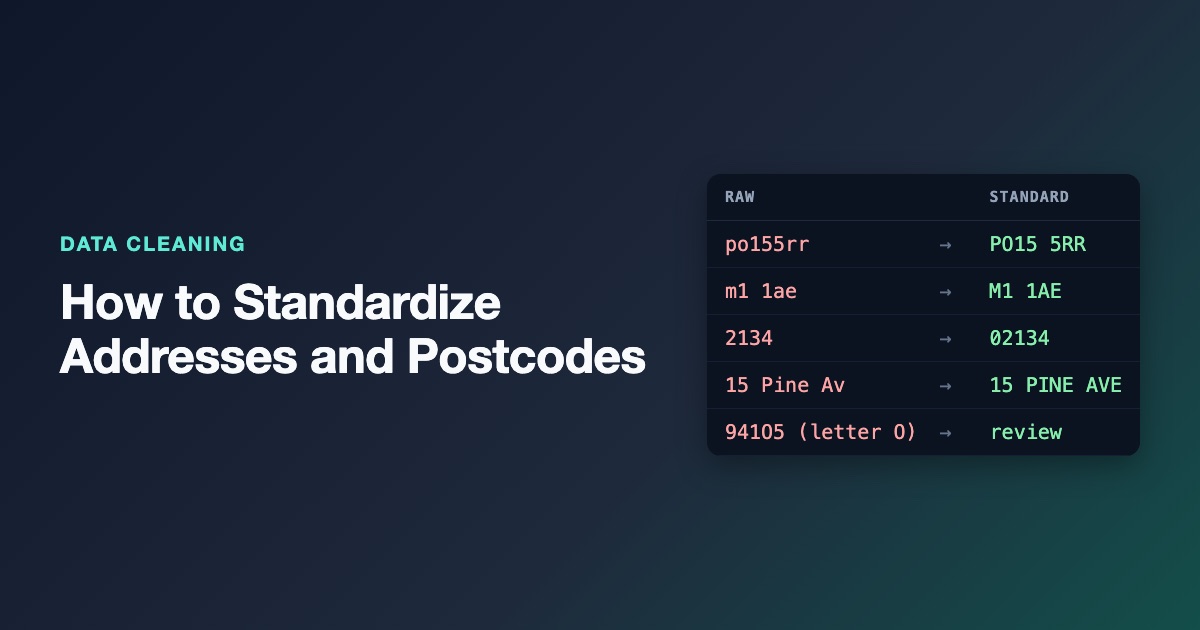
To standardize addresses and postcodes, keep the raw columns untouched, then build cleaned columns with a small set of declared rules: collapse whitespace, apply one case policy, put each country's postal code into its official shape and check it against that country's pattern, and replace street-type variants such as Street, St. and Str with one standard abbreviation from a mapping table. Values that don't fit a rule are flagged, not fixed by guesswork. This post walks through those rules in DuckDB SQL and pandas on a small UK and US dataset, and explains where rules stop and an address verification service has to take over.
Key Takeaways
- Standardizing is not verifying. Rules make an address consistent; only a reference file such as Royal Mail's PAF or USPS data can tell you it exists.
- Postal codes are text identifiers. Read them as text, or US ZIP codes that start with
0lose a digit before you see them.- Each country has its own postcode shape. A UK postcode is a 2 to 4 character outward code, a space and a 3 character inward code; a US ZIP code is 5 digits with an optional 4-digit extension.
- Keep street-suffix variants in a mapping table, not in a chain of
REPLACEcalls, so the list can be reviewed and extended.- Every rule should emit a note: missing, invalid, repaired. That note column is what turns a cleaning script into something a reviewer can check.
Why addresses are harder than other text columns
An address is free text with structure hiding inside it. The same building can arrive as Flat 3, 22 Park Ave, 22 Park Avenue Flat 3 and F3 22 PARK AV, and all three can be correct. Countries also disagree on order, abbreviations and postal code formats, so a rule that's right for one country quietly breaks another.
That's why a sensible address pipeline has two layers:
- Standardization, which you can do with rules: spacing, case, postal code shape, approved abbreviations.
- Verification, which needs reference data: does this address exist, and what is its official form?
This post covers the first layer properly and the second only far enough to know when you need it.
The dataset
Nine customer addresses, four in Great Britain and five in the United States. The country column is trusted here; if yours isn't, validate it first (the exercise validate supplier country codes practises that step).
| id | country | street | postcode | What's wrong |
|---|---|---|---|---|
| A1 | GB | 12 High St |
po155rr |
Lowercase, no space |
| A2 | GB | 4 Mill Road |
m1 1ae |
Double space inside the street, trailing space after it, leading space before the postcode, lowercase |
| A3 | GB | Flat 3, 22 Park Ave |
EC1A1BB |
No space |
| A4 | GB | 7 Station Rd |
SW1A 2A |
Inward code too short |
| A5 | US | 100 Main Street |
10118 |
Fine, suffix spelled out |
| A6 | US | 22 Elm st. |
2134 |
ZIP lost its leading zero |
| A7 | US | 9 Oak Blvd |
94105-1804 |
ZIP+4, fine |
| A8 | US | 15 Pine Av |
941O5 |
Letter O instead of zero |
| A9 | US | 1 Lake Boulevard |
(blank) | Missing ZIP |
Step 1: Read everything as text and keep the raw columns
Read addresses and postal codes as text. A type-inferring reader will turn a column of US ZIP codes into integers, and 02134 becomes 2134 before your cleaning code runs. Row A6 shows what that damage looks like once it has already happened upstream. The lesson on importing everything as text first and the guide to identifiers and leading zeros cover the general rule.
In DuckDB use read_csv(..., all_varchar = true). In pandas use dtype="string" with keep_default_na=False, so a blank stays visible as an empty string instead of becoming NaN before you've decided what blank means.
Then add new columns (postcode_clean, postcode_note, street_std) instead of overwriting. The raw values are your evidence when someone asks why an address changed.
Step 2: Normalize whitespace and case
Collapse runs of whitespace to one space, trim the ends, and apply one case policy per column. For postal codes the policy is easy: uppercase, because both UK postcodes and US ZIP codes are written that way. For street lines, uppercase is common for matching keys; for anything shown to customers you might keep the original case. Either way it's a decision to write down, as the lesson case is a policy argues.
Two traps sit inside this step. A non-breaking space (U+00A0) or a zero-width character isn't removed by a plain trim in every tool, so M1 1AE with a non-breaking space fails the postcode check for no visible reason. The whitespace and invisible characters guide shows how to find them. And uppercasing should never strip accents from street names; Rue de l'Église is a different string from Rue de l'Eglise and both may appear in a European dataset. The same care applies to street names as to personal names.
Step 3: Put each postal code into its country's shape
Postal code rules are per country, so the cleaning rule branches on country.
UK postcodes
The Office for National Statistics describes a UK postcode as an outward code of 2 to 4 characters and an inward code of three characters, with PO15 5RR as its example: PO15 is the outward code and 5RR the inward code (ONS, Postal geography). The inward code is always the last three characters, which gives a reliable repair for missing or extra spaces: remove all spaces, uppercase, then put one space before the last three characters.
The check after the repair uses a simplified pattern: one or two letters, a digit, an optional letter or digit, then a digit and two letters. It catches the common mistakes (a truncated inward code, a letter where a digit belongs) but accepts some combinations that don't exist, and it doesn't cover special cases such as GIR 0AA. Treat it as a shape check, not proof that a postcode is live.
US ZIP codes
A US ZIP code is five digits, optionally followed by a hyphen and four more digits (ZIP+4), as in 94105-1804. USPS Publication 28 sets out how the ZIP code sits on the last line of a standardized address (USPS Publication 28, section 21).
Row A6 needs a decision. A four-digit value in a US ZIP column almost certainly came from a ZIP that started with 0 and passed through a numeric type. Restoring the zero is reasonable only when you know the column was US ZIP codes and nothing else, and the repaired rows should be flagged so they can be checked. If the column mixes countries or the history is unknown, send four-digit values to review instead. Two related cases fall through to invalid US ZIP on purpose: ZIP codes that start with 00 (used in Puerto Rico and the US Virgin Islands) arrive with only three digits once both zeros are gone, and nine-digit ZIP+4 values sometimes arrive without the hyphen. Both deserve a look rather than an automatic repair.
The postcode rule in DuckDB SQL
WITH pc AS (
  SELECT id, country, postcode,
    upper(regexp_replace(coalesce(postcode, ''), '[\s\x{00A0}]+', '', 'g')) AS compact
  FROM addresses
)
SELECT id, country, postcode,
  CASE
    WHEN country = 'GB' AND regexp_full_match(compact, '[A-Z]{1,2}[0-9][A-Z0-9]?[0-9][A-Z]{2}')
      THEN left(compact, length(compact) - 3) || ' ' || right(compact, 3)
    WHEN country = 'US' AND regexp_full_match(compact, '[0-9]{5}(-[0-9]{4})?')
      THEN compact
    WHEN country = 'US' AND regexp_full_match(compact, '[0-9]{4}')
      THEN '0' || compact
  END AS postcode_clean,
  CASE
    WHEN compact = '' THEN 'missing'
    WHEN country = 'US' AND regexp_full_match(compact, '[0-9]{4}') THEN 'leading zero restored'
    WHEN country = 'GB' AND NOT regexp_full_match(compact, '[A-Z]{1,2}[0-9][A-Z0-9]?[0-9][A-Z]{2}') THEN 'invalid GB postcode'
    WHEN country = 'US' AND NOT regexp_full_match(compact, '[0-9]{5}(-[0-9]{4})?') THEN 'invalid US ZIP'
  END AS postcode_note
FROM pc
ORDER BY id;
regexp_full_match requires the whole string to match, so there's no need for ^ and $ anchors (DuckDB regular expression functions). The 'g' option on regexp_replace removes every whitespace run, not just the first. The pattern names the non-breaking space (\x{00A0}) explicitly because DuckDB's RE2 engine treats \s as ASCII whitespace only. pandas 3 behaves the same way on its default Arrow-backed string dtype, which also uses RE2, even though Python's own re module would match a non-breaking space with \s. Listing it keeps both tools on the same rule. coalesce(postcode, '') matters because DuckDB's CSV reader returns NULL for an empty field, and you want the blank in A9 labelled missing rather than falling through every branch.
Output:
id  country  postcode    postcode_clean  postcode_note
A1  GB       po155rr     PO15 5RR        NULL
A2  GB        m1 1ae     M1 1AE          NULL
A3  GB       EC1A1BB     EC1A 1BB        NULL
A4  GB       SW1A 2A     NULL            invalid GB postcode
A5  US       10118       10118           NULL
A6  US       2134        02134           leading zero restored
A7  US       94105-1804  94105-1804      NULL
A8  US       941O5       NULL            invalid US ZIP
A9  US       NULL        NULL            missing
A8 is the one to notice. 941O5 contains a capital letter O, and it would be tempting to "fix" it to 94105. Don't do that silently: the rule can't know whether the O replaced a zero or something else was mistyped. Send it to review with the note, as described in validation rules and exception reports.
Step 4: Standardize street suffixes from a mapping table
Street types are one of the most visible sources of variation in US address lines: Street, St, St.; Avenue, Ave, Av. USPS Publication 28 Appendix C1 lists the standard abbreviation for each suffix and the common variants that map to it; for example AVENUE becomes AVE, and AV, AVEN and AVN are listed as variants (USPS Publication 28, Appendix C1).
Put the variants you actually see in a two-column table, variant and standard, and join on it. A table can be reviewed, versioned and extended without touching code, which is the point of the lesson on mapping tables as data.
| variant | standard |
|---|---|
| STREET, STR, ST, ST. | ST |
| AVENUE, AVE, AV | AVE |
| ROAD, RD | RD |
| BOULEVARD, BLVD | BLVD |
The table is shown grouped here; the real table has one row per variant (ST. → ST, STR → ST and so on), because the join compares one word to one row.
Apply the mapping to the last word of the street line only. A plain find-and-replace of AV with AVE anywhere in the string turns 15 AVON AVENUE into 15 AVEON AVEENUE. The last-word rule is narrow on purpose.
WITH t AS (
  SELECT id, country, street,
    upper(trim(regexp_replace(street, '[\s\x{00A0}]+', ' ', 'g'))) AS s
  FROM addresses
  WHERE country = 'US'
),
parts AS (
  SELECT *,
    regexp_extract(s, '^(.*) (\S+)$', 1) AS body,
    regexp_extract(s, '^(.*) (\S+)$', 2) AS last_word
  FROM t
)
SELECT p.id, p.street,
  CASE WHEN x.standard IS NOT NULL THEN p.body || ' ' || x.standard ELSE p.s END AS street_std,
  x.standard IS NULL AS suffix_unmapped
FROM parts p
LEFT JOIN suffixes x ON x.variant = p.last_word
ORDER BY p.id;
id  street            street_std   suffix_unmapped
A5  100 Main Street   100 MAIN ST  false
A6  22 Elm st.        22 ELM ST    false
A7  9 Oak Blvd        9 OAK BLVD   false
A8  15 Pine Av        15 PINE AVE  false
A9  1 Lake Boulevard  1 LAKE BLVD  false
The suffix_unmapped flag is how the table grows: any address whose last word isn't in the table shows up as true, and someone decides whether it's a new variant or not a suffix at all. That's the same pattern as map known variants, keep the rest, where unmapped values are kept and reported rather than forced into a category.
The USPS list is a US standard, so the rule above runs on US rows only. UK addresses have their own conventions, and applying US abbreviations to them would make the data less consistent, not more.
The same rules in pandas
import pandas as pd

df = pd.read_csv("addresses.csv", dtype="string", keep_default_na=False)
suffixes = pd.read_csv("suffixes.csv", dtype="string")
suffix_map = dict(zip(suffixes["variant"], suffixes["standard"]))

compact = df["postcode"].str.replace(r"[\s\x{00A0}]+", "", regex=True).str.upper()
gb = df["country"] == "GB"
us = df["country"] == "US"
gb_ok = gb & compact.str.fullmatch(r"[A-Z]{1,2}[0-9][A-Z0-9]?[0-9][A-Z]{2}")
us_ok = us & compact.str.fullmatch(r"[0-9]{5}(-[0-9]{4})?")
us_zero = us & compact.str.fullmatch(r"[0-9]{4}")

df["postcode_clean"] = pd.Series(pd.NA, index=df.index, dtype="string")
df.loc[gb_ok, "postcode_clean"] = compact[gb_ok].str[:-3] + " " + compact[gb_ok].str[-3:]
df.loc[us_ok, "postcode_clean"] = compact[us_ok]
df.loc[us_zero, "postcode_clean"] = "0" + compact[us_zero]

df["postcode_note"] = pd.Series(pd.NA, index=df.index, dtype="string")
df.loc[gb & ~gb_ok, "postcode_note"] = "invalid GB postcode"
df.loc[us & ~us_ok, "postcode_note"] = "invalid US ZIP"
df.loc[us_zero, "postcode_note"] = "leading zero restored"
df.loc[compact == "", "postcode_note"] = "missing"

street = df["street"].str.replace(r"[\s\x{00A0}]+", " ", regex=True).str.strip().str.upper()
parts = street.str.extract(r"^(?P<body>.*) (?P<last_word>\S+)$")
std_suffix = parts["last_word"].map(suffix_map)
df["street_std"] = street
mapped = us & std_suffix.notna()
df.loc[mapped, "street_std"] = parts.loc[mapped, "body"] + " " + std_suffix[mapped]
Run on pandas 3.0.2, this produces the same postcode_clean and postcode_note values as the DuckDB 1.5.1 query, and the same street_std for the US rows. str.fullmatch is the pandas equivalent of regexp_full_match (pandas Series.str.fullmatch). The order of the note assignments matters: later lines overwrite earlier ones, so missing wins over invalid for a blank value, matching the SQL CASE order.
Where rules stop: verification and parsing
Everything above makes addresses consistent. None of it proves an address exists. 7 Station Rd, SW1A 2AA has a valid shape and could still be a street that isn't in that postcode.
For that you need reference data. In the UK that reference is Royal Mail's Postcode Address File, which Royal Mail describes as covering 32 million postal delivery addresses and 1.8 million postcodes (Royal Mail, Powered by PAF); in the US the Postal Service publishes the standards and data behind address verification; both are usually reached through licensed address verification services. ONS notes that a small-user UK postcode typically covers about 15 addresses and can cover up to 100, so a postcode alone narrows an address down but doesn't identify it (ONS, Postal geography).
If your problem is the opposite one, a single free-text address field that needs splitting into house number, street, city and postcode, look at an address parser rather than writing ever longer regular expressions. libpostal is an open-source library trained on international address data that parses and normalizes street addresses. Treat its output like any other derived column: keep the raw text, and review the rows it can't parse confidently.
Using standardized addresses for matching
A cleaned address is a strong matching signal, but compare components, not whole strings. A practical match key for UK data is the cleaned postcode plus the house number; for US data, the 5-digit ZIP plus house number plus standardized street. Two records that share that key are candidates for a merge, to be confirmed with name, email or phone. The guide to deduplication and entity resolution explains why a shared address is evidence and not proof, since flatmates, families and businesses in one building all share it.
Frequently asked questions
Should I store postcodes with or without the space?
Store UK postcodes in the standard form with one space before the last three characters, because that's how they're published and displayed. If you need a join key, derive a separate compact column with no spaces, and build both from the same rule.
Can I restore leading zeros in ZIP codes automatically?
Only when the column is known to hold US ZIP codes and nothing else. In that case a four-digit value has most likely lost a leading zero, but it could also be a five-digit ZIP with a digit missing, so flag every repaired row for checking, and never pad values from other countries.
Is a regex enough to validate a UK postcode?
A regex checks the shape. It can't tell you whether the postcode is live or assigned to the address you have. Use the regex to catch typos, and a reference file or verification service when correctness matters.
Should I expand abbreviations or abbreviate full words?
Pick one direction and apply it everywhere. For US addresses, abbreviating to the USPS standard (AVENUE to AVE) matches how postal software expects addresses. For display you can still keep the customer's original text in the raw column.
Practice it
The skills here (reading identifiers as text, cleaning text without damaging it, validating codes against a pattern and mapping variants with a table) each have their own exercise. Start with normalize names without changing letters (free), then validate supplier country codes and map known variants, keep the rest.
Related reading
- How to Clean Phone Numbers in SQL and Python
- How to Merge Two Customer Lists Without Creating Duplicates
- Cleaning CRM Contact Data Before a Migration
Sources
- Office for National Statistics, Postal geography, on postcode structure and addresses per postcode.
- United States Postal Service, Publication 28, section 21: Postal addressing standards and Appendix C1: Street suffix abbreviations.
- DuckDB, Regular expression functions.
- pandas, Series.str.fullmatch.
- Royal Mail, Powered by PAF, on the Postcode Address File.
- OpenVenues, libpostal.