Cleaning CRM Contact Data Before a Migration
How to clean CRM contacts before moving them to a new system: normalise emails, map picklists, format phones, merge duplicates safely and reconcile every row.
By Tnas · Published · 13 min read
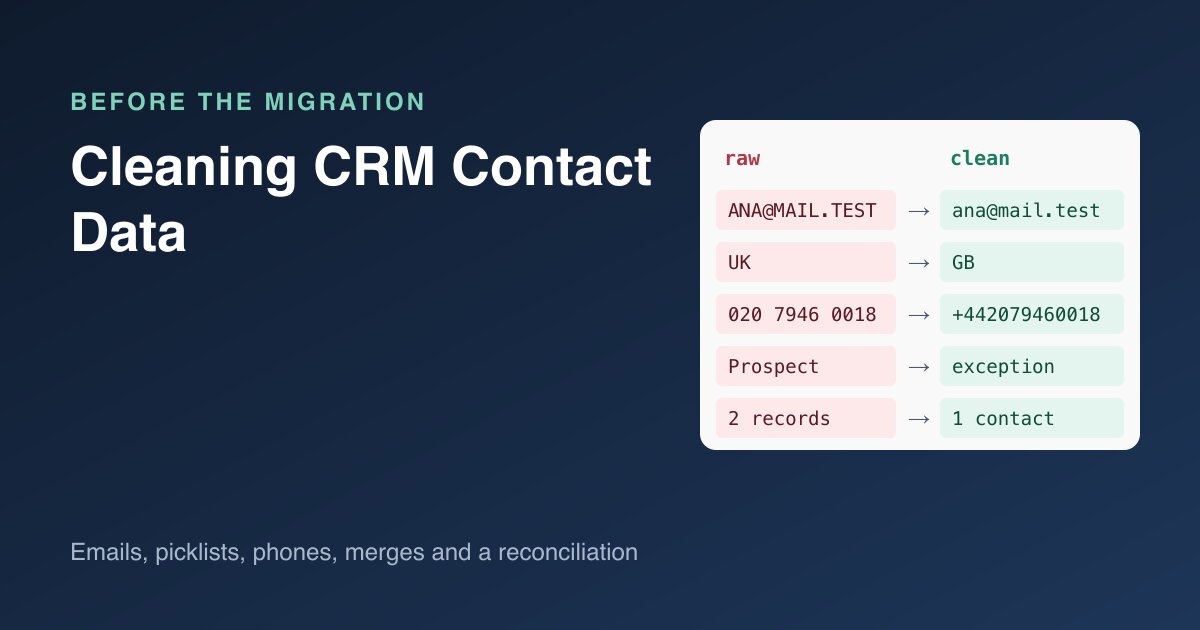
A CRM migration is the move of customer records from one system to another. It's the one moment when every contact record passes through your hands, so it's the cheapest time to fix them. It's also the riskiest: the new system has stricter fields, it deduplicates on its own rules, and anything you load badly becomes the new source of truth. This guide walks through a small legacy contact export and cleans it into a load file in DuckDB SQL, with the merge step repeated in pandas. The aim is a file the target system accepts, plus an exception list and a reconciliation that accounts for every source row.
Key Takeaways
- Start from the target system's rules: which field is the unique identifier, which fields are required, and which values each picklist accepts.
- Normalise emails before deduplicating, because the target system will match on them. Rows with no email usually become brand-new records on import.
- Map countries, lifecycle stages and owners through small mapping tables. Unmapped values go to an exception list; a non-blocking one, such as an owner, loads to a named holding queue and stays on the list.
- When duplicates merge, keep every legacy id and let the most restrictive consent value win unless you have consent timestamps.
- Finish with a reconciliation: rows in = contacts loaded + rows merged away + rows quarantined.
Why clean before the migration, not after?
The target system makes decisions on load that are hard to undo. HubSpot, for example, matches imported contacts to existing ones by email or record ID; a row with neither "will be imported as a new contact record", and if several existing records share an email the row errors and isn't imported (HubSpot Knowledge Base, Deduplication of records). Other CRMs use different rules, but the pattern is the same: whatever identifier the target matches on has to be clean before the first import, or every re-run of the load creates more duplicates.
There is also a legal angle for personal data. The GDPR's accuracy principle says personal data must be accurate and, where necessary, kept up to date (GDPR Article 5(1)(d), EUR-Lex). A migration that copies stale or wrong contact data forward doesn't create that duty, but it's a natural point to meet it.
The legacy export
Here is the export used throughout, contacts_legacy.csv. It is invented for this example but has the usual problems:
legacy_id,first_name,last_name,email,phone,country,lifecycle,email_opt_out,owner,created_at
00012,Ana,Kovač,Ana.Kovac@Example.net ,020 7946 0018,United Kingdom,Customer,No,jsmith,2021-02-03
00013,ana,kovac,ana.kovac@example.net,+44 20 7946 0018,UK,lead,Yes,mlee,2019-11-20
00014,Ben,Osei,,(415) 555-0132,USA,Opportunity,,jsmith,2022-07-01
00015,Cara,Nguyen,cara@example,555-0199,U.S.,Customer,No,,2020-01-15
00016,Dev,Patel,dev.patel@example.net,+1 415 555 0107,United States,Prospect,no,mlee,2023-05-09
00017,Eli,Moreau,eli.moreau@example.org,01 99 00 12 34,France,Customer,TRUE,rdubois,2024-03-12
And here are the target system's rules, written down before any cleaning starts:
| Target field | Rule | Source column |
|---|---|---|
email |
Required, unique, lowercase | email |
lifecycle |
One of lead, opportunity, customer |
lifecycle |
country |
ISO 3166 two-letter code | country |
phone |
International format (+ country code, digits only) |
phone |
opted_out |
Boolean, never blank | email_opt_out |
owner_id |
Must exist in the new system's user list | owner |
legacy_id |
Kept as text for traceability | legacy_id |
That table is the contract. Every step below either satisfies a row of it or sends the record to an exception list with a reason. Fixing values after the load is harder, because the target refuses or silently reshapes bad values.
All queries in this post were run with DuckDB 1.5.1 and pandas 3.0.2; the DuckDB output tables are trimmed of their type rows to fit the page.
Step 1: Load as text and profile
Load every column as text so legacy_id keeps its leading zeros, then count the problems before fixing any:
CREATE TABLE src AS
SELECT * FROM read_csv('contacts_legacy.csv', all_varchar = true);

SELECT count(*) AS rows,
       count(*) FILTER (WHERE email IS NULL OR trim(email) = '') AS no_email,
       count(DISTINCT lower(trim(email))) AS distinct_emails,
       count(DISTINCT country) AS country_spellings,
       count(DISTINCT lifecycle) AS lifecycle_spellings,
       count(DISTINCT email_opt_out) AS opt_out_spellings
FROM src;
┌──────┬──────────┬─────────────────┬───────────────────┬─────────────────────┬───────────────────┐
│ rows │ no_email │ distinct_emails │ country_spellings │ lifecycle_spellings │ opt_out_spellings │
├──────┼──────────┼─────────────────┼───────────────────┼─────────────────────┼───────────────────┤
│    6 │        1 │               4 │                 6 │                   4 │                 4 │
└──────┴──────────┴─────────────────┴───────────────────┴─────────────────────┴───────────────────┘
Six rows, five non-blank emails but only four distinct ones once case and spaces are ignored, six spellings for three countries, and four spellings of a yes/no flag. Each number becomes a cleaning step. Identifiers such as legacy_id stay text throughout, which the exercise Keep identifiers as text and parse yes/no flags practises.
Step 2: Map picklists and owners with tables, not CASE statements
Countries, lifecycle stages and owners all need translating into the target's values. Put each translation in a small table. A table can be reviewed by the people who own the values, and a value that isn't in it shows up as NULL after a left join instead of quietly falling into an ELSE branch. The opt-out flag below is the one exception: its spellings form a short, closed list, so a CASE with no ELSE does the same job.
CREATE TABLE country_map(source VARCHAR, iso2 VARCHAR, dial VARCHAR);
INSERT INTO country_map VALUES
  ('united kingdom','GB','44'), ('uk','GB','44'),
  ('usa','US','1'), ('u.s.','US','1'), ('united states','US','1'),
  ('france','FR','33');

CREATE TABLE lifecycle_map(source VARCHAR, stage VARCHAR);
INSERT INTO lifecycle_map VALUES
  ('lead','lead'), ('opportunity','opportunity'), ('customer','customer');

CREATE TABLE owner_map(legacy_owner VARCHAR, owner_id VARCHAR);
INSERT INTO owner_map VALUES ('jsmith','U-104'), ('mlee','U-221');
Then stage the contacts, normalising the email and parsing the opt-out flag from an approved list of spellings:
CREATE TABLE staged AS
SELECT s.legacy_id,
       trim(s.first_name) AS first_name,
       trim(s.last_name)  AS last_name,
       nullif(lower(trim(s.email)), '') AS email,
       s.phone AS phone_raw,
       c.iso2 AS country, c.dial,
       l.stage AS lifecycle, s.lifecycle AS lifecycle_raw,
       CASE WHEN lower(trim(s.email_opt_out)) IN ('yes','true','y','1')  THEN true
            WHEN lower(trim(s.email_opt_out)) IN ('no','false','n','0') THEN false
       END AS opted_out,
       o.owner_id, s.owner AS owner_raw,
       CAST(s.created_at AS DATE) AS created_at
FROM src s
LEFT JOIN country_map   c ON lower(trim(s.country))   = c.source
LEFT JOIN lifecycle_map l ON lower(trim(s.lifecycle)) = l.source
LEFT JOIN owner_map     o ON trim(s.owner)            = o.legacy_owner;
┌───────────┬────────────────────────┬─────────┬─────────────┬───────────────┬───────────┬──────────┬───────────┐
│ legacy_id │         email          │ country │  lifecycle  │ lifecycle_raw │ opted_out │ owner_id │ owner_raw │
├───────────┼────────────────────────┼─────────┼─────────────┼───────────────┼───────────┼──────────┼───────────┤
│ 00012     │ ana.kovac@example.net  │ GB      │ customer    │ Customer      │ false     │ U-104    │ jsmith    │
│ 00013     │ ana.kovac@example.net  │ GB      │ lead        │ lead          │ true      │ U-221    │ mlee      │
│ 00014     │ NULL                   │ US      │ opportunity │ Opportunity   │ NULL      │ U-104    │ jsmith    │
│ 00015     │ cara@example           │ US      │ customer    │ Customer      │ false     │ NULL     │ NULL      │
│ 00016     │ dev.patel@example.net  │ US      │ NULL        │ Prospect      │ false     │ U-221    │ mlee      │
│ 00017     │ eli.moreau@example.org │ FR      │ customer    │ Customer      │ true      │ NULL     │ rdubois   │
└───────────┴────────────────────────┴─────────┴─────────────┴───────────────┴───────────┴──────────┴───────────┘
Three gaps are now visible as NULLs: Prospect has no lifecycle mapping, rdubois has no owner in the new system, and Ben's opt-out flag was blank. The raw columns sit next to the mapped ones so a reviewer can see what the source said. The lesson Unmapped values go to exceptions and the exercise Map channels with an approved dictionary cover this pattern.
Lowercasing the whole email is a policy choice. It's safe for matching in practice, but stripping dots or +tags is not, because some mail providers treat those as different mailboxes. The guide on email normalization policies sets out the options.
Step 3: Put phone numbers in international format
ITU-T Recommendation E.164 defines the international numbering plan behind the +44 20 … style of number (ITU-T E.164). Converting a national number needs the country, so this step depends on the country mapping. Keep the rule narrow and write it down: trust numbers that already start with +, convert national formats you've explicitly handled, and flag the rest.
CREATE TABLE phoned AS
SELECT *,
  CASE
    WHEN starts_with(trim(phone_raw), '+') THEN '+' || digits
    WHEN dial = '1' AND length(digits) = 10 THEN '+1' || digits
    WHEN dial IN ('44','33') AND starts_with(digits, '0') AND length(digits) BETWEEN 10 AND 11
      THEN '+' || dial || substr(digits, 2)
  END AS phone_e164
FROM (SELECT *, regexp_replace(phone_raw, '[^0-9]', '', 'g') AS digits FROM staged);
┌───────────┬──────────────────┬─────────┬───────────────┐
│ legacy_id │    phone_raw     │ country │  phone_e164   │
├───────────┼──────────────────┼─────────┼───────────────┤
│ 00012     │ 020 7946 0018    │ GB      │ +442079460018 │
│ 00013     │ +44 20 7946 0018 │ GB      │ +442079460018 │
│ 00014     │ (415) 555-0132   │ US      │ +14155550132  │
│ 00015     │ 555-0199         │ US      │ NULL          │
│ 00016     │ +1 415 555 0107  │ US      │ +14155550107  │
│ 00017     │ 01 99 00 12 34   │ FR      │ +33199001234  │
└───────────┴──────────────────┴─────────┴───────────────┘
Cara's 555-0199 has seven digits and no area code, so there's no honest way to complete it. It stays NULL with a warning. A full phone library would handle more national formats, but the principle holds: never invent digits.
Step 4: Separate blocking errors from warnings
Not every problem should stop a contact from loading. A missing or invalid email breaks the target's unique identifier, so it blocks. An unmapped lifecycle breaks a required picklist, so it blocks too. A phone that can't be normalised or an unknown owner can load with a warning, the owner routed to a named holding queue.
CREATE TABLE checked AS
SELECT *,
  CASE
    WHEN email IS NULL THEN 'missing email'
    WHEN NOT regexp_full_match(email, '[^@\s]+@[^@\s]+\.[a-z]{2,}') THEN 'invalid email'
    WHEN lifecycle IS NULL THEN 'unmapped lifecycle: ' || lifecycle_raw
  END AS block_reason,
  concat_ws('; ',
    CASE WHEN phone_e164 IS NULL THEN 'phone not normalised' END,
    CASE WHEN owner_id IS NULL THEN 'owner not mapped: ' || coalesce(owner_raw, '(blank)') END,
    CASE WHEN opted_out IS NULL THEN 'consent unknown, treated as opted out' END
  ) AS warnings
FROM phoned;
┌───────────┬────────────────────────┬──────────────────────────────┬─────────────────────────────────────────────────┐
│ legacy_id │         email          │         block_reason         │                    warnings                     │
├───────────┼────────────────────────┼──────────────────────────────┼─────────────────────────────────────────────────┤
│ 00012     │ ana.kovac@example.net  │ NULL                         │                                                 │
│ 00013     │ ana.kovac@example.net  │ NULL                         │                                                 │
│ 00014     │ NULL                   │ missing email                │ consent unknown, treated as opted out           │
│ 00015     │ cara@example           │ invalid email                │ phone not normalised; owner not mapped: (blank) │
│ 00016     │ dev.patel@example.net  │ unmapped lifecycle: Prospect │                                                 │
│ 00017     │ eli.moreau@example.org │ NULL                         │ owner not mapped: rdubois                       │
└───────────┴────────────────────────┴──────────────────────────────┴─────────────────────────────────────────────────┘
The email pattern is a sanity check, not full address validation: it catches cara@example, which has no top-level domain, but it can't tell whether a mailbox exists. Treating unknown consent as opted out is the conservative default. Confirm it with whoever owns marketing compliance, and keep the warning so the decision is visible. The exercises Required fields block, optional fields don't and Unknown is not no practise both ideas.
Step 5: Merge duplicates with a written survivor rule
Ana appears twice. With emails normalised, both rows share ana.kovac@example.net, and the target system would match them anyway, so merge them deliberately rather than letting the import decide. Three rules, written down before the query:
- Survivor: the most recently created record supplies every single-valued field: name, country, phone, lifecycle and owner.
- Traceability: every legacy id is kept on the merged contact.
- Consent: if any record is opted out, or has unknown consent, the merged contact is opted out.
Pick the survivor as a whole row with a window function, then compute the merged facts separately:
CREATE TABLE survivors AS
SELECT * FROM checked
WHERE block_reason IS NULL
QUALIFY row_number() OVER (PARTITION BY email ORDER BY created_at DESC, legacy_id DESC) = 1;

CREATE TABLE merge_facts AS
SELECT email,
       list(legacy_id ORDER BY legacy_id) AS legacy_ids,
       bool_or(coalesce(opted_out, true)) AS opted_out,
       count(DISTINCT lifecycle) > 1 OR count(DISTINCT owner_id) > 1 AS fields_disagree
FROM checked
WHERE block_reason IS NULL
GROUP BY email;

SELECT s.email, s.legacy_id AS survivor_id, m.legacy_ids, s.first_name, s.last_name,
       s.lifecycle, m.opted_out, m.fields_disagree
FROM survivors s JOIN merge_facts m USING (email)
ORDER BY s.email;
┌────────────────────────┬─────────────┬────────────────┬────────────┬───────────┬───────────┬───────────┬─────────────────┐
│         email          │ survivor_id │   legacy_ids   │ first_name │ last_name │ lifecycle │ opted_out │ fields_disagree │
├────────────────────────┼─────────────┼────────────────┼────────────┼───────────┼───────────┼───────────┼─────────────────┤
│ ana.kovac@example.net  │ 00012       │ [00012, 00013] │ Ana        │ Kovač     │ customer  │ true      │ true            │
│ eli.moreau@example.org │ 00017       │ [00017]        │ Eli        │ Moreau    │ customer  │ true      │ false           │
└────────────────────────┴─────────────┴────────────────┴────────────┴───────────┴───────────┴───────────┴─────────────────┘
Why a window function and not arg_max(first_name, created_at) per column? DuckDB's arg_max skips rows where the value is NULL (DuckDB, aggregate functions). If the newest record had a blank owner, arg_max(owner_id, created_at) would quietly take the owner from an older record, and the merged contact would mix fields from different rows. QUALIFY keeps one whole row per email (DuckDB, QUALIFY clause).
The survivor keeps the accented Kovač from the newer record rather than the older, flattened kovac; the guide on cleaning names without damaging them explains why that matters. fields_disagree marks Ana's merge for review: her records say customer and lead, with different owners, and the survivor rule picked the newer values.
The consent rule deserves a second look. Ana's older record says opted out and her newer one says not opted out. She may have re-subscribed, or the newer record may have been created without asking. Without consent timestamps you can't tell, so the restrictive value wins. If the legacy CRM stores when consent changed, use the latest consent event instead, and record that rule.
In pandas, sort first and take the last row per email as the survivor, then compute the merged fields separately. drop_duplicates(keep="last") keeps whole rows (pandas, drop_duplicates); a groupby().last() would take the last non-missing value of each column independently, which can stitch fields from different source records into one row. This snippet shows the merge step only, on rows with a valid email:
import pandas as pd

src = pd.read_csv("contacts_legacy.csv", dtype=str, keep_default_na=False)
src["email"] = src["email"].str.strip().str.lower().replace("", pd.NA)
opt = src["email_opt_out"].str.strip().str.lower()
src["opted_out"] = opt.map({"yes": True, "true": True, "y": True, "1": True,
                             "no": False, "false": False, "n": False, "0": False}).astype("boolean")

ok = src[src["email"].str.fullmatch(r"[^@\s]+@[^@\s]+\.[a-z]{2,}", na=False)]

survivors = ok.sort_values(["created_at", "legacy_id"]).drop_duplicates("email", keep="last")
merged = ok.groupby("email").agg(
    legacy_ids=("legacy_id", lambda s: sorted(s)),
    any_opt_out=("opted_out", lambda s: bool(s.fillna(True).any())),
)
contacts = survivors.set_index("email")[["legacy_id", "first_name", "last_name"]].join(merged, validate="1:1")
                       legacy_id first_name last_name      legacy_ids  any_opt_out
email
ana.kovac@example.net      00012        Ana     Kovač  [00012, 00013]         True
dev.patel@example.net      00016        Dev     Patel         [00016]        False
eli.moreau@example.org     00017        Eli    Moreau         [00017]         True
Dev appears here because this snippet applies only the email check; in the full pipeline his unmapped lifecycle blocks him. Practise survivor rules with Pick one surviving record per account, and read Survivor rules explained for the wider set of rules.
Step 6: Build the load file and the exception file
The target system gets one file; the business owners get another. Unmapped owners fall back to a named queue so the contact can still load:
CREATE TABLE contacts_load AS
SELECT s.email, s.first_name, s.last_name, s.country,
       s.phone_e164 AS phone, s.lifecycle,
       coalesce(s.owner_id, 'QUEUE-UNASSIGNED') AS owner_id,
       m.opted_out,
       array_to_string(m.legacy_ids, '|') AS legacy_ids
FROM survivors s JOIN merge_facts m USING (email)
ORDER BY s.email;

COPY contacts_load TO 'contacts_load.csv' (HEADER);

COPY (
  SELECT legacy_id, email, block_reason, warnings
  FROM checked
  WHERE block_reason IS NOT NULL OR warnings <> ''
  ORDER BY legacy_id
) TO 'contacts_exceptions.csv' (HEADER);
email,first_name,last_name,country,phone,lifecycle,owner_id,opted_out,legacy_ids
ana.kovac@example.net,Ana,Kovač,GB,+442079460018,customer,U-104,true,00012|00013
eli.moreau@example.org,Eli,Moreau,FR,+33199001234,customer,QUEUE-UNASSIGNED,true,00017
The exceptions file holds the four rows someone has to look at:
legacy_id,email,block_reason,warnings
00014,,missing email,"consent unknown, treated as opted out"
00015,cara@example,invalid email,phone not normalised; owner not mapped: (blank)
00016,dev.patel@example.net,unmapped lifecycle: Prospect,""
00017,eli.moreau@example.org,,owner not mapped: rdubois
Every column in contacts_load.csv now satisfies a row of the contract table, provided QUEUE-UNASSIGNED is set up as a queue or user in the target before the load. fields_disagree compares lifecycle and owner; add country and phone the same way if they matter to you. And legacy_ids lets anyone trace a new contact back to the records it came from.
Step 7: Reconcile every source row
Before the load file goes anywhere, prove that each source row ended up somewhere:
SELECT
  (SELECT count(*) FROM src) AS rows_in,
  (SELECT count(DISTINCT email) FROM checked WHERE block_reason IS NULL) AS contacts_to_load,
  (SELECT count(*) - count(DISTINCT email) FROM checked WHERE block_reason IS NULL) AS merged_away,
  (SELECT count(*) FROM checked WHERE block_reason IS NOT NULL) AS quarantined;
┌─────────┬──────────────────┬─────────────┬─────────────┐
│ rows_in │ contacts_to_load │ merged_away │ quarantined │
├─────────┼──────────────────┼─────────────┼─────────────┤
│       6 │                2 │           1 │           3 │
└─────────┴──────────────────┴─────────────┴─────────────┘
Six rows in: two contacts to load, one row merged into a survivor, three rows quarantined with reasons. 2 + 1 + 3 = 6, so nothing was lost, and the two contacts match the two data rows written to contacts_load.csv. Run the same count after the import, against the target system's own totals, to confirm the import didn't add or drop records. The guide Reconciliation: proving nothing was lost covers the method.
What goes to the business owners
The load file is half the deliverable. The other half is what people must decide:
| Item | Rows | Decision needed |
|---|---|---|
| Missing email | 00014 | Find an email, or load without one and accept a separate record |
| Invalid email | 00015 | Correct the address, or leave the contact behind |
Unmapped lifecycle Prospect |
00016 | Add a mapping (to lead?) or a new stage |
Owner rdubois not in new system |
00017 | Assign an owner or route to a queue |
| Blank consent treated as opted out | 00014 | Confirm the default |
| Merged with conflicting consent | 00012, 00013 | Confirm restrictive rule or supply consent dates |
| Merged records disagree on lifecycle and owner | 00012, 00013 | Confirm the survivor's values (customer, U-104) |
Most of these are ten-minute decisions for the right person and impossible guesses for the person running the migration. Sending them early, with row ids, keeps the cut-over date honest.
Related reading
- How to Merge Two Customer Lists Without Creating Duplicates
- How to Standardize Addresses and Postcodes in a Dataset
- How to Clean Phone Numbers in SQL and Python
Sources
- HubSpot Knowledge Base: Deduplication of records, retrieved 2026-11-05
- ITU-T Recommendation E.164: The international public telecommunication numbering plan
- Regulation (EU) 2016/679 (GDPR), EUR-Lex
- DuckDB documentation: QUALIFY clause
- DuckDB documentation: Aggregate functions
- pandas documentation: DataFrame.drop_duplicates