How to Merge Two Customer Lists Without Creating Duplicates
Merge two customer lists in DuckDB SQL: keep lineage, normalise match keys, auto-merge only on strong evidence, review the rest, and avoid the pandas null-key trap.
By Tnas · Published · 12 min read
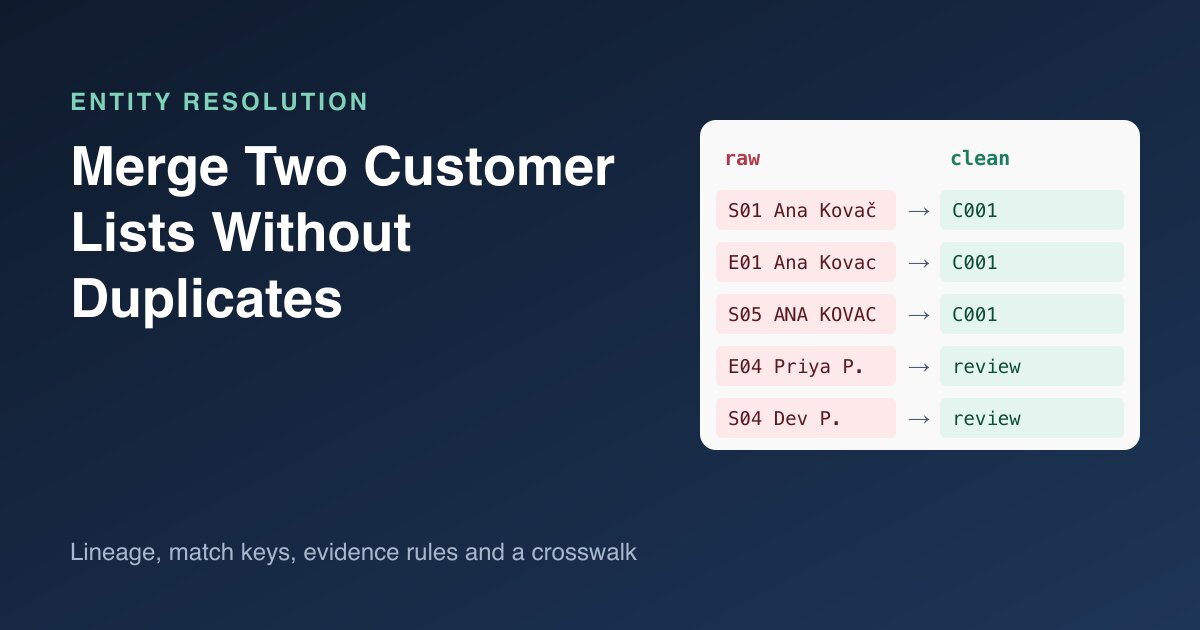
To merge two customer lists without creating duplicates, stack both lists with a note of where each row came from, build normalised match keys, compare only plausible pairs, and merge automatically only when the evidence is strong. Everything weaker goes to a short review queue. The output is a crosswalk from every source record to one customer id, so nothing is deleted and every merge can be explained. This post builds that pipeline in DuckDB SQL on two small lists, and shows the pandas join mistake that quietly merges strangers.
Key Takeaways
- Stack the lists with
sourceandsource_idcolumns first. Never overwrite one list with the other.- Normalise copies of the match fields (email, name, postcode) and keep the originals for display and review.
- Compare candidate pairs that share a blocking key, not every row with every row.
- Auto-merge only on strong evidence, such as the same email and the same normalised name. A shared email with different names, or a matching surname and postcode, goes to review.
- Missing keys must never match. In pandas,
mergepairs missing keys with each other unless you drop them first.
Why the obvious approaches create duplicates or false merges
Combining customer lists is a small case of record linkage, which a US Census Bureau overview describes as "the means of combining information from a variety of computerized files" (Winkler, Overview of Record Linkage and Current Research Directions, US Census Bureau, 2006). The shortcuts people reach for each fail in a predictable way:
| Approach | What goes wrong |
|---|---|
UNION then DISTINCT |
Only removes rows that are identical in every column. Ana Kovač and ANA KOVAC both survive. |
| Join on raw email | Case and spaces break matches; blank emails either never match or, in pandas, all match each other. |
| Join on name | Two different people with the same name become one customer. |
| Fuzzy match and auto-merge | A similarity score of 0.85 is a reason to look, not proof. |
| Keep one list, append "new" rows from the other | Loses the second list's ids, so nothing can be traced back. |
The approach below avoids all five. It never deletes a source row; it assigns each one to a customer.
The two lists
A web shop's customer table and an event sign-up sheet, both invented for this example. The column names differ, which is normal.
shop_customers.csv
shop_id,name,email,postcode
S01,Ana Kovač,ana.kovac@example.net,SW1A 1AA
S02,Ben Osei,ben.osei@example.net,94110
S03,Cara Nguyen,,10001
S04,Dev Patel,info@patel-design.example,94107
S05,ANA KOVAC, Ana.Kovac@example.net,SW1A1AA

event_signups.csv
signup_id,full_name,email,zip
E01,Ana Kovac,ANA.KOVAC@EXAMPLE.NET,SW1A 1AA
E02,Benjamin Osei,,94110
E03,Cara Nguyen,cara.n@example.net,10001
E04,Priya Patel,info@patel-design.example,94107
E05,Eli Moreau,eli@example.org,75001
Ten records. Ana appears three times, twice inside the shop list itself. Ben and Cara probably appear in both lists but share no email. Dev and Priya share a company mailbox and are almost certainly different people. Eli appears once.
All code here was run with DuckDB 1.5.1 and pandas 3.0.2. The DuckDB output tables are trimmed of their type rows to fit the page.
Step 1: Stack both lists with lineage
Rename columns to one schema and tag each row with its source. UNION ALL BY NAME lines columns up by name rather than position, so writing the two SELECT lists in different orders can't shift data into the wrong field.
CREATE TABLE records AS
SELECT 'shop' AS source, shop_id AS source_id, name, email, postcode
FROM read_csv('shop_customers.csv', all_varchar = true)
UNION ALL BY NAME
SELECT 'events' AS source, signup_id AS source_id, full_name AS name, email, zip AS postcode
FROM read_csv('event_signups.csv', all_varchar = true);
UNION ALL, not UNION: plain UNION removes identical rows, and with lineage columns that would never trigger anyway. The point here is to keep every record so the final count can be reconciled.
Step 2: Build normalised match keys
Matching needs comparable values; display needs the originals. So build key columns next to the raw ones:
CREATE TABLE norm AS
SELECT source || ':' || source_id AS rec_id, source, source_id, name,
       nullif(lower(trim(email)), '') AS email_key,
       lower(strip_accents(trim(name))) AS name_key,
       split_part(lower(strip_accents(trim(name))), ' ', -1) AS last_name_key,
       upper(replace(postcode, ' ', '')) AS postcode_key
FROM records;

SELECT rec_id, email_key, name_key, postcode_key FROM norm ORDER BY rec_id;
┌────────────┬───────────────────────────┬───────────────┬──────────────┐
│   rec_id   │         email_key         │   name_key    │ postcode_key │
├────────────┼───────────────────────────┼───────────────┼──────────────┤
│ events:E01 │ ana.kovac@example.net     │ ana kovac     │ SW1A1AA      │
│ events:E02 │ NULL                      │ benjamin osei │ 94110        │
│ events:E03 │ cara.n@example.net        │ cara nguyen   │ 10001        │
│ events:E04 │ info@patel-design.example │ priya patel   │ 94107        │
│ events:E05 │ eli@example.org           │ eli moreau    │ 75001        │
│ shop:S01   │ ana.kovac@example.net     │ ana kovac     │ SW1A1AA      │
│ shop:S02   │ ben.osei@example.net      │ ben osei      │ 94110        │
│ shop:S03   │ NULL                      │ cara nguyen   │ 10001        │
│ shop:S04   │ info@patel-design.example │ dev patel     │ 94107        │
│ shop:S05   │ ana.kovac@example.net     │ ana kovac     │ SW1A1AA      │
└────────────┴───────────────────────────┴───────────────┴──────────────┘
strip_accents turns Kovač into kovac for comparison only (DuckDB, text functions). The stored name keeps its accent; the guide on cleaning names without damaging them explains why. Blank emails become NULL, which matters in the next step. Taking the last word as the surname (last_name_key) is a simplification that works for these names; for real lists with compound surnames, compare the full name key as well.
Step 3: Compare candidate pairs, not every row
With ten records you could compare all 45 pairs. With a million records that is about 500 billion comparisons. Blocking keeps only pairs that share at least one key, here email or postcode:
CREATE TABLE pairs AS
SELECT a.rec_id AS rec_a, b.rec_id AS rec_b,
       a.name AS name_a, b.name AS name_b,
       CASE
         WHEN a.email_key = b.email_key AND a.name_key = b.name_key
           THEN 'auto: same email and name'
         WHEN a.email_key = b.email_key
           THEN 'review: shared email, different names'
         WHEN a.last_name_key = b.last_name_key AND a.postcode_key = b.postcode_key
           THEN 'review: same last name and postcode'
       END AS decision
FROM norm a
JOIN norm b
  ON a.rec_id < b.rec_id
 AND (a.email_key = b.email_key OR a.postcode_key = b.postcode_key);

SELECT rec_a, rec_b, name_a, name_b, decision
FROM pairs
WHERE decision IS NOT NULL
ORDER BY decision, rec_a, rec_b;
┌────────────┬──────────┬───────────────┬─────────────┬───────────────────────────────────────┐
│   rec_a    │  rec_b   │    name_a     │   name_b    │               decision                │
├────────────┼──────────┼───────────────┼─────────────┼───────────────────────────────────────┤
│ events:E01 │ shop:S01 │ Ana Kovac     │ Ana Kovač   │ auto: same email and name             │
│ events:E01 │ shop:S05 │ Ana Kovac     │ ANA KOVAC   │ auto: same email and name             │
│ shop:S01   │ shop:S05 │ Ana Kovač     │ ANA KOVAC   │ auto: same email and name             │
│ events:E02 │ shop:S02 │ Benjamin Osei │ Ben Osei    │ review: same last name and postcode   │
│ events:E03 │ shop:S03 │ Cara Nguyen   │ Cara Nguyen │ review: same last name and postcode   │
│ events:E04 │ shop:S04 │ Priya Patel   │ Dev Patel   │ review: shared email, different names │
└────────────┴──────────┴───────────────┴─────────────┴───────────────────────────────────────┘
The blocking join produced six pairs, and every one of them earned a decision. Three details carry the logic:
a.rec_id < b.rec_idcompares each pair once and never compares a record with itself.NULLkeys never match in SQL. Ben's event record has no email, soa.email_key = b.email_keyisNULL, not true. He reaches the review list only through postcode.- Within-list duplicates are caught too. S01 and S05 are both shop rows; stacking first means the same rules find them.
The lesson Blocking candidate pairs goes further into choosing blocking keys.
Step 4: Decide by evidence, not by similarity score
The decision rules are deliberately strict:
| Evidence | Decision | Example |
|---|---|---|
| Same email and same normalised name | Merge automatically | Ana's three records |
| Same email, different names | Review | Dev and Priya share info@patel-design.example |
| Same surname and postcode, no email match | Review | Ben/Benjamin Osei, both Cara Nguyens |
| Same name only | No merge | Not in this data, and that's the point |
Cara is the instructive case. Her two records have identical names and postcodes, yet they still go to review, because a name and a postcode can belong to two people in the same building. The exercise Same name is not the same person is built on that trap.
A similarity score helps reviewers sort the queue. DuckDB's jaro_winkler_similarity returns a value between 0 and 1 (DuckDB, text functions):
SELECT p.rec_a, p.rec_b, p.name_a, p.name_b,
       round(jaro_winkler_similarity(a.name_key, b.name_key), 2) AS name_sim,
       p.decision
FROM pairs p
JOIN norm a ON a.rec_id = p.rec_a
JOIN norm b ON b.rec_id = p.rec_b
WHERE p.decision LIKE 'review:%'
ORDER BY p.rec_a;
┌────────────┬──────────┬───────────────┬─────────────┬──────────┬───────────────────────────────────────┐
│   rec_a    │  rec_b   │    name_a     │   name_b    │ name_sim │               decision                │
├────────────┼──────────┼───────────────┼─────────────┼──────────┼───────────────────────────────────────┤
│ events:E02 │ shop:S02 │ Benjamin Osei │ Ben Osei    │     0.85 │ review: same last name and postcode   │
│ events:E03 │ shop:S03 │ Cara Nguyen   │ Cara Nguyen │      1.0 │ review: same last name and postcode   │
│ events:E04 │ shop:S04 │ Priya Patel   │ Dev Patel   │     0.68 │ review: shared email, different names │
└────────────┴──────────┴───────────────┴─────────────┴──────────┴───────────────────────────────────────┘
The score is a sorting aid. Ben and Benjamin score 0.85 and are probably one person; a pair of different people with similar names could score just as high. Practise turning pairs like these into a queue with Build a duplicate review queue, and read Merge on evidence, review the rest.
Step 5: Turn auto-merge pairs into customers
Pairs aren't customers yet. If A matches B and B matches C, all three belong together even if A and C were never compared. A recursive query follows the auto-merge links until no new records are reached, then names each group after its smallest record id (DuckDB, WITH and recursive CTEs):
CREATE TABLE clusters AS
WITH RECURSIVE links AS (
  SELECT rec_a, rec_b FROM pairs WHERE decision LIKE 'auto:%'
),
edges AS (
  SELECT rec_a AS x, rec_b AS y FROM links
  UNION
  SELECT rec_b, rec_a FROM links
),
reach(rec_id, linked) AS (
  SELECT rec_id, rec_id FROM norm
  UNION
  SELECT r.rec_id, e.y FROM reach r JOIN edges e ON r.linked = e.x
)
SELECT rec_id, min(linked) AS cluster_key
FROM reach
GROUP BY rec_id;

CREATE TABLE crosswalk AS
SELECT 'C' || lpad(CAST(dense_rank() OVER (ORDER BY c.cluster_key) AS VARCHAR), 3, '0') AS customer_id,
       n.source, n.source_id, n.name
FROM clusters c JOIN norm n USING (rec_id);

SELECT * FROM crosswalk ORDER BY customer_id, source, source_id;
┌─────────────┬─────────┬───────────┬───────────────┐
│ customer_id │ source  │ source_id │     name      │
├─────────────┼─────────┼───────────┼───────────────┤
│ C001        │ events  │ E01       │ Ana Kovac     │
│ C001        │ shop    │ S01       │ Ana Kovač     │
│ C001        │ shop    │ S05       │ ANA KOVAC     │
│ C002        │ events  │ E02       │ Benjamin Osei │
│ C003        │ events  │ E03       │ Cara Nguyen   │
│ C004        │ events  │ E04       │ Priya Patel   │
│ C005        │ events  │ E05       │ Eli Moreau    │
│ C006        │ shop    │ S02       │ Ben Osei      │
│ C007        │ shop    │ S03       │ Cara Nguyen   │
│ C008        │ shop    │ S04       │ Dev Patel     │
└─────────────┴─────────┴───────────┴───────────────┘
UNION rather than UNION ALL inside the recursion matters: it drops rows already found, so the query stops once a group is complete instead of looping forever.
The crosswalk is the deliverable. Every source record keeps its own id, and customer_id says which customer it belongs to. Review pairs stay as separate customers until someone decides; Step 7 shows how a decision feeds back in.
The C001 labels are positional: dense_rank renumbers later customers whenever a group merges or a record arrives. Use them for display only. Downstream systems should key on cluster_key, or on a persisted map from cluster_key to a permanent customer id that you only ever append to.
Step 6: Reconcile and report
Count the input from records, not from the crosswalk, so a record lost between the two steps would show up as a difference:
SELECT (SELECT count(*) FROM records) AS records_in,
       count(*) AS crosswalk_rows,
       count(DISTINCT customer_id) AS customers,
       (SELECT count(*) FROM pairs WHERE decision LIKE 'review:%') AS pairs_for_review
FROM crosswalk;
┌────────────┬────────────────┬───────────┬──────────────────┐
│ records_in │ crosswalk_rows │ customers │ pairs_for_review │
├────────────┼────────────────┼───────────┼──────────────────┤
│         10 │             10 │         8 │                3 │
└────────────┴────────────────┴───────────┴──────────────────┘
Ten records in, ten rows in the crosswalk, eight customers, and three pairs waiting for a person. Report the customer count together with the review status, because the count changes as reviewers decide.
Step 7: Feed review decisions back in
Store each approval as data, with who made it and when, and add approved pairs to the links that build customers. Record rejections in a similar table too, so a rejected pair leaves the review queue instead of coming back on every run. Here a reviewer approves Ben and Benjamin Osei:
CREATE TABLE approved_pairs (rec_a VARCHAR, rec_b VARCHAR, approved_by VARCHAR, approved_on DATE);
INSERT INTO approved_pairs VALUES ('events:E02', 'shop:S02', 'reviewer-1', DATE '2026-11-05');

CREATE OR REPLACE TABLE clusters AS
WITH RECURSIVE links AS (
  SELECT rec_a, rec_b FROM pairs WHERE decision LIKE 'auto:%'
  UNION
  SELECT rec_a, rec_b FROM approved_pairs
),
edges AS (
  SELECT rec_a AS x, rec_b AS y FROM links
  UNION
  SELECT rec_b, rec_a FROM links
),
reach(rec_id, linked) AS (
  SELECT rec_id, rec_id FROM norm
  UNION
  SELECT r.rec_id, e.y FROM reach r JOIN edges e ON r.linked = e.x
)
SELECT rec_id, min(linked) AS cluster_key
FROM reach
GROUP BY rec_id;

SELECT count(DISTINCT cluster_key) AS customers FROM clusters;
┌───────────┐
│ customers │
├───────────┤
│         7 │
└───────────┘
Eight customers become seven. If Cara's pair is approved too, the count drops to six; Dev and Priya stay apart unless someone confirms they're one person. After replacing clusters, rebuild crosswalk exactly as in Step 5. Because decisions live in tables, rerunning the whole pipeline on the same inputs gives the same customers every time.
The pandas trap: missing keys match each other
The same job in pandas has a hazard that SQL doesn't. DataFrame.merge treats missing values in key columns as equal to each other, and the pandas documentation warns that this behaviour differs from SQL joins (pandas, DataFrame.merge). A naive email join between the two lists:
import pandas as pd

shop = pd.read_csv("shop_customers.csv", dtype=str)
events = pd.read_csv("event_signups.csv", dtype=str)
for df in (shop, events):
    df["email_key"] = df["email"].str.strip().str.lower()

naive = shop.merge(events, on="email_key", how="inner")
print(naive[["shop_id", "signup_id", "email_key"]])
  shop_id signup_id                  email_key
0     S01       E01      ana.kovac@example.net
1     S03       E02                        NaN
2     S04       E04  info@patel-design.example
3     S05       E01      ana.kovac@example.net
Row 1 pairs Cara's shop record with Ben's sign-up because both emails are missing. Row 2 pairs Dev with Priya because they share a mailbox. Drop missing keys before joining, and still treat an email match as one piece of evidence rather than a verdict:
safe = shop.dropna(subset=["email_key"]).merge(
    events.dropna(subset=["email_key"]), on="email_key", how="inner", validate="many_to_one"
)
print(safe[["shop_id", "signup_id", "email_key"]])
  shop_id signup_id                  email_key
0     S01       E01      ana.kovac@example.net
1     S04       E04  info@patel-design.example
2     S05       E01      ana.kovac@example.net
validate="many_to_one" makes pandas raise an error if one email appears twice in the sign-up list, which would otherwise fan out rows silently. The lesson Null keys in pandas merges and the exercise Join orders to customers without matching blanks cover this in more depth.
A short checklist
- Stack, don't overwrite. Keep
sourceandsource_idon every row. - Build match keys in separate columns; keep originals.
- Block on keys that true matches usually share.
- Write the evidence rules down before you look at results.
- Auto-merge only on strong evidence; queue the rest with the reason.
- Group pairs into customers transitively and publish a crosswalk.
- Reconcile: records in = rows in the crosswalk, and report the review status with the customer count.
- Store review decisions as data and rerun, rather than editing the output by hand.
For the wider method, including survivor rules for building the golden record from each group, see the guide Deduplication and entity resolution without false merges.
Related reading
- Cleaning CRM Contact Data Before a Migration
- pandas merge Pitfalls: Duplicated Rows, Lost Rows and Null Keys
- How to Standardize Addresses and Postcodes in a Dataset