Regular Expressions for Data Cleaning in SQL: A Practical Guide
Use regular expressions in SQL to validate formats, profile value shapes, strip characters, extract codes and split lists, with tested DuckDB examples.
By Tnas · Published · 11 min read
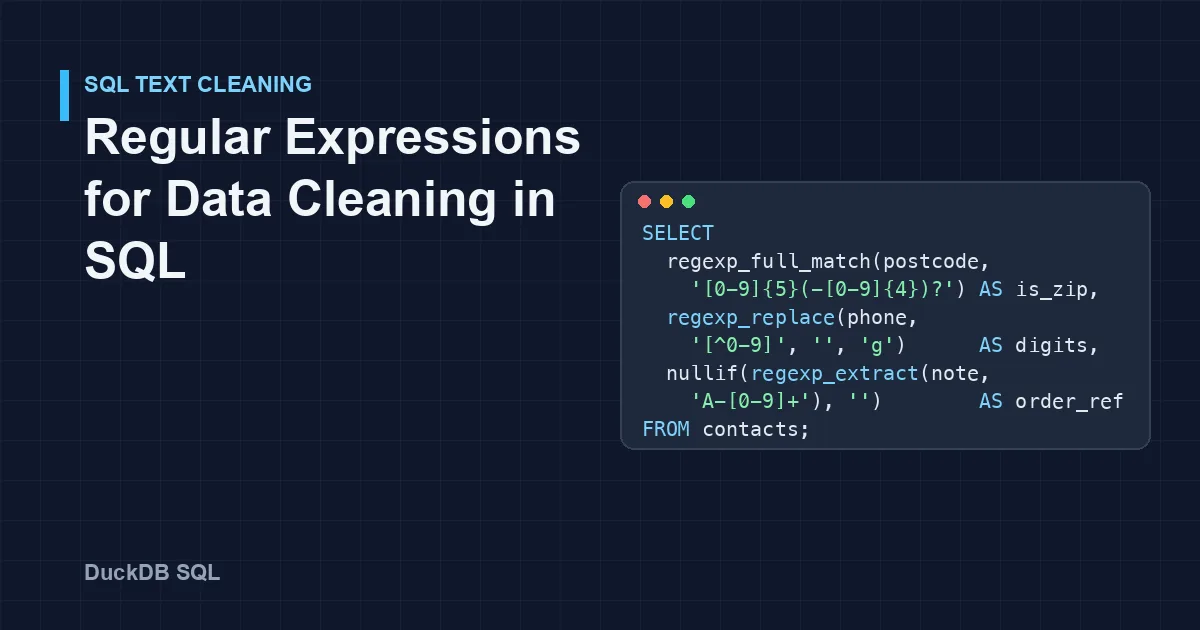
Regular expressions earn their place in SQL data cleaning for five jobs: checking that a value has the right format, profiling which formats a column contains, stripping unwanted characters, pulling a code out of free text, and splitting a list held in one field. DuckDB covers all five with regexp_full_match, regexp_matches, regexp_replace, regexp_extract and regexp_split_to_array, built on Google's RE2 engine. This guide works through each job on one small, messy contact table, and points out the defaults that quietly produce wrong answers: partial matches, first-only replacement, empty strings instead of NULL, and digits that \d does not recognize.
Key Takeaways
- Use
regexp_full_matchto validate.regexp_matchesreturns true if the pattern appears anywhere, so'02139-4307'"contains" five digits.regexp_replacechanges only the first match unless you pass the'g'option.regexp_extractreturns an empty string, notNULL, when nothing matches. Wrap it innullif(..., '').\dand[0-9]match ASCII digits only. Digits from other scripts vanish when you strip "non-digits" unless you translate them first.- Turning every value into a shape (
99999,AA9A 9AA) and counting the shapes is a quick way to see which patterns a column really holds.
The example table
CREATE TABLE contacts AS SELECT * FROM (VALUES
  (1, 'ana.silva@example.com',  '+1 (415) 555-0134', '02139',      'Order #A-1043: 3 units'),
  (2, 'BEN@Example.COM ',       '415.555.0199',      '2139',       'order A-1050, qty 12'),
  (3, 'cara at example.com',    '555-0100 ext. 22',  '02139-4307', 'Re: A-1061 (2 units)'),
  (4, 'dev@mail.example.co.uk', '(415)5550142',      'SW1A 1AA',   'no order number'),
  (5, NULL,                     '٤١٥٥٥٥٠١٨٨',        '9410',       'A-1077 x 1')
) t(contact_id, email, phone, postcode, note);
Contact 5's phone number is written in Arabic-Indic digits, which is exactly what a form with international users can produce. All outputs below come from DuckDB 1.5.1, with the column-type row omitted.
The functions at a glance
| Job | DuckDB function | Returns |
|---|---|---|
| Does the whole value match? | regexp_full_match(s, pattern) |
BOOLEAN |
| Does the pattern appear anywhere? | regexp_matches(s, pattern) |
BOOLEAN |
| Replace matches | regexp_replace(s, pattern, replacement, 'g') |
VARCHAR |
| Pull out one match or group | regexp_extract(s, pattern, group) |
VARCHAR (empty string if no match); a STRUCT when given a list of names |
| Pull out every match | regexp_extract_all(s, pattern) |
VARCHAR[] |
| Split on a pattern | regexp_split_to_array(s, pattern) |
VARCHAR[] |
All of them accept an options string, such as 'i' for case-insensitive matching (DuckDB regular expression functions). PostgreSQL has equivalents such as regexp_like, regexp_replace, substring(... from ...) and an identically named regexp_split_to_array (PostgreSQL pattern matching). One porting trap: PostgreSQL's regexp_matches returns the matched text, not a boolean.
Job 1: Validate a format
The most common mistake with regex validation is checking whether a value contains the pattern rather than whether it is the pattern:
SELECT postcode,
       regexp_matches(postcode, '[0-9]{5}')                AS contains_5_digits,
       regexp_full_match(postcode, '[0-9]{5}')             AS is_5_digits,
       regexp_full_match(postcode, '[0-9]{5}(-[0-9]{4})?') AS is_us_zip
FROM contacts;
┌────────────┬───────────────────┬─────────────┬───────────┐
│  postcode  │ contains_5_digits │ is_5_digits │ is_us_zip │
├────────────┼───────────────────┼─────────────┼───────────┤
│ 02139      │ true              │ true        │ true      │
│ 2139       │ false             │ false       │ false     │
│ 02139-4307 │ true              │ false       │ true      │
│ SW1A 1AA   │ false             │ false       │ false     │
│ 9410       │ false             │ false       │ false     │
└────────────┴───────────────────┴─────────────┴───────────┘
regexp_matches says 02139-4307 contains five digits, which is true and useless for validation. regexp_full_match requires the entire string to match, the equivalent of anchoring the whole pattern with ^(?:...)$. The third column states the real rule: five digits, optionally followed by a hyphen and four more.
Watch the operators too. In DuckDB 1.5.1, postcode ~ '[0-9]{5}' behaved as a full match and returned false for 02139-4307. In PostgreSQL, ~ matches anywhere in the string. The same query text gives different answers in the two databases, so prefer the named functions, whose meaning is explicit.
The same approach gives a rough shape check for email addresses, and a capture group pulls out the domain:
SELECT email,
       regexp_full_match(lower(trim(email)),
         '[a-z0-9._%+-]+@[a-z0-9.-]+\.[a-z]{2,}')        AS looks_like_email,
       regexp_extract(lower(trim(email)), '@(.+)$', 1) AS domain
FROM contacts;
┌────────────────────────┬──────────────────┬────────────────────┐
│         email          │ looks_like_email │       domain       │
├────────────────────────┼──────────────────┼────────────────────┤
│ ana.silva@example.com  │ true             │ example.com        │
│ BEN@Example.COM        │ true             │ example.com        │
│ cara at example.com    │ false            │                    │
│ dev@mail.example.co.uk │ true             │ mail.example.co.uk │
│ NULL                   │ NULL             │ NULL               │
└────────────────────────┴──────────────────┴────────────────────┘
lower(trim(...)) handles Ben's capitals and trailing space before the check, and Cara's at fails it, as it should. The empty domain for Cara is the empty-string behaviour covered in Job 4. A shape check like this only says the value looks like an address; the free exercise Normalize emails under a declared policy goes further.
Validation should usually flag, not fix. A CASE that labels each value keeps the evidence for whoever owns the data:
SELECT contact_id, postcode,
       CASE
         WHEN regexp_full_match(postcode, '[0-9]{5}(-[0-9]{4})?') THEN 'us_zip'
         WHEN regexp_full_match(postcode, '[0-9]{4}')            THEN 'zip_missing_leading_zero?'
         WHEN regexp_full_match(upper(postcode),
              '[A-Z]{1,2}[0-9][A-Z0-9]? [0-9][A-Z]{2}')           THEN 'uk_postcode'
         ELSE 'unrecognized'
       END AS postcode_check
FROM contacts;
┌────────────┬────────────┬───────────────────────────┐
│ contact_id │  postcode  │      postcode_check       │
├────────────┼────────────┼───────────────────────────┤
│          1 │ 02139      │ us_zip                    │
│          2 │ 2139       │ zip_missing_leading_zero? │
│          3 │ 02139-4307 │ us_zip                    │
│          4 │ SW1A 1AA   │ uk_postcode               │
│          5 │ 9410       │ zip_missing_leading_zero? │
└────────────┴────────────┴───────────────────────────┘
A four-digit value might be a US ZIP code that lost its leading zero in a spreadsheet, or a valid four-digit postcode from another country. The regex can raise the question; only the country column or the source can answer it. The guide on identifiers and leading zeros covers why the zero goes missing, and the exercise Validate supplier country codes practises format checks against an approved list.
Job 2: Profile the shapes in a column
Before writing a validation pattern, find out which patterns exist. Replace every digit with 9 and every letter with A, then count the results:
SELECT shape, COUNT(*) AS n, min(postcode) AS example
FROM (
  SELECT postcode,
         regexp_replace(regexp_replace(postcode, '[0-9]', '9', 'g'),
                        '[A-Za-z]', 'A', 'g') AS shape
  FROM contacts
)
GROUP BY shape
ORDER BY n DESC, shape;
┌────────────┬───┬────────────┐
│   shape    │ n │  example   │
├────────────┼───┼────────────┤
│ 9999       │ 2 │ 2139       │
│ 99999      │ 1 │ 02139      │
│ 99999-9999 │ 1 │ 02139-4307 │
│ AA9A 9AA   │ 1 │ SW1A 1AA   │
└────────────┴───┴────────────┘
On a real column with a million rows, this collapses the values into a handful of shapes, and the rare ones at the bottom are usually the errors. It works for phone numbers, product codes, dates stored as text and IDs. The guide on profiling a new dataset puts this alongside the other first checks worth running.
Job 3: Strip and normalize characters
regexp_replace is the workhorse for normalization, and it has one default that is easy to miss: without the 'g' (global) option it replaces only the first match.
SELECT phone,
       regexp_replace(phone, '[^0-9]', '')      AS first_only,
       regexp_replace(phone, '[^0-9]', '', 'g') AS digits_only
FROM contacts;
┌───────────────────┬──────────────────┬─────────────┐
│       phone       │    first_only    │ digits_only │
├───────────────────┼──────────────────┼─────────────┤
│ +1 (415) 555-0134 │ 1 (415) 555-0134 │ 14155550134 │
│ 415.555.0199      │ 415555.0199      │ 4155550199  │
│ 555-0100 ext. 22  │ 5550100 ext. 22  │ 555010022   │
│ (415)5550142      │ 415)5550142      │ 4155550142  │
│ ٤١٥٥٥٥٠١٨٨        │ ١٥٥٥٥٠١٨٨        │             │
└───────────────────┴──────────────────┴─────────────┘
The digits_only column looks finished, but two rows are wrong:
- Contact 3's extension was glued onto the number:
555-0100 ext. 22became555010022, a nine-digit number that never existed. - Contact 5's number disappeared completely.
[^0-9]treats Arabic-Indic digits as "not a digit" and deletes them all.\dbehaves the same way: in RE2 it means ASCII[0-9]only (RE2 syntax). Only the Unicode class\p{Nd}recognizes them.
The fix is to handle each problem before the general strip: pull the extension into its own column, remove it, translate other digit scripts to ASCII, and only then remove what is left.
SELECT phone,
       nullif(regexp_extract(phone, 'ext\.?\s*([0-9]+)', 1, 'i'), '') AS extension,
       regexp_replace(
         translate(regexp_replace(phone, '\s*ext\.?\s*[0-9]+$', '', 'i'),
                   '٠١٢٣٤٥٦٧٨٩', '0123456789'),
         '[^0-9]', '', 'g')                                            AS digits
FROM contacts;
┌───────────────────┬───────────┬─────────────┐
│       phone       │ extension │   digits    │
├───────────────────┼───────────┼─────────────┤
│ +1 (415) 555-0134 │ NULL      │ 14155550134 │
│ 415.555.0199      │ NULL      │ 4155550199  │
│ 555-0100 ext. 22  │ 22        │ 5550100     │
│ (415)5550142      │ NULL      │ 4155550142  │
│ ٤١٥٥٥٥٠١٨٨        │ NULL      │ 4155550188  │
└───────────────────┴───────────┴─────────────┘
translate maps characters one-to-one, so each Arabic-Indic digit becomes its ASCII equivalent. The digits are now honest, though not yet comparable: some numbers carry a country code and some do not, and that is a decision for a phone-number policy rather than a regex. The exercise Repeated phone columns to distinct rows works with numbers like these.
The same tool handles whitespace. \s+ matches any run of whitespace, so replacing it with one space and trimming the ends normalizes spacing:
SELECT trim(regexp_replace('  too   many    spaces ', '\s+', ' ', 'g')) AS clean;
-- too many spaces
Some invisible characters, such as the zero-width space and the non-breaking space, are not matched by \s in RE2 and survive this. The guide on whitespace and invisible characters shows how to find them.
Job 4: Extract a code from free text
regexp_extract returns the first match, or a numbered capture group from it. The catch is what it returns when nothing matches: the DuckDB documentation says it "returns the empty string". An empty string is not NULL, so COUNT(order_ref) counts it and coalesce does not replace it. Convert it with nullif:
SELECT note,
       nullif(regexp_extract(note, 'A-[0-9]+'), '') AS order_ref,
       TRY_CAST(nullif(regexp_extract(note, '([0-9]+) units?', 1), '') AS INTEGER) AS units
FROM contacts;
┌────────────────────────┬───────────┬───────┐
│          note          │ order_ref │ units │
├────────────────────────┼───────────┼───────┤
│ Order #A-1043: 3 units │ A-1043    │     3 │
│ order A-1050, qty 12   │ A-1050    │  NULL │
│ Re: A-1061 (2 units)   │ A-1061    │     2 │
│ no order number        │ NULL      │  NULL │
│ A-1077 x 1             │ A-1077    │  NULL │
└────────────────────────┴───────────┴───────┘
The order references came out cleanly. The quantities did not: qty 12 and x 1 use different wording from 3 units, so the pattern missed them. That is normal for free text. Write one pattern per phrasing you have seen, combine them with coalesce, and report how many rows each pattern matched, so the gaps stay visible instead of becoming silent NULLs.
Two related functions are worth knowing. Passing a list of names returns the groups as a struct, regexp_extract(note, '(A)-([0-9]+)', ['prefix', 'number']) giving {'prefix': A, 'number': 1043}, and regexp_extract_all returns every match as a list:
SELECT regexp_extract_all('Order A-1 and A-22, then A-333', 'A-[0-9]+') AS refs;
-- [A-1, A-22, A-333]
Job 5: Split a list with mixed delimiters
Tags, categories and multi-select answers often arrive in one field with inconsistent separators. A character class plus optional whitespace handles all of them at once:
SELECT regexp_split_to_array('red; green,blue |yellow', '\s*[;,|]\s*') AS tags;
-- [red, green, blue, yellow]
From there, unnest turns the list into one row per tag for counting or mapping. The exercise Two code systems in one column is a good next step for separating values that share a field.
Pitfalls worth memorizing
| Pitfall | What happens | Do this instead |
|---|---|---|
Validating with regexp_matches |
Values that merely contain the pattern pass | Use regexp_full_match |
regexp_replace without 'g' |
Only the first match changes | Pass 'g' |
regexp_extract with no match |
Returns '', not NULL |
Wrap in nullif(..., '') |
\d or [0-9] on international text |
Non-ASCII digits are missed or deleted | translate them first, or match \p{Nd} |
Unescaped . |
a.b matches axb too |
Write a\.b |
| Case differences | Example.COM does not match example\.com |
Pass 'i', or lower() the value first |
| Lookahead or backreference in the pattern | invalid perl operator: (?= / invalid escape sequence: \1 |
RE2 does not support them; restructure, or use several steps |
~ copied from PostgreSQL |
Full match in DuckDB 1.5.1, partial in PostgreSQL | Use the named functions |
A note on backslashes: DuckDB's ordinary string literals do not treat the backslash as an escape character, so '\d+' reaches the regex engine as written, as in every example above.
RE2 leaves out lookarounds and pattern backreferences by design. It is built as a safe alternative to backtracking engines (RE2 project page), and supporting those features would break its guarantee that matching time grows linearly with the input. Backreferences are still allowed in the replacement text of regexp_replace, for example regexp_replace('2026-11-05', '(\d{4})-(\d{2})-(\d{2})', '\3/\2/\1') returns 05/11/2026.
When not to use a regex
A regex checks shape, not truth. A pattern can confirm that an email address has an @ and a dot, but not that the mailbox exists, and a strict email regex can reject valid addresses, such as ones with plus tags or newer top-level domains. For dates, strptime with an explicit format is clearer and also rejects impossible dates such as 30 February, which a pattern like [0-9]{4}-[0-9]{2}-[0-9]{2} accepts. For names, avoid patterns that strip "non-letters": they delete apostrophes, hyphens and accents that belong in the name. For CSV files, use a CSV reader, never a split on commas.
Practise regex cleaning
- Validate supplier country codes: format checks with an approved list.
- Repeated phone columns to distinct rows: reshape and normalize phone numbers.
- Some codes are case-sensitive: decide when a case-insensitive match is wrong.
Frequently asked questions
What is the difference between regexp_matches and regexp_full_match?
regexp_matches returns true when the pattern occurs anywhere in the string. regexp_full_match returns true only when the entire string matches the pattern. Use the full match for validation.
Why does regexp_replace only change the first occurrence?
That is the default behaviour in DuckDB. Pass 'g' as the options argument, for example regexp_replace(s, '[^0-9]', '', 'g'), to replace every match.
Does DuckDB support lookahead in regular expressions?
No. DuckDB uses RE2, which does not support lookahead, lookbehind or backreferences inside a pattern. Most cleaning tasks can be rewritten as a full match, a capture group with regexp_extract, or two steps.
How do I remove everything except digits in SQL?
In DuckDB, regexp_replace(s, '[^0-9]', '', 'g'). First deal with parts that contain digits you do not want, such as phone extensions, and translate digits from other scripts, or they will be merged in or deleted.
Related reading
- How to Clean Phone Numbers in SQL and Python
- pandas String Methods for Cleaning Text Columns
- How to Standardize Addresses and Postcodes in a Dataset
Sources
Every query in this article was run in DuckDB 1.5.1 against the example table above. Spotted an error? Tell us through the contact page linked in the site footer and it will be corrected.
- DuckDB documentation: Regular expression functions, retrieved 2026-11-05.
- DuckDB documentation: Pattern matching (LIKE, SIMILAR TO, GLOB), retrieved 2026-11-05.
- Google RE2: Syntax reference and project page, retrieved 2026-11-05.
- PostgreSQL documentation: Pattern matching, retrieved 2026-11-05.