pandas drop_duplicates: keep, subset and the Mistakes That Lose Data
How pandas drop_duplicates really decides which rows to keep, what subset and keep do, and six mistakes that quietly delete real records, with tested code.
By Tnas · Published · 8 min read
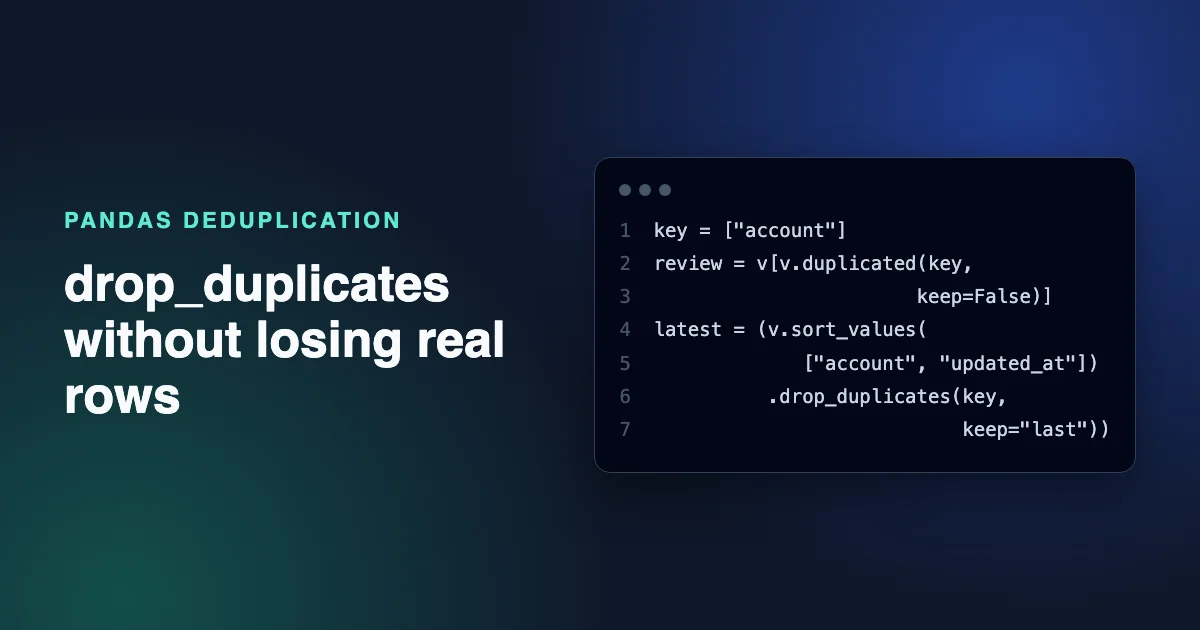
DataFrame.drop_duplicates() removes rows that repeat an earlier row, comparing all columns unless you pass subset, and keeping the first copy unless you pass keep. That one sentence covers the API. The hard part is that drop_duplicates never tells you whether a "duplicate" was a resent copy or a second real transaction, and its defaults make choices about missing values and row order that you may not agree with. This guide covers the parameters, then six mistakes that lose data, each with a tested fix.
Every example was run on pandas 3.0.2, and the outputs are copied from those runs.
Key Takeaways
- With no
subset, a row is dropped only if every column matches an earlier row. Withsubset, only the listed columns are compared, so choose them from the table's grain, not from convenience.keep="first"andkeep="last"mean first and last in the current row order. Sort by a timestamp first if you want the newest or oldest version.drop_duplicatestreats missing values as equal, so two different customers with no email collapse into one row.- Look at the duplicate groups with
duplicated(keep=False)before deleting anything, and record how many rows were removed.
What drop_duplicates does, parameter by parameter
drop_duplicates has four parameters, and each changes which rows survive (pandas DataFrame.drop_duplicates documentation):
| Parameter | Default | What it controls |
|---|---|---|
subset |
None (all columns) |
Which columns must match for two rows to count as duplicates |
keep |
"first" |
Which copy survives: "first", "last", or False to drop every copy |
ignore_index |
False |
Whether the result gets a fresh 0 to n-1 index |
inplace |
False |
Whether to modify the frame instead of returning a new one |
Its companion, DataFrame.duplicated(), takes the same subset and keep arguments and returns a boolean Series instead of a smaller frame (DataFrame.duplicated documentation). Use duplicated to look and drop_duplicates to act. If you want the sort-then-keep pattern inside a full cleaning sequence, the step-by-step pandas cleaning walkthrough shows one.
The examples below use this payments table:
import pandas as pd

df = pd.DataFrame({
    "payment_id": ["P1", "P2", "P2", "P3", "P4", "P5"],
    "customer": ["ana", "ben", "ben", "cara", "cara", "dev"],
    "amount": [20.0, 15.0, 15.0, 9.99, 9.99, None],
    "paid_at": ["2026-04-01 09:00", "2026-04-01 10:00", "2026-04-01 10:00",
                "2026-04-02 08:00", "2026-04-02 08:00", "2026-04-03 12:00"],
})
Payment P2 appears twice with identical values. Cara has two payments, P3 and P4, with the same amount at the same minute but different IDs.
subset: which columns decide
With no subset, only the exact copy of P2 is removed, because every column has to match:
print(df.drop_duplicates())
  payment_id customer  amount           paid_at
0         P1      ana   20.00  2026-04-01 09:00
1         P2      ben   15.00  2026-04-01 10:00
3         P3     cara    9.99  2026-04-02 08:00
4         P4     cara    9.99  2026-04-02 08:00
5         P5      dev     NaN  2026-04-03 12:00
Leave payment_id out of the comparison and Cara's second payment disappears too:
print(df.drop_duplicates(subset=["customer", "amount", "paid_at"]))
  payment_id customer  amount           paid_at
0         P1      ana   20.00  2026-04-01 09:00
1         P2      ben   15.00  2026-04-01 10:00
3         P3     cara    9.99  2026-04-02 08:00
5         P5      dev     NaN  2026-04-03 12:00
Neither answer is automatically right. If the source system issues a new ID on every retry, P4 may be a resend. If Cara really bought two items, P4 is revenue. The columns you pass as subset are a claim about what one row represents, which is why the first step is to find the row grain before removing anything.
keep: which copy survives
keep="first" keeps the earliest copy in the current order, keep="last" keeps the latest, and keep=False removes every row that has a duplicate:
print(df.drop_duplicates(subset="customer", keep=False))
  payment_id customer  amount           paid_at
0         P1      ana    20.0  2026-04-01 09:00
5         P5      dev     NaN  2026-04-03 12:00
keep=False is rarely what a cleaning job needs, because it deletes the record you meant to keep along with its copies. It is very useful with duplicated, though, as the review step later shows.
Mistake 1: Keeping "last" without sorting first
A common bug is using keep="last" to mean "the newest version". It means the last row in whatever order the frame is in now.
v = pd.DataFrame({
    "account": ["A", "A", "B"],
    "status": ["closed", "open", "open"],
    "updated_at": pd.to_datetime(["2026-05-03", "2026-05-01", "2026-05-02"]),
})
print(v.drop_duplicates("account", keep="last"))
  account status updated_at
1       A   open 2026-05-01
2       B   open 2026-05-02
Account A was closed on 3 May, but the older "open" row survived because it was lower in the file. Sort first, then keep last:
latest = (v.sort_values(["account", "updated_at"])
           .drop_duplicates("account", keep="last"))
print(latest)
  account  status updated_at
0       A  closed 2026-05-03
2       B    open 2026-05-02
If two versions can share a timestamp, add a tie-breaker column such as a load sequence number to the sort, for example sort_values(["account", "updated_at", "load_seq"]). Don't rely on kind="stable" for this: the sort_values documentation notes that kind only applies when sorting by a single column. A survivor rule that depends on file order gives different answers on different days. The lesson Deterministic survivor rules covers tie-breaking in more depth.
Mistake 2: Assuming missing values never match
drop_duplicates and duplicated treat missing values in the compared columns as equal to each other. Two customers who both left the email field blank look like the same person:
n = pd.DataFrame({"email": ["a@x.com", None, None], "name": ["A", "B", "C"]})
print(n.drop_duplicates(subset="email"))
     email name
0  a@x.com    A
1      NaN    B
Customer C is gone. SQL has the same trap: NULL = NULL is not true in a WHERE or JOIN, but DISTINCT, GROUP BY and PARTITION BY all put NULLs together, as the companion post on finding duplicate rows in SQL shows for GROUP BY. Deduplicate only the rows that have a key, and keep the rest untouched:
has_key = n["email"].notna()
deduped = pd.concat([n[has_key].drop_duplicates(subset="email"), n[~has_key]])
The glossary entry on null keys covers the same problem in joins: a missing key is not evidence that two rows belong together.
Mistake 3: Deduplicating before you standardize the key
drop_duplicates compares exact values. A trailing space or a capital letter makes two copies of the same email look different:
w = pd.DataFrame({"email": ["ana@x.com", "Ana@X.com ", "ana@x.com"]})
print(w.drop_duplicates())
        email
0   ana@x.com
1  Ana@X.com
Build a normalized key and deduplicate on that, without overwriting the original column:
key = w["email"].str.strip().str.lower()
print(w[~key.duplicated()])
       email
0  ana@x.com
Lowercasing is a policy decision, not a free tidy-up. The domain part of an email is case-insensitive, but the standard allows the local part (before the @) to be case-sensitive (RFC 5321, section 2.4), even though most providers ignore case. Email normalization policies sets out the choices.
Mistake 4: Choosing a subset that is too narrow
Every column you leave out of subset is a column you are declaring irrelevant to identity. The Cara example above shows the risk: dropping payment_id from the comparison turned two payments into one. Ask what one row should represent, such as one payment, one order line or one customer per day, and use the columns that define that grain. Before you drop anything, look at the groups that would merge:
mask = df.duplicated(subset=["customer", "amount", "paid_at"], keep=False)
print(df[mask])
  payment_id customer  amount           paid_at
1         P2      ben   15.00  2026-04-01 10:00
2         P2      ben   15.00  2026-04-01 10:00
3         P3     cara    9.99  2026-04-02 08:00
4         P4     cara    9.99  2026-04-02 08:00
keep=False marks every member of a duplicate group, so you see both copies side by side. P2 is clearly one payment sent twice. P3 and P4 need evidence, such as a resend flag or a payment processor reference, before you merge them. The free exercise Pick one surviving record per account and the exercise Exact copies versus repeat payments practice this distinction.
Mistake 5: Trusting floats and date strings to compare equal
drop_duplicates compares stored values exactly, so values that look equal on screen may not be equal in memory:
f = pd.DataFrame({"x": [0.1 + 0.2, 0.3]})
print(f.drop_duplicates())
print(f.round(9).drop_duplicates())
     x
0  0.3
1  0.3
     x
0  0.3
0.1 + 0.2 is stored as 0.30000000000000004, so the first call keeps both rows. Round, or use exact decimals for amounts, before you compare them.
Dates stored as strings have the opposite problem: 2026-04-01 10:00 and 2026-04-01T10:00:00 are the same instant written two ways, so drop_duplicates sees two values. Parse them first. Because the two strings use different layouts, a plain pd.to_datetime(s) raises a ValueError here (it infers the format from the first value), so pass format="ISO8601":
s = pd.Series(["2026-04-01 10:00", "2026-04-01T10:00:00"])
print(s.nunique())
t = pd.to_datetime(s, format="ISO8601")
print(t.nunique())
2
1
Mistake 6: Not counting what was removed
drop_duplicates returns a smaller frame and says nothing about it. Count before and after, and keep the count in your output or log:
before = len(df)
out = df.drop_duplicates()
print(f"removed {before - len(out)} of {before} rows")
removed 1 of 6 rows
If the number is larger than you expected, stop and look at the groups. If you need the removed rows for an audit trail, take them with df[df.duplicated()] before dropping. Note also that the result keeps the original index labels ([0, 1, 3, 4, 5] here). Pass ignore_index=True if later code assumes a 0 to n-1 index.
A safe drop_duplicates routine
Put together, a deduplication step that doesn't lose data looks like this:
- State the grain: which columns identify one real-world record.
- Standardize those key columns into a separate key, without overwriting originals.
- Set aside rows whose key is missing.
- Review the duplicate groups with
duplicated(subset=..., keep=False). - Sort by your survivor rule, including a tie-breaker.
- Call
drop_duplicates(subset=..., keep=...). - Record how many rows were removed, and keep them if anyone may ask.
Frequently asked questions
What is the difference between duplicated and drop_duplicates in pandas?
duplicated() returns a True/False Series that marks repeat rows, and drop_duplicates() returns the frame with those rows removed. They accept the same subset and keep arguments, so df[~df.duplicated(...)] and df.drop_duplicates(...) give the same rows.
Does drop_duplicates keep the first or last row?
It keeps the first row of each duplicate group by default. Pass keep="last" to keep the last one, or keep=False to drop every copy. "First" and "last" refer to the current row order, so sort the frame first if you mean oldest or newest.
How do I drop duplicates based on one column?
Pass that column as subset, for example df.drop_duplicates(subset="email"). Check first that the column really identifies one record, that its values are standardized, and that rows with a missing value in it are handled separately, since pandas treats missing values as matching each other.
Does drop_duplicates modify the original DataFrame?
No. It returns a new DataFrame and leaves the original unchanged unless you pass inplace=True. Assigning the result, as in df = df.drop_duplicates(), is the clearer pattern.
Related reading
- pandas merge Pitfalls: Duplicated Rows, Lost Rows and Null Keys
- How to Merge Two Customer Lists Without Creating Duplicates
Sources
- pandas development team,
DataFrame.drop_duplicatesAPI reference, retrieved 2026-11-05. - pandas development team,
DataFrame.duplicatedAPI reference, retrieved 2026-11-05. - pandas development team,
DataFrame.sort_valuesAPI reference, retrieved 2026-11-05. - pandas development team,
pandas.to_datetimeAPI reference, retrieved 2026-11-05. - J. Klensin, RFC 5321: Simple Mail Transfer Protocol, IETF, 2008, retrieved 2026-11-05.