Cleaning E-commerce Order Data: A Worked Example
A worked example of cleaning a messy order export in DuckDB SQL and pandas: split orders from lines, parse money, drop re-exported rows, reconcile totals.
By Tnas · Published · 10 min read
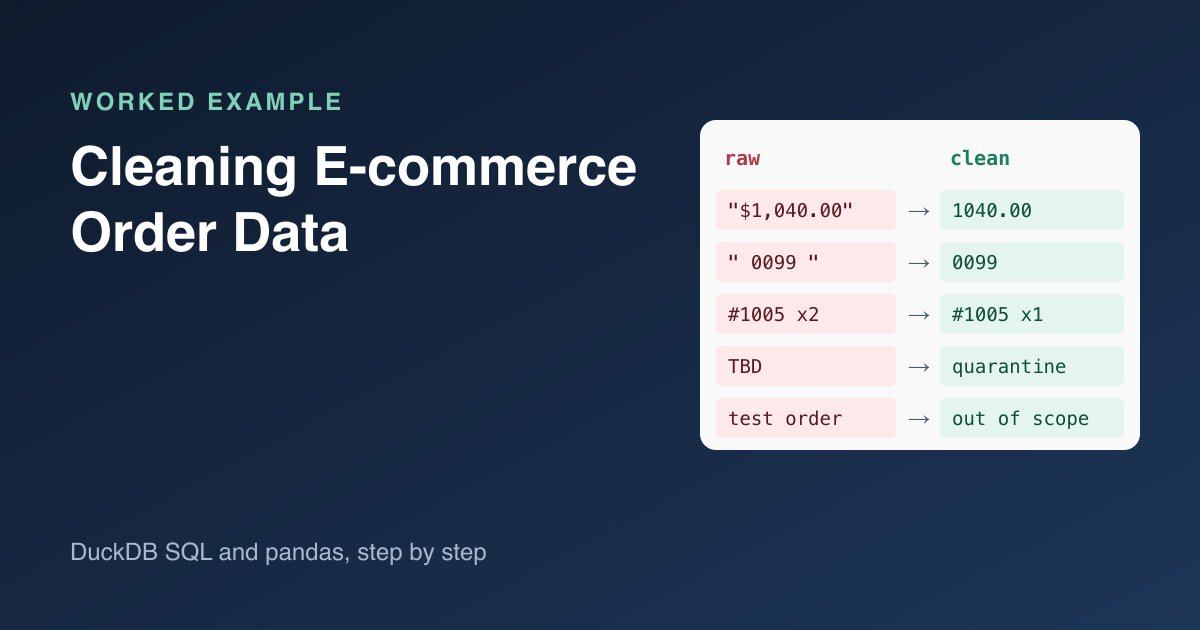
An e-commerce order export looks tidy until you try to total it. One order spreads across several rows, money arrives as text with currency symbols, the same line shows up twice because someone re-ran the export, and test or cancelled orders sit next to real ones. This worked example takes a small but realistic export from raw file to a revenue figure you can defend, with every step in DuckDB SQL and the key steps repeated in pandas.
Key Takeaways
- Load the export as text first, then type each column on purpose, so
00451stays a SKU and$1,040.00doesn't silently become missing.- Split order-level fields from line-level fields by the order key. Don't fill blanks down by row position.
- Decide the row grain (one row per order line) before removing duplicates, and only drop rows that are true copies of the same line.
- Reconcile line totals against the order subtotal and report orders you couldn't check instead of hiding them.
- Report revenue per currency and say which orders were excluded and why.
What does the raw order export look like?
Most store platforms export one row per line item, not one row per order. A line item is one product on an order, with its own quantity and price. Shopify's help centre describes exactly this: orders with several items put each extra item on its own row, and many order fields are left blank on those rows (Shopify Help Center, Exporting orders). That layout is the root of most order-cleaning bugs, because the file mixes two grains: the order (total, currency, created time) and the line (SKU, quantity, price).
Here is the export used in this example, saved as orders_export.csv:
order_name,created_at,email,tags,currency,subtotal,shipping,total,cancelled_at,line_no,sku,lineitem_name,quantity,lineitem_price
#1001,2026-03-02 09:14:00+00:00,ana@example.net,,USD,"$1,040.00",$10.00,"$1,050.00",,1,00451,Desk lamp,2,$20.00
#1001,,,,,,,,,2, 0099 ,Standing desk,1,"$1,000.00"
#1002,2026-03-02 11:40:00+01:00,ben@example.net,,EUR,€45.50,€4.90,€50.40,,1,00451,Desk lamp,1,€45.50
#1003,2026-03-03 08:05:00+00:00,qa@example.net,test,USD,$12.00,$0.00,$12.00,,1,00777,Cable clip,3,$4.00
#1004,2026-03-03 15:22:00+00:00,cara@example.net,,USD,$60.00,$5.00,$65.00,2026-03-04 10:00:00+00:00,1,00451,Desk lamp,3,$20.00
#1005,2026-03-04 07:30:00+00:00,dev@example.net,,USD,$64.00,$5.00,$69.00,,1,00777,Cable clip,1,$4.00
#1005,,,,,,,,,2,00451,Desk lamp,3,$20.00
#1005,,,,,,,,,2,00451,Desk lamp,3,$20.00
#1006,2026-03-04 18:45:00+00:00,eli@example.net,,USD,$40.00,$5.00,$45.00,,1,00451,Desk lamp,2,TBD
#1007,2026-03-05 10:02:00+00:00,fay@example.net,,USD,$30.00,$5.00,$35.00,,1,00777,Cable clip,5,$4.00
Ten rows, seven orders, and at least six separate problems:
| Problem | Where | Risk if ignored |
|---|---|---|
| Two grains in one file | Blank order fields on line rows | Totals counted once per line, or lines lost |
| Money stored as text with symbols | $1,040.00, €45.50 |
Casts fail or prices become missing |
| Identifiers with leading zeros and spaces | 00451, " 0099 " |
SKUs stop matching the product table |
| A re-exported line | #1005 line 2 appears twice |
Revenue and quantity inflated |
| A price that isn't a number | TBD on #1006 |
Silent missing value in totals |
| Test and cancelled orders | #1003, #1004 |
Revenue that never happened |
The order #1007 hides one more problem, which the reconciliation step finds.
Step 1: Load everything as text
Let the file arrive exactly as written, then convert columns yourself. DuckDB's read_csv accepts all_varchar = true, which skips type detection and reads every column as text (DuckDB, CSV import). Type detection guesses from the values it sees. On this file, pandas' default read_csv reads sku as int64 and turns 00451 into 451; DuckDB's detector happened to keep it as text, but a guess isn't a guarantee. That is the problem covered in the guide on identifiers and leading zeros.
CREATE TABLE raw AS
SELECT * FROM read_csv('orders_export.csv', all_varchar = true, header = true);
In pandas the equivalent is dtype=str with keep_default_na=False, so that strings such as NA aren't turned into missing values behind your back (pandas, read_csv):
import pandas as pd

raw = pd.read_csv("orders_export.csv", dtype=str, keep_default_na=False)
raw = raw.apply(lambda s: s.str.strip()).replace("", pd.NA)
Every query and output in this post was run with DuckDB 1.5.1 and pandas 3.0.2. The export itself is invented for the example, and the DuckDB output tables are trimmed of their type rows to fit the page.
Step 2: Split order headers from order lines
Each order's first row carries the order fields; the rows after it carry only line fields. A tempting fix is to fill the blanks downward. That works only while the file stays sorted, and nothing guarantees that. The safer approach is to build two tables keyed on order_name: one row per order, and one row per line.
CREATE TABLE orders AS
SELECT trim(order_name) AS order_name,
       CAST(created_at AS TIMESTAMPTZ) AS created_at,
       lower(trim(email)) AS email,
       coalesce(tags, '') AS tags,
       upper(trim(currency)) AS currency,
       TRY_CAST(regexp_replace(subtotal, '[^0-9.\-]', '', 'g') AS DECIMAL(12,2)) AS subtotal,
       TRY_CAST(regexp_replace(shipping, '[^0-9.\-]', '', 'g') AS DECIMAL(12,2)) AS shipping,
       TRY_CAST(regexp_replace(total,    '[^0-9.\-]', '', 'g') AS DECIMAL(12,2)) AS total,
       CAST(cancelled_at AS TIMESTAMPTZ) AS cancelled_at
FROM raw
WHERE created_at IS NOT NULL;
Then check the split before trusting it. Every order should have exactly one header row, and every line should belong to a known order:
-- orders with zero or several header rows
SELECT order_name, count(*) AS header_rows
FROM orders GROUP BY order_name HAVING count(*) <> 1;

-- line rows whose order has no header
SELECT r.order_name
FROM raw r ANTI JOIN orders o ON trim(r.order_name) = o.order_name;
Both queries return zero rows for this file. On a real export, a non-empty result is a finding to report, not a reason to guess. The order-line export exercise is built around this exact split.
Timestamps keep their offsets. #1002 was placed at 11:40 at +01:00, which is 10:40 UTC. Casting to TIMESTAMPTZ keeps the instant, so orders from different time zones sort and filter correctly.
Step 3: Type the line items and parse money
Line rows need a quantity as an integer and a unit price as an exact decimal. DECIMAL(12,2) stores cents exactly, which floating-point numbers can't promise (DuckDB, numeric types). The regular expression strips currency symbols and thousands separators, and TRY_CAST returns NULL instead of failing the whole query when a value can't be converted (DuckDB, casting).
CREATE TABLE lines AS
SELECT trim(order_name) AS order_name,
       CAST(line_no AS INTEGER) AS line_no,
       trim(sku) AS sku,
       trim(lineitem_name) AS lineitem_name,
       TRY_CAST(quantity AS INTEGER) AS quantity,
       lineitem_price AS price_text,
       TRY_CAST(regexp_replace(lineitem_price, '[^0-9.\-]', '', 'g') AS DECIMAL(12,2)) AS unit_price
FROM raw;
Two cautions. First, keep price_text next to the parsed value, so a reviewer can see what the file said. Second, this pattern assumes a dot as the decimal separator. A store that exports 45,50 for forty-five euros fifty would be parsed as 4550, so confirm the number format per store or currency before you strip characters. The guide on money and exact decimals goes deeper on separators and rounding.
Step 4: Remove re-exported lines at the right grain
The grain of the lines table is one row per order line, identified by order_name plus line_no. Before deleting anything, look at the keys that repeat and check whether the copies agree:
SELECT order_name, line_no, count(*) AS copies,
       count(DISTINCT (sku, quantity, price_text)) AS versions
FROM lines
GROUP BY order_name, line_no
HAVING count(*) > 1;
┌────────────┬─────────┬────────┬──────────┐
│ order_name │ line_no │ copies │ versions │
├────────────┼─────────┼────────┼──────────┤
│ #1005      │       2 │      2 │        1 │
└────────────┴─────────┴────────┴──────────┘
Two copies, one version: an exact duplicate of the same line, so dropping one is safe. If versions were 2, the copies would disagree, and you'd need a survivor rule rather than DISTINCT.
CREATE TABLE lines_dedup AS SELECT DISTINCT * FROM lines; -- 10 rows in, 9 out
Steps 2 to 4 in pandas look like this. pd.to_numeric(..., errors="coerce") plays the role of TRY_CAST:
def money(s):
    return pd.to_numeric(s.str.replace(r"[^0-9.\-]", "", regex=True), errors="coerce")

orders = raw[raw["created_at"].notna()].copy()
orders["created_at"] = pd.to_datetime(orders["created_at"], utc=True)
for col in ["subtotal", "shipping", "total"]:
    orders[col] = money(orders[col])
assert orders["order_name"].is_unique

lines = raw[["order_name", "line_no", "sku", "quantity", "lineitem_price"]].copy()
lines["quantity"] = pd.to_numeric(lines["quantity"], errors="coerce").astype("Int64")
lines["unit_price"] = money(lines["lineitem_price"])
lines = lines.drop_duplicates()  # 10 rows in, 9 out
Grain matters here. A customer can buy the same SKU twice on separate lines of one order, and those rows look alike apart from line_no. Deduplicating on SKU and quantity alone would delete a real purchase. The exercise Deduplicate order lines at the right grain practises this distinction.
Step 5: Quarantine lines you can't price
#1006 has a price of TBD. It didn't fail the load, because TRY_CAST turned it into NULL. That is the point of TRY_CAST, and it's also the danger: a NULL price disappears quietly inside a sum(). List those rows with a reason instead:
SELECT order_name, line_no, price_text,
       CASE WHEN unit_price IS NULL THEN 'price not a number'
            WHEN quantity IS NULL OR quantity <= 0 THEN 'bad quantity' END AS reason
FROM lines_dedup
WHERE unit_price IS NULL OR quantity IS NULL OR quantity <= 0;
┌────────────┬─────────┬────────────┬────────────────────┐
│ order_name │ line_no │ price_text │       reason       │
├────────────┼─────────┼────────────┼────────────────────┤
│ #1006      │       1 │ TBD        │ price not a number │
└────────────┴─────────┴────────────┴────────────────────┘
The quarantine keeps the evidence and tells someone what to fix. The lesson TRY_CAST for quarantine shows the pattern in more detail.
Step 6: Decide which orders are in scope
Revenue reports usually exclude cancelled and test orders, but excluding is a scope decision, not a deletion. Label each order with the reason it is in or out:
SELECT order_name,
       CASE WHEN cancelled_at IS NOT NULL THEN 'cancelled'
            WHEN list_contains(string_split(tags, ','), 'test') THEN 'test order'
            ELSE 'in scope' END AS scope
FROM orders
ORDER BY order_name;
This returns #1003 as a test order, #1004 as cancelled and the other five as in scope. Matching the whole tag test matters: a substring search for test would also catch a real tag such as contest-winner. Practise this with Exclude test accounts from scope.
Step 7: Reconcile lines against the order subtotal
The export gives you a free check. In this sample, which has no discounts, taxes or refunds, quantity times unit price summed over the lines should equal the order's subtotal, and subtotal plus shipping should equal the total.
A real export needs the same equations with more terms. Line and order discounts, taxes and refunds all sit between the line prices and the order total, and platforms differ on whether the subtotal is before or after discounts. Read your platform's column definitions, write the equation down, and add a term for each column before you treat a difference as an error.
WITH line_totals AS (
  SELECT order_name,
         sum(quantity * unit_price) AS line_sum,
         count(*) FILTER (WHERE unit_price IS NULL) AS unpriced_lines
  FROM lines_dedup
  GROUP BY order_name
)
SELECT o.order_name, o.subtotal, l.line_sum, l.unpriced_lines,
       o.subtotal + o.shipping = o.total AS total_adds_up,
       CASE WHEN l.unpriced_lines > 0 THEN 'cannot check'
            WHEN l.line_sum = o.subtotal THEN 'ok'
            ELSE 'mismatch' END AS subtotal_check
FROM orders o JOIN line_totals l USING (order_name)
ORDER BY o.order_name;
┌────────────┬──────────┬──────────┬────────────────┬───────────────┬────────────────┐
│ order_name │ subtotal │ line_sum │ unpriced_lines │ total_adds_up │ subtotal_check │
├────────────┼──────────┼──────────┼────────────────┼───────────────┼────────────────┤
│ #1001      │  1040.00 │  1040.00 │              0 │ true          │ ok             │
│ #1002      │    45.50 │    45.50 │              0 │ true          │ ok             │
│ #1003      │    12.00 │    12.00 │              0 │ true          │ ok             │
│ #1004      │    60.00 │    60.00 │              0 │ true          │ ok             │
│ #1005      │    64.00 │    64.00 │              0 │ true          │ ok             │
│ #1006      │    40.00 │     NULL │              1 │ true          │ cannot check   │
│ #1007      │    30.00 │    20.00 │              0 │ true          │ mismatch       │
└────────────┴──────────┴──────────┴────────────────┴───────────────┴────────────────┘
Three results stand out:
#1005now matches. Before deduplication its lines summed to 124.00 against a subtotal of 64.00. The reconciliation confirms the duplicate removal was right.#1006can't be checked. SQL'ssum()ignoresNULL. Without theunpriced_linescount, an order with one priced line and one unpriced line would show a line sum that is too low. It would be reported as a mismatch, when the real problem is a missing price.#1007is a real mismatch. Five cable clips at 4.00 is 20.00, but the subtotal says 30.00. The cause could be a price change, a missing line or a manual edit. Cleaning can't tell which, so it goes on the exception list for someone who can.
The same check in pandas, using validate="1:1" so the merge fails loudly if an order has two header rows:
lines["line_value"] = lines["quantity"] * lines["unit_price"]
check = (lines.groupby("order_name")["line_value"].sum(min_count=1)
              .rename("line_sum").reset_index()
              .merge(orders[["order_name", "subtotal"]], on="order_name", validate="1:1"))
check["matches"] = check["line_sum"].round(2) == check["subtotal"].round(2)

unpriced = lines["unit_price"].isna().groupby(lines["order_name"]).sum()  # sum() skips missing values
  order_name  line_sum  subtotal  matches
0      #1001    1040.0    1040.0     True
1      #1002      45.5      45.5     True
2      #1003      12.0      12.0     True
3      #1004      60.0      60.0     True
4      #1005      64.0      64.0     True
5      #1006      <NA>      40.0     <NA>
6      #1007      20.0      30.0    False
pandas also skips missing values in sum() by default, which is why unpriced is counted separately: check it before trusting a True. For the full method, see Reconciliation: proving nothing was lost and the Validate invoice totals exercise.
Step 8: Report revenue per currency, with its caveats
Never add euros to dollars. Group by currency and keep the scope rules visible in the query:
SELECT currency, count(*) AS orders, sum(total) AS revenue
FROM orders
WHERE cancelled_at IS NULL
  AND NOT list_contains(string_split(tags, ','), 'test')
GROUP BY currency
ORDER BY currency;
┌──────────┬────────┬─────────┐
│ currency │ orders │ revenue │
├──────────┼────────┼─────────┤
│ EUR      │      1 │   50.40 │
│ USD      │      4 │ 1199.00 │
└──────────┴────────┴─────────┘
The number alone isn't the deliverable. The deliverable is the number plus its notes: USD revenue of 1,199.00 across four orders, of which #1006 has an unpriced line and #1007 has a subtotal that doesn't match its lines. One test order and one cancelled order were excluded, and one re-exported line was removed. The Sum amounts by currency exercise practises the currency rule on its own.
A checklist for your next order export
| Step | Check | Output |
|---|---|---|
| Load | All columns read as text | Raw table, unchanged |
| Split | One header row per order; no orphan lines | orders, lines |
| Type | Money as DECIMAL, SKUs as text, timestamps with offsets |
Typed tables plus original text |
| Deduplicate | Repeats on the line key, copies agree | Row counts before and after |
| Quarantine | Unparseable prices and quantities | Exception list with reasons |
| Scope | Test and cancelled orders labelled | Scope column, counts per reason |
| Reconcile | Lines = subtotal; subtotal + shipping = total, with discount, tax and refund terms added for your platform | Mismatch and "cannot check" lists |
| Report | Totals per currency | Figures plus exclusions and exceptions |
None of these steps needs a big tool. They need you to write down the grain, keep the original text, and treat every row you exclude or can't check as part of the result.
Related reading
- Cleaning Currency Values: Symbols, Thousands Separators and Negative Amounts
- How to Find Duplicate Rows in SQL (and Decide Which One to Keep)
- Handling Late-Arriving and Updated Records in a Cleaning Pipeline